AI agent for aerospace engineers
Test Campaign Schedule and Facility Booking Agent
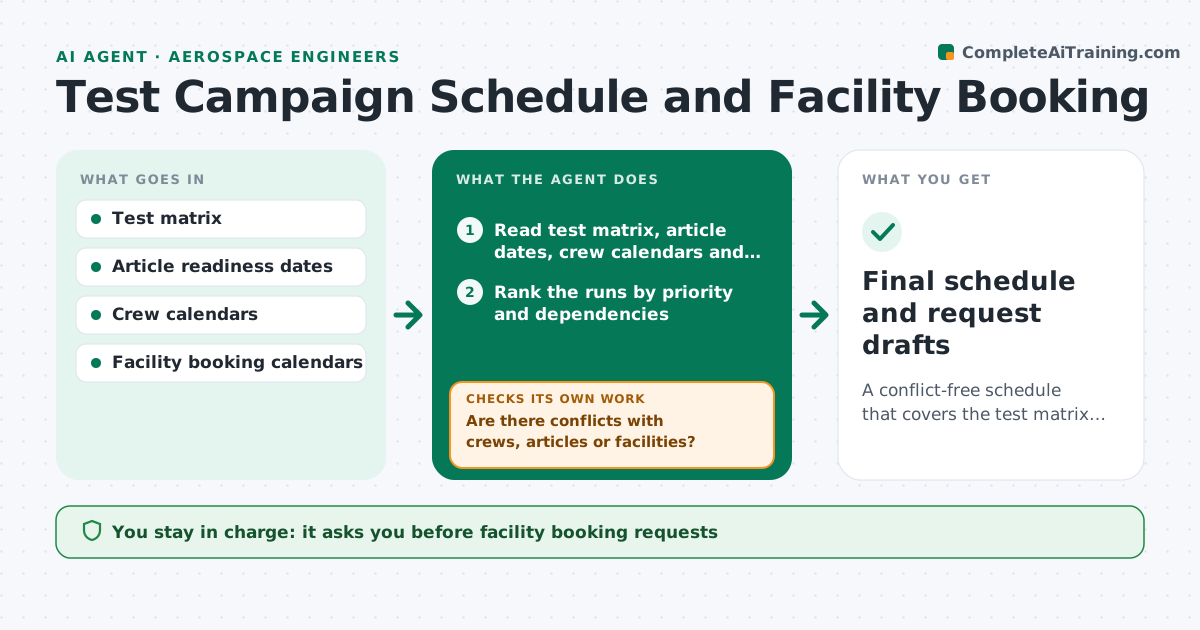
A conflict-free schedule that covers the test matrix and fits facility, article and crew availability.
What it does
A test campaign needs a model, a crew, instrumentation and a facility, and the facility books months ahead. When one piece slips, everything else clashes. This agent reads the test matrix and builds a schedule from the availability of test articles, crews and facilities. It then checks for conflicts such as a crew double-booked, an article still in fabrication or a rig under maintenance. If a conflict remains, it reworks the plan by moving runs, merging similar conditions or choosing another slot and checks again. It lists the cost and risk of each change. You approve the bookings before anything is requested. Edge case: runs that need a long thermal soak are not placed at the start of a shift.
How it works
Follow the arrows from top to bottom. The orange dashed arrow is the loop: when a check fails, the agent goes back and tries again.
Read the steps as a list
- Test matrix or availability change
- Read test matrix, article dates, crew calendars and facility slots
- Rank the runs by priority and dependencies
- Build a first schedule using the earliest valid slots
- Are there conflicts with crews, articles or facilities?If not: move or merge runs, try alternate slots or facilities, and rebuild. Back to step 3.
- Estimate the effect of each change on cost and risk
- Does the schedule cover every required run before the deadline?If not: propose dropping low-priority runs or adding a shift, and rebuild. Back to step 3.
- Write the proposed booking requests
- Engineer approves bookings before they are requestedThe agent waits here for your OK.
- Final schedule and request drafts
How it decides
It places high-priority runs first, then fills with lower-priority runs, and rejects any plan with a double-booking or a missing resource.
- High-priority run cannot be placed: propose dropping lower-priority runs first
- Two runs share the same configuration: combine them into one slot
- Article readiness date within 5 days of a slot: add a buffer or move later
- Facility offers an earlier slot: propose it only if the article and crew are ready
Make it yours
Every agent is a starting point. You choose these settings for your own situation.
- Run priorities
- Buffer days before article readiness (default 5)
- Preferred facilities
- Shift patterns
- Deadline
What keeps you in control
It always asks you first
- Facility booking requests
- Any change to the test matrix scope
Hard limits
- Never confirm a booking with a facility
- Never drop a required run without approval
It stops when
- Done: conflict-free schedule approved
- Stop: no schedule fits, report the options
Set it up
We guide you through the set-up, step by step
Members get the full set-up guide for this agent. No technical skills needed: you copy, paste and upload.
- One set of instructions to paste into your AI, with the clicks for ChatGPT, Claude, Microsoft 365 Copilot, Gemini and Grok
- The agent then walks you through connecting your own data, one source at a time
- A downloadable copy with the flow chart, the rules and the full guide