AI agent for virtual assistants
Therapy Waitlist Matching Agent
Fill openings quickly with the right client
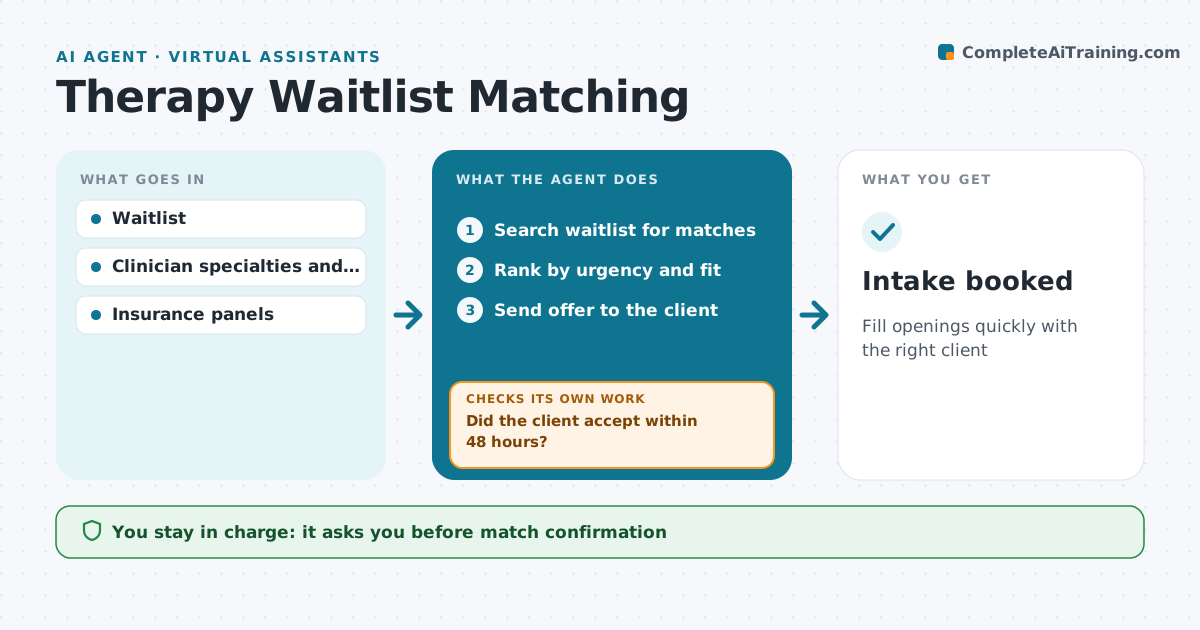
What it does
Therapy waitlists grow while openings appear as clients finish, and matching them by hand is slow. This agent keeps the waitlist with each client's needs, availability, insurance and urgency. When an opening appears, it ranks matches by clinician specialty, time slot and insurance fit, and drafts an offer for the best one. A clinician confirms the match before the offer goes out. If the client does not accept within 48 hours, it moves to the next best match. Each week it reviews the list to confirm clients still want care and flags anyone who has waited past the target time. Removing someone from the list needs staff approval. Edge case: a waitlisted client who reports worsening symptoms is moved straight to urgent review by a clinician instead of waiting for an opening.
How it works
Follow the arrows from top to bottom. The orange dashed arrow is the loop: when a check fails, the agent goes back and tries again.
Read the steps as a list
- Opening appears
- Search waitlist for matches
- Rank by urgency and fit
- Clinician confirms matchThe agent waits here for your OK.
- Send offer to the client
- Did the client accept within 48 hours?If not: offer to the next best match. Back to step 2.
- Intake booked
How it decides
Matches are ranked by urgency, then fit with specialty, time and insurance.
- Urgent clients first
- Insurance must match the clinician's panels
- Clients waiting over 30 days are flagged
Make it yours
Every agent is a starting point. You choose these settings for your own situation.
- Acceptance window
- Urgency criteria
- Target wait time
- Message template
What keeps you in control
It always asks you first
- Match confirmation
- Removing clients from the list
Hard limits
- No clinical advice in offers
- Respect contact consent
It stops when
- Done: opening filled
- Stop: no matches, list the opening for new referrals
Set it up
We guide you through the set-up, step by step
Members get the full set-up guide for this agent. No technical skills needed: you copy, paste and upload.
- One set of instructions to paste into your AI, with the clicks for ChatGPT, Claude, Microsoft 365 Copilot, Gemini and Grok
- The agent then walks you through connecting your own data, one source at a time
- A downloadable copy with the flow chart, the rules and the full guide