AI agent for mobile app developers
Third-Party SDK Review Agent
Every SDK known, reviewed and consistent with the app's declared data use, with updates tested before release
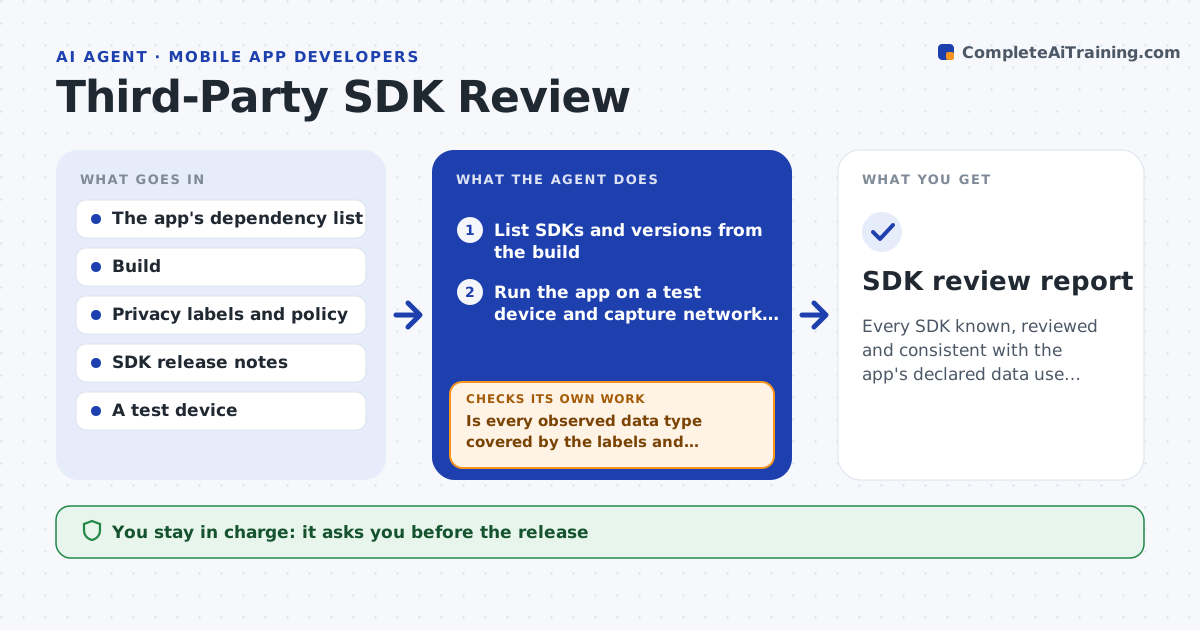
What it does
A small analytics library gets an update and suddenly the app reads the advertising ID, and the store privacy label is wrong. This agent lists every SDK in the app and its version. For each one, it checks what the SDK does: network destinations seen in a test run, permissions it adds, data types it sends and what its documentation says about privacy. It compares that with the app's store privacy labels and its own privacy policy. It then tests an update to the newest safe version in a branch and reruns the tests and the network check. Mismatches go on a list. The developer approves the release. Edge case: an SDK that loads other SDKs at runtime is flagged because its calls will not show in the code list.
How it works
Follow the arrows from top to bottom. The orange dashed arrow is the loop: when a check fails, the agent goes back and tries again.
Read the steps as a list
- Release candidate or SDK update alert
- List SDKs and versions from the build
- Run the app on a test device and capture network calls and permissions
- Compare observed data with store labels and policy
- Is every observed data type covered by the labels and policy?If not: list the mismatch with the SDK and the call. Back to step 3.
- Select the newest safe version for each SDK with a finding
- Update in a branch and rerun tests and the network check
- Do tests pass and is the mismatch gone?If not: try another version or flag the SDK for replacement. Back to step 6.
- Developer approves the releaseThe agent waits here for your OK.
- SDK review report
How it decides
An SDK passes when its observed data and permissions are covered by the labels and the policy. Any new data type blocks release until labeled.
- Block the release for any unlabeled data type
- Flag SDKs with no update in 12 months
- Flag SDKs that load code at runtime
- Try one version back before recommending removal
Make it yours
Every agent is a starting point. You choose these settings for your own situation.
- Data types that must be labeled
- Allowed network destinations
- Age at which an SDK is flagged (default 12 months)
- Test device and OS version
What keeps you in control
It always asks you first
- The release
- Removing or replacing an SDK
Hard limits
- Never publishes the app or updates store labels itself
- Tests only with test accounts and data
It stops when
- Done: all SDKs reviewed and labels consistent
- Stop: the build cannot run on the test device
Set it up
We guide you through the set-up, step by step
Members get the full set-up guide for this agent. No technical skills needed: you copy, paste and upload.
- One set of instructions to paste into your AI, with the clicks for ChatGPT, Claude, Microsoft 365 Copilot, Gemini and Grok
- The agent then walks you through connecting your own data, one source at a time
- A downloadable copy with the flow chart, the rules and the full guide