AI agent for construction project managers
Three-Week Lookahead Schedule Agent
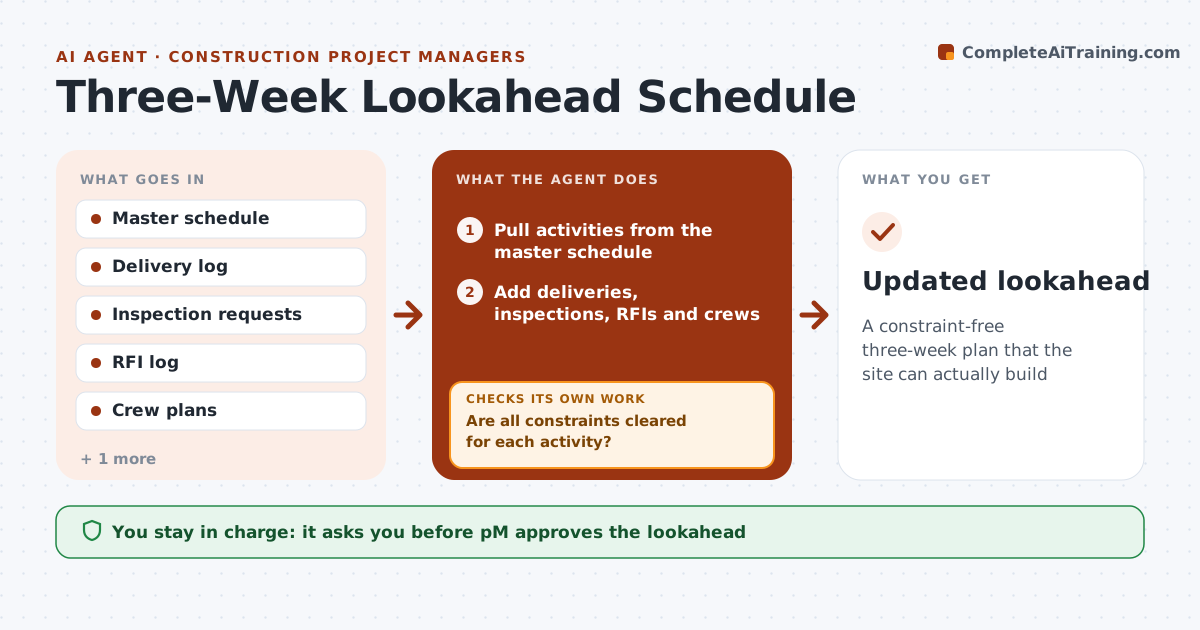
A constraint-free three-week plan that the site can actually build
What it does
Each week, site teams plan the next three weeks of work, and blocked activities cause idle crews. This agent pulls activities from the master schedule and adds constraints: material deliveries, inspections, permits, open RFIs and crew availability. It builds a three-week lookahead and checks that every activity has its predecessors done or planned and all constraints cleared. Open constraints are flagged with the person who can clear them, and the plan is resequenced. Weather-sensitive work is checked against the forecast; rain over 60% moves pours. The project manager approves the lookahead. After each week, it compares planned with actual work and tracks percent plan complete. Edge case: a concrete pour with an inspection not yet requested is moved even if the weather is fine.
How it works
Follow the arrows from top to bottom. The orange dashed arrow is the loop: when a check fails, the agent goes back and tries again.
Read the steps as a list
- Weekly planning
- Pull activities from the master schedule
- Add deliveries, inspections, RFIs and crews
- Build the three-week lookahead
- Are all constraints cleared for each activity?If not: flag open constraints with owners and resequence. Back to step 3.
- PM approves the lookaheadThe agent waits here for your OK.
- Compare planned with actual work
- Updated lookahead
How it decides
An activity is ready only when predecessors are done and constraints are cleared. Weather-sensitive work checks the forecast.
- Open constraints block activities
- Forecast rain over 60% moves pours
- Planned percent complete tracked
Make it yours
Every agent is a starting point. You choose these settings for your own situation.
- Lookahead length
- Constraint types
- Weather limits
- Meeting day
What keeps you in control
It always asks you first
- PM approves the lookahead
Hard limits
- Never changes the master schedule
- Never schedules subs directly
It stops when
- Done: weekly lookahead
- Stop: project complete
Set it up
We guide you through the set-up, step by step
Members get the full set-up guide for this agent. No technical skills needed: you copy, paste and upload.
- One set of instructions to paste into your AI, with the clicks for ChatGPT, Claude, Microsoft 365 Copilot, Gemini and Grok
- The agent then walks you through connecting your own data, one source at a time
- A downloadable copy with the flow chart, the rules and the full guide