AI agent for tour guides
Tour Script Fact Check Agent
A tour script where every fact is checked and legends are labeled
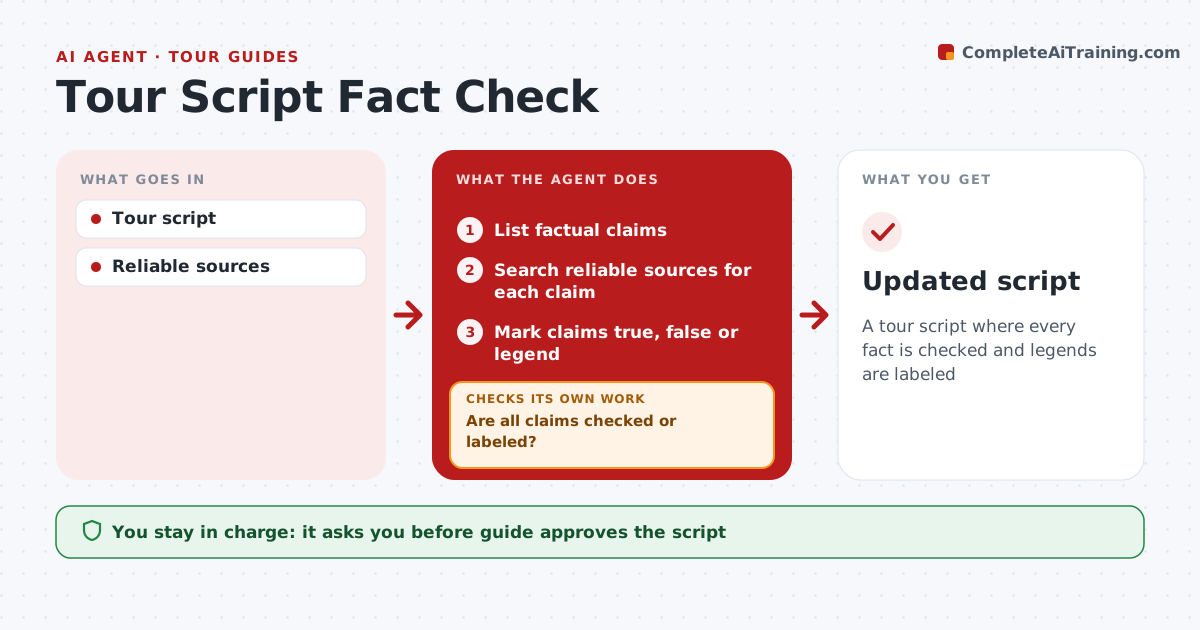
What it does
Guides tell stories about places, and many popular stories are myths that well-read visitors will challenge on the spot. This agent reads the tour script and lists every factual claim, such as dates, names, numbers and events. It searches reliable sources like museum archives, local historical societies and published histories, and needs two reliable sources to confirm a claim. It marks each claim true, false or legend. False claims are rewritten with the correct fact and a source note. Popular stories with no evidence stay in but are labeled as legends so the guide can tell them honestly. If a claim is still unchecked, it searches more sources before handing the script back. The guide approves the final script. Edge case: when reliable sources disagree, it gives both versions so the guide can present the debate.
How it works
Follow the arrows from top to bottom. The orange dashed arrow is the loop: when a check fails, the agent goes back and tries again.
Read the steps as a list
- Script submitted
- List factual claims
- Search reliable sources for each claim
- Mark claims true, false or legend
- Rewrite wrong claims
- Are all claims checked or labeled?If not: search more sources. Back to step 3.
- Guide approves scriptThe agent waits here for your OK.
- Updated script
How it decides
A claim passes when two reliable sources agree. Popular stories without evidence are labeled as legends.
- Two reliable sources needed
- Legends kept but labeled
- Disagreements told as both versions
Make it yours
Every agent is a starting point. You choose these settings for your own situation.
- Sources to trust
- Review frequency
- Tone
- Script length
What keeps you in control
It always asks you first
- Guide approves the script
Hard limits
- Never invents facts
- Cites sources for changes
It stops when
- Done: script checked
- Stop: no sources found
Set it up
We guide you through the set-up, step by step
Members get the full set-up guide for this agent. No technical skills needed: you copy, paste and upload.
- One set of instructions to paste into your AI, with the clicks for ChatGPT, Claude, Microsoft 365 Copilot, Gemini and Grok
- The agent then walks you through connecting your own data, one source at a time
- A downloadable copy with the flow chart, the rules and the full guide