AI agent for curriculum developers
Training Content Example Refresh Agent
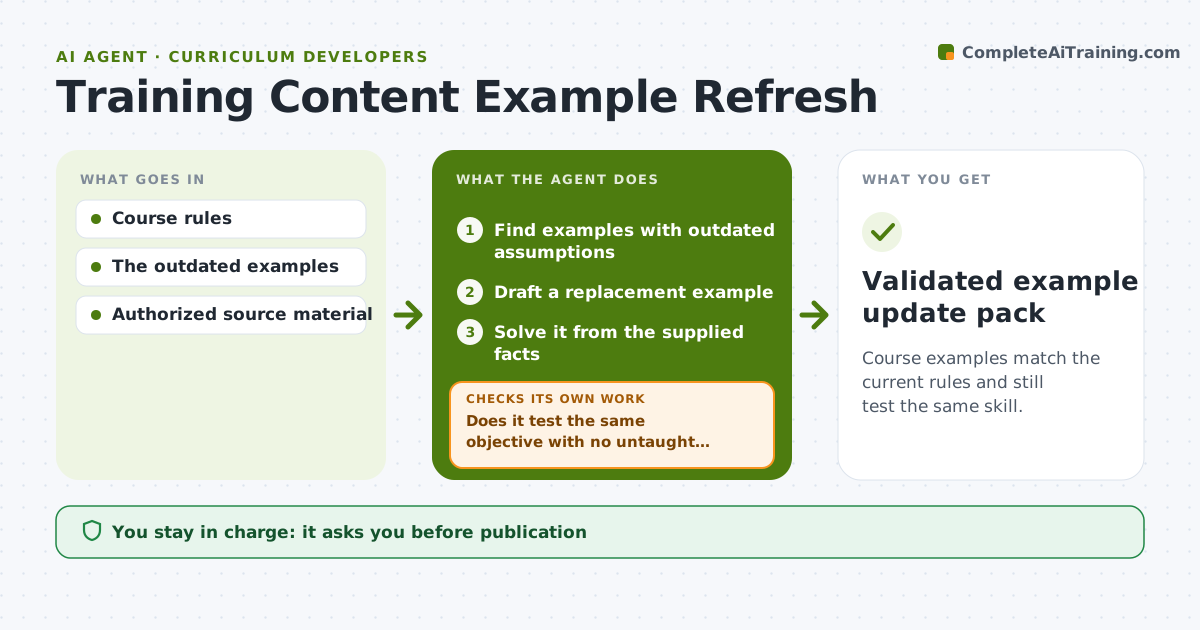
Course examples match the current rules and still test the same skill.
What it does
Professional courses keep old examples after the rules change, such as tax thresholds, regulations or software menus. Learners then practice with wrong facts. When a rule update arrives, this agent finds examples built on outdated assumptions. It drafts a replacement example that tests the same learning objective. It then solves each new example from the facts supplied, checking that it works and does not trigger an exception the course does not teach. If it does, it revises the example and solves again. The publisher approves the update pack before anything changes in the course. Edge case: an example whose old figure still happens to give the right answer is still updated, so learners see current figures.
How it works
Follow the arrows from top to bottom. The orange dashed arrow is the loop: when a check fails, the agent goes back and tries again.
Read the steps as a list
- Rule update
- Find examples with outdated assumptions
- Draft a replacement example
- Solve it from the supplied facts
- Does it test the same objective with no untaught exceptions?If not: revise the example. Back to step 3.
- Publisher approves the update packThe agent waits here for your OK.
- Validated example update pack
How it decides
It compares each example's assumptions with current rules, drafts a replacement, solves it, and revises when it tests a different skill or can't be solved from the given facts.
- Outdated: any assumption that conflicts with the current rules.
- Accept a replacement: same objective, solvable from the facts, nothing untaught.
- Update even when the old figure still gives the right answer.
- Revise limit: after three failed drafts, ask the subject expert.
Make it yours
Every agent is a starting point. You choose these settings for your own situation.
- Rule sources monitored (default official rule updates the course cites)
- Courses and lessons in scope
- Revision attempts before asking the subject expert (default 3)
- Output format (default old example, new example, worked solution)
- Who approves the update pack (default the publisher)
What keeps you in control
It always asks you first
- Publication
- Claims beyond approved sources
Hard limits
- Authorized sources only.
It stops when
- Done: all outdated examples replaced.
Set it up
We guide you through the set-up, step by step
Members get the full set-up guide for this agent. No technical skills needed: you copy, paste and upload.
- One set of instructions to paste into your AI, with the clicks for ChatGPT, Claude, Microsoft 365 Copilot, Gemini and Grok
- The agent then walks you through connecting your own data, one source at a time
- A downloadable copy with the flow chart, the rules and the full guide