AI agent for landscape architects
Tree Inventory and Protection Agent
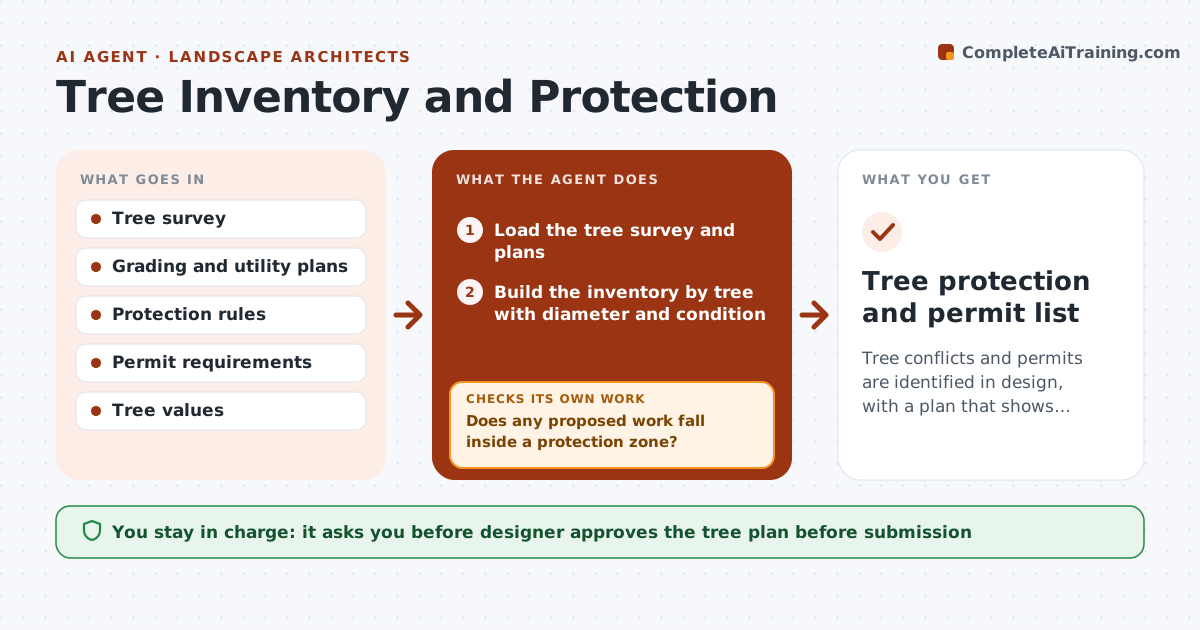
Tree conflicts and permits are identified in design, with a plan that shows protection and removals.
What it does
The plan goes to review and the city says three trees are in the root zone of the new utility trench, and two need removal permits. This agent builds the tree inventory from survey data, with species, diameter and condition. It calculates protection zones for each tree, compares them with grading and utilities, and flags conflicts. It lists permits required and fees. After each design change, it reruns the analysis. If a fix creates a new conflict, it flags that too. You approve the tree plan. Edge case: a tree located on the neighbor's property but within the zone of work is listed with a note for the owner.
How it works
Follow the arrows from top to bottom. The orange dashed arrow is the loop: when a check fails, the agent goes back and tries again.
Read the steps as a list
- Survey received or design revised
- Load the tree survey and plans
- Build the inventory by tree with diameter and condition
- Calculate the protection zone for each tree
- Compare zones with grading, utilities and buildings
- Does any proposed work fall inside a protection zone?If not: List conflicts and propose route, grade or removal options. Back to step 3.
- List permits and mitigation required
- Designer approves the tree planThe agent waits here for your OK.
- Rerun after design changes
- Did any option create a new conflict?If not: Flag it and revise the option. Back to step 3.
- Tree protection and permit list
How it decides
It sets each tree's protection zone from its diameter and local rules, and flags any grading or utility within the zone.
- Use the local rule for protection zone size, default 1 foot per inch of diameter
- Flag trees over the protected size for permits
- Include trees on neighboring land
- Rank conflicts by tree value
Make it yours
Every agent is a starting point. You choose these settings for your own situation.
- Protection zone rule
- Protected tree size
- Permit rules
- Tree value method
What keeps you in control
It always asks you first
- Designer approves the tree plan before submission
Hard limits
- Never approve removals or file permits itself
- Never replace an arborist's assessment
It stops when
- Done: plan approved with no unresolved conflicts
- Stop: tree survey incomplete
Set it up
We guide you through the set-up, step by step
Members get the full set-up guide for this agent. No technical skills needed: you copy, paste and upload.
- One set of instructions to paste into your AI, with the clicks for ChatGPT, Claude, Microsoft 365 Copilot, Gemini and Grok
- The agent then walks you through connecting your own data, one source at a time
- A downloadable copy with the flow chart, the rules and the full guide