AI agent for actors
Union Work Hours and Payment Check Agent
A verified list of pay differences, each backed by a contract clause and the actor's time notes
What it does
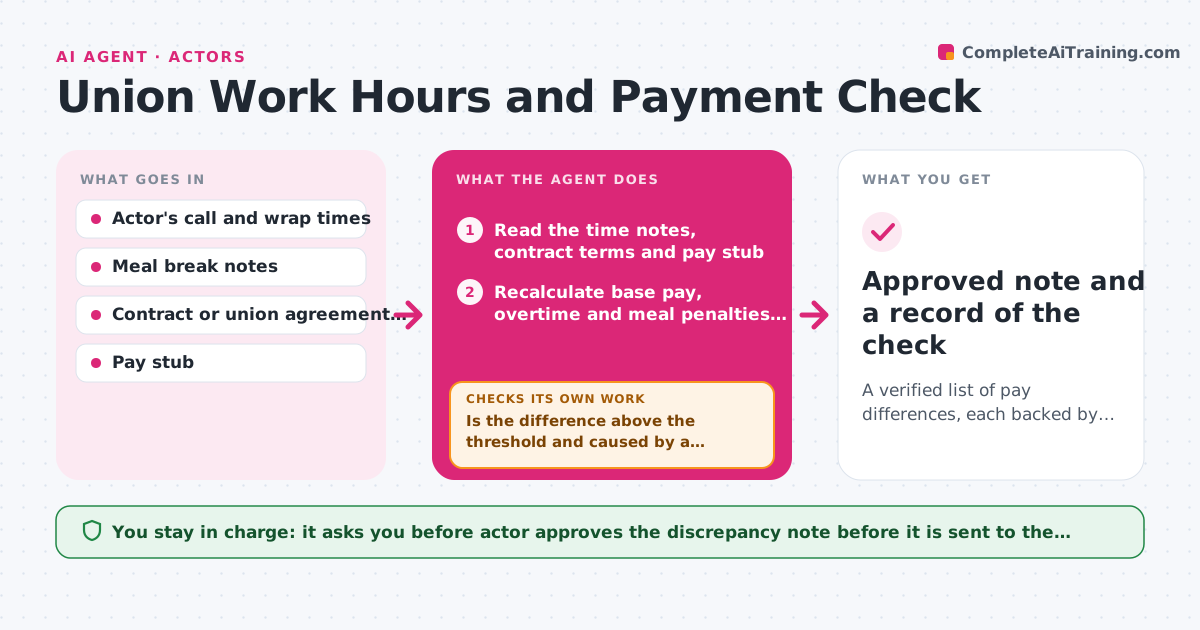
After a long shoot day or a studio session, the actor has to trust the pay stub. Overtime thresholds, meal break rules and session minimums are written in the contract, and errors are easy to miss and hard to dispute weeks later. After each job, this agent reads the actor's own time notes, the contract terms and the pay stub. It recalculates what should have been paid, including overtime, meal penalties and any session fees, then compares that with the stub and flags differences. For each flag it drafts a discrepancy note and checks every claim against the contract clause that supports it. If a clause does not clearly support the claim, it loops back and removes or reworks the claim. The actor approves the note before it goes to the agent or union rep. Edge case: a split meal break is checked against the exact break rule before any penalty is claimed.
How it works
Follow the arrows from top to bottom. The orange dashed arrow is the loop: when a check fails, the agent goes back and tries again.
Read the steps as a list
- Pay stub arrives after a job
- Read the time notes, contract terms and pay stub
- Recalculate base pay, overtime and meal penalties from the clauses
- Compare expected pay with the stub line by line
- Is the difference above the threshold and caused by a rule, not a rounding error?If not: Recheck the hours and the rounding rules, then recalculate. Back to step 3.
- Draft a discrepancy note with each amount and its clause
- Does every claim cite a clause that supports it?If not: Drop or rework the claim, and ask the actor for missing time notes. Back to step 4.
- Actor approves the note before it goes to the agent or union repThe agent waits here for your OK.
- Approved note and a record of the check
How it decides
It recalculates pay from the clauses and the actor's own notes, flags a gap only when the difference exceeds the threshold, and drops any claim a clause does not support.
- Flag a difference only when it is above 5 dollars or 2 percent of the line
- Claim meal penalties only when the notes show the break started after the contract limit
- Round time to the increments written in the contract
- Keep a record of every job checked, even when no difference is found
Make it yours
Every agent is a starting point. You choose these settings for your own situation.
- Contract or union agreement used
- Difference threshold (default 5 dollars or 2 percent)
- Rounding rules for time
- Who receives the note
- Where job records are stored
What keeps you in control
It always asks you first
- Actor approves the discrepancy note before it is sent to the agent or union representative
Hard limits
- Never send a claim or contact a union without approval
- Never present a calculation as legal advice
It stops when
- Done: The stub matches the expected pay, or a supported note is approved
- Stop: Time notes are missing, so the agent asks the actor before claiming anything
Set it up
We guide you through the set-up, step by step
Members get the full set-up guide for this agent. No technical skills needed: you copy, paste and upload.
- One set of instructions to paste into your AI, with the clicks for ChatGPT, Claude, Microsoft 365 Copilot, Gemini and Grok
- The agent then walks you through connecting your own data, one source at a time
- A downloadable copy with the flow chart, the rules and the full guide