AI agent for motion graphics designers
Video Deliverable Versioning Agent
Every required version delivered to spec
What it does
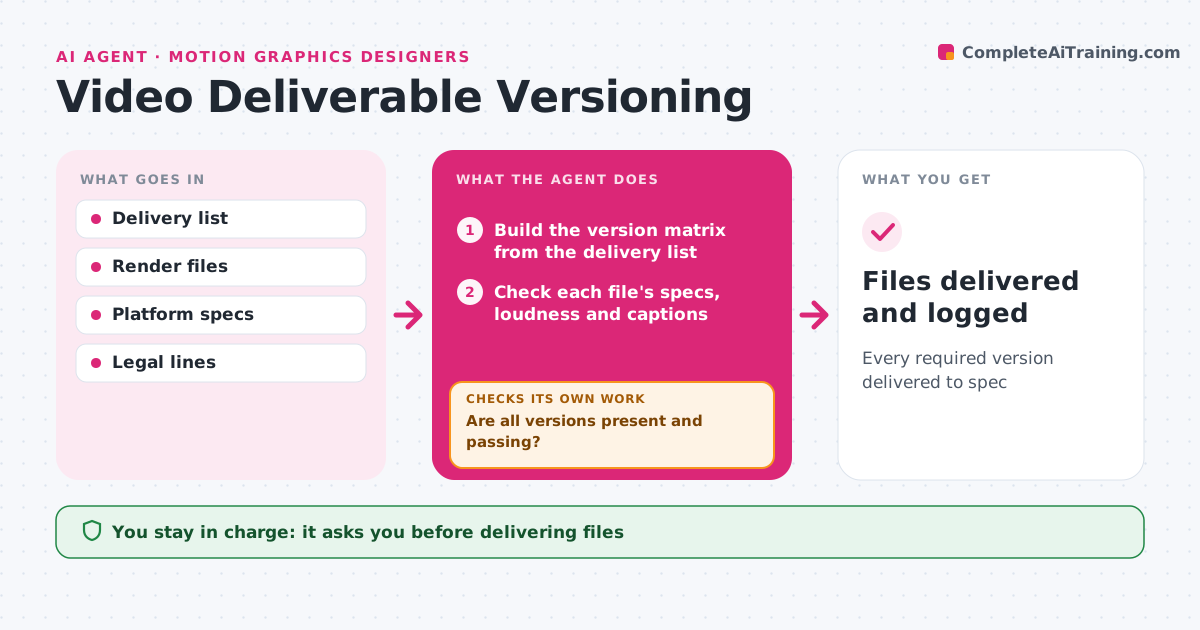
A campaign may need dozens of video versions, and one wrong loudness level or missing caption file can get a delivery rejected. From the delivery list, this agent builds a matrix of every version needed: aspect ratio, length, language, captions, loudness, codec and file name. As renders are exported, it checks each file against its spec: resolution, frame rate, duration, audio loudness, caption file and naming. Failed files go back with the exact problem, and missing versions are listed. It rechecks every re-export. When all versions pass, it drafts the delivery note. The designer or filmmaker approves the delivery. Edge case: a short cutdown that drops a required legal line is flagged for review instead of passed.
How it works
Follow the arrows from top to bottom. The orange dashed arrow is the loop: when a check fails, the agent goes back and tries again.
Read the steps as a list
- Delivery renders exported
- Build the version matrix from the delivery list
- Check each file's specs, loudness and captions
- Check legal lines appear in each version
- Are all versions present and passing?If not: list problems and missing versions and recheck re-exports. Back to step 3.
- Draft delivery note
- Designer or filmmaker approves deliveryThe agent waits here for your OK.
- Files delivered and logged
How it decides
A version passes only if every spec item matches and required legal lines are present.
- Loudness within platform spec
- Legal lines must appear in every version
- File names must match the delivery list
Make it yours
Every agent is a starting point. You choose these settings for your own situation.
- Platform specs
- Naming convention
- Delivery method
- Legal line list
What keeps you in control
It always asks you first
- Delivering files
Hard limits
- Never delivers without approval
- Never alters legal text
It stops when
- Done: delivery accepted
- Stop: delivery list missing
Set it up
We guide you through the set-up, step by step
Members get the full set-up guide for this agent. No technical skills needed: you copy, paste and upload.
- One set of instructions to paste into your AI, with the clicks for ChatGPT, Claude, Microsoft 365 Copilot, Gemini and Grok
- The agent then walks you through connecting your own data, one source at a time
- A downloadable copy with the flow chart, the rules and the full guide