AI agent for music producers
Vocal Take Comping Agent
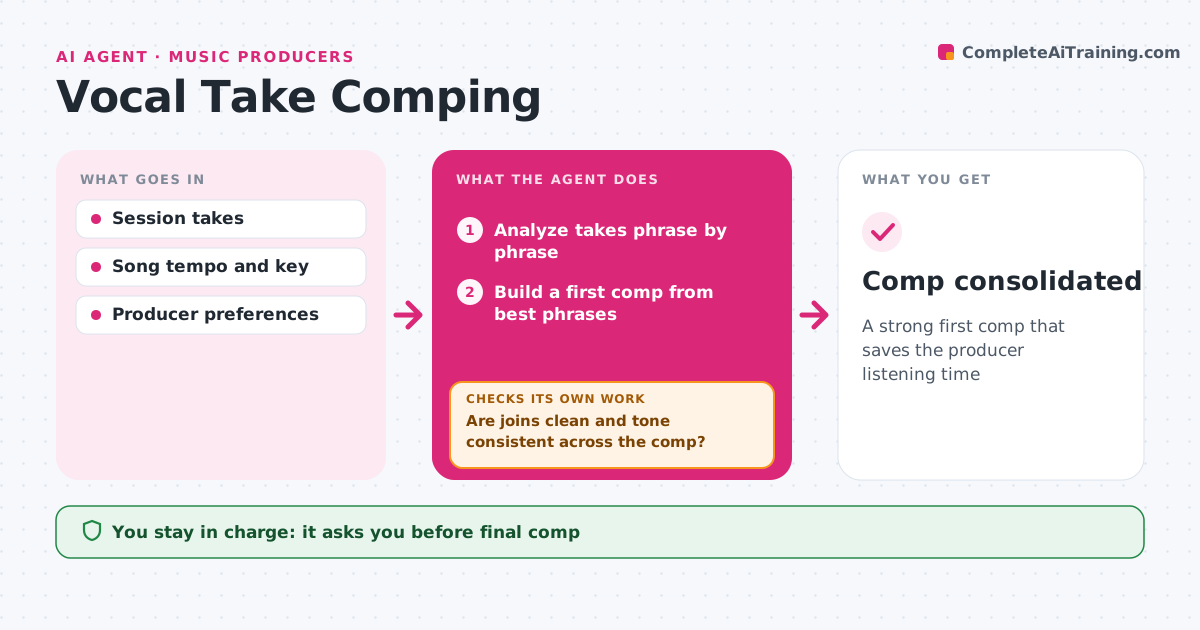
A strong first comp that saves the producer listening time
What it does
Comping a vocal from many takes means listening to every phrase again and again, which takes hours. After a session, this agent analyzes every take of a part phrase by phrase: pitch accuracy, timing against the grid or groove, noise and clicks, and level consistency. It builds a first comp from the best-scoring phrases and sets edit points at breaths or zero crossings. Then it checks the comp for audible joins, tone that changes between takes, and cut-off breaths. Weak joins are re-edited or swapped for the next best phrase. The producer listens and makes the final choices, since feel matters more than scores. Edge case: a slightly off-pitch phrase with strong feel is offered as an alternative rather than dropped.
How it works
Follow the arrows from top to bottom. The orange dashed arrow is the loop: when a check fails, the agent goes back and tries again.
Read the steps as a list
- Takes recorded
- Analyze takes phrase by phrase
- Build a first comp from best phrases
- Keep strong-feel alternatives for the producer
- Set edit points at breaths and zero crossings
- Are joins clean and tone consistent across the comp?If not: re-edit the join or swap in the next best phrase. Back to step 5.
- Are any breaths cut off at edit points?If not: move the edit point and recheck. Back to step 5.
- Producer listens and makes final choicesThe agent waits here for your OK.
- Comp consolidated
How it decides
It scores phrases on pitch, timing and noise and picks the best, offering high-feel alternatives.
- Feel alternatives are offered, not dropped
- Joins at breaths where possible
- Avoid more than three takes in one line
Make it yours
Every agent is a starting point. You choose these settings for your own situation.
- Scoring weights
- Maximum takes per line
- Edit point rules
- Alternatives shown
What keeps you in control
It always asks you first
- Final comp
Hard limits
- Never deletes takes
- Never applies pitch correction unasked
It stops when
- Done: comp approved
- Stop: fewer than two usable takes
Set it up
We guide you through the set-up, step by step
Members get the full set-up guide for this agent. No technical skills needed: you copy, paste and upload.
- One set of instructions to paste into your AI, with the clicks for ChatGPT, Claude, Microsoft 365 Copilot, Gemini and Grok
- The agent then walks you through connecting your own data, one source at a time
- A downloadable copy with the flow chart, the rules and the full guide