AI agent for voice actors
Voice Audition Pipeline Agent
More good-fit auditions submitted on time and correctly
What it does
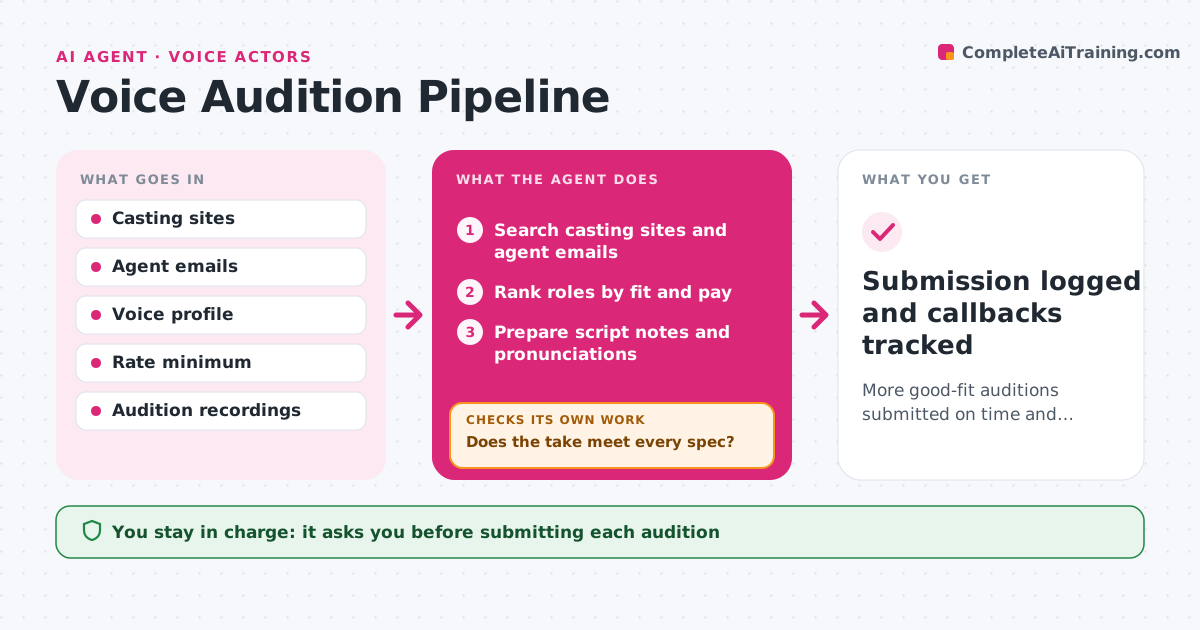
Voice actors can see dozens of casting calls a day, and sorting them takes time better spent recording. Each day this agent scans casting sites and agent emails for roles that fit the actor's voice type, age range and minimum rate. It ranks roles by fit, pay and deadline. Roles below the minimum rate are listed separately so the actor can choose to make an exception. For each chosen role, it prepares short script notes on the character, tone and pronunciation of tricky words. After the actor records, it checks the file against the casting specs: format, length, levels and file name. If a take fails, it tells the actor what to fix and checks the new take. The actor approves every submission. The agent then logs it and watches for callbacks. Edge case: a role with a same-day deadline is moved to the top.
How it works
Follow the arrows from top to bottom. The orange dashed arrow is the loop: when a check fails, the agent goes back and tries again.
Read the steps as a list
- Daily casting scan
- Search casting sites and agent emails
- Rank roles by fit and pay
- Prepare script notes and pronunciations
- Check the recorded take against the specs
- Does the take meet every spec?If not: tell the actor what to fix and check the new take. Back to step 5.
- Actor approves the submissionThe agent waits here for your OK.
- Submission logged and callbacks tracked
How it decides
It ranks roles by fit with your voice profile and rate, then gates submission on the file passing the casting specs.
- List roles below minimum rate separately
- Prioritize by deadline and fit
- Block submission until the file passes specs
Make it yours
Every agent is a starting point. You choose these settings for your own situation.
- Minimum rate
- Voice types and age range
- Casting sources
- Spec presets per site
What keeps you in control
It always asks you first
- Submitting each audition
Hard limits
- Never submits without approval
- Never shares recordings outside the casting site
It stops when
- Done: audition submitted
- Stop: no matching roles today
Set it up
We guide you through the set-up, step by step
Members get the full set-up guide for this agent. No technical skills needed: you copy, paste and upload.
- One set of instructions to paste into your AI, with the clicks for ChatGPT, Claude, Microsoft 365 Copilot, Gemini and Grok
- The agent then walks you through connecting your own data, one source at a time
- A downloadable copy with the flow chart, the rules and the full guide