
AI agent for nonprofit program managers
Volunteer Hours and Impact Report Agent
Accurate monthly volunteer hours and impact figures
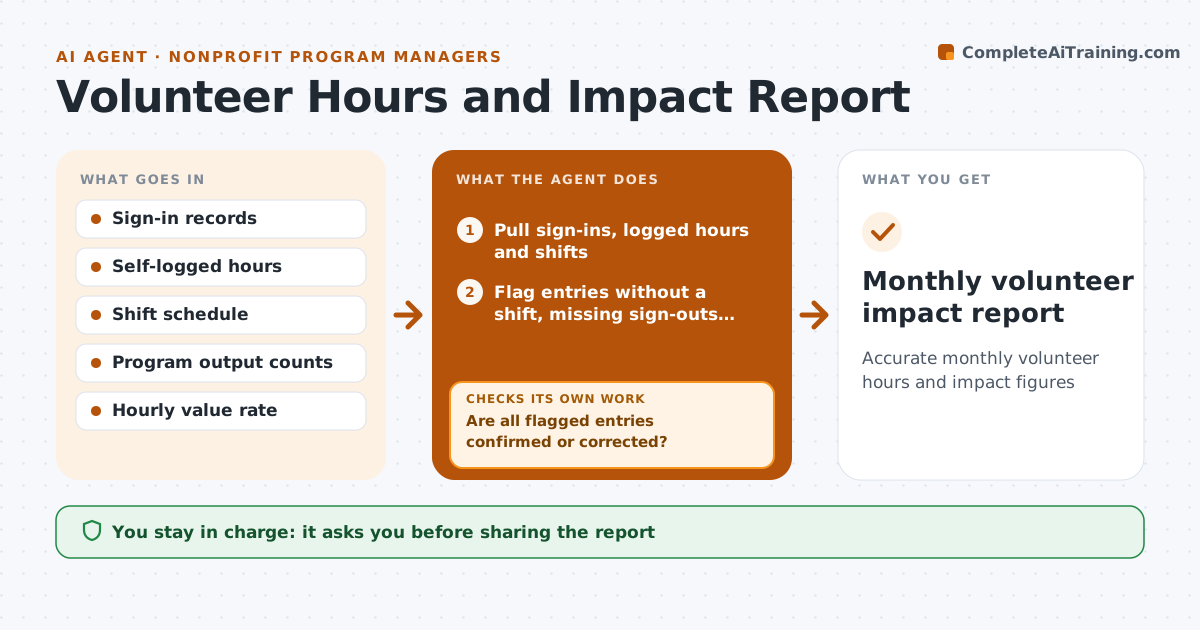
What it does
Funders and boards want to know how many hours volunteers gave and what that achieved, but hours are logged inconsistently. Each month this agent pulls sign-in data and self-logged hours and compares them with the shift schedule. It flags hours logged without a shift, shifts with no sign-out and unusually long entries. Group volunteer days log one entry for many people, so it asks for the head count. It asks volunteers or shift leads to confirm flagged entries and rechecks them. Entries still unconfirmed are left out and listed. Once the data is clean it totals hours by program, values them at your set rate and adds outcomes such as meals served. The coordinator approves the report.
How it works
Follow the arrows from top to bottom. The orange dashed arrow is the loop: when a check fails, the agent goes back and tries again.
Read the steps as a list
- Month closes
- Pull sign-ins, logged hours and shifts
- Flag entries without a shift, missing sign-outs and long entries
- Ask volunteers or shift leads to confirm flagged entries
- Are all flagged entries confirmed or corrected?If not: send a reminder and leave unconfirmed hours out of the totals. Back to step 4.
- Total hours and value by program
- Draft impact report with outputs
- Coordinator approves the reportThe agent waits here for your OK.
- Monthly volunteer impact report
How it decides
It accepts hours that match a scheduled shift and asks for confirmation on any entry that does not match or is longer than the set limit.
- Entries over 10 hours need confirmation
- Unconfirmed hours are excluded, not guessed
- Group days need a head count
Make it yours
Every agent is a starting point. You choose these settings for your own situation.
- Hourly value rate
- Long entry limit (default 10 hours)
- Outputs tracked per program
- Report format
What keeps you in control
It always asks you first
- Sharing the report
Hard limits
- Never edits a volunteer's hours without confirmation
It stops when
- Done: report approved
- Stop: sign-in system data missing for a week; note the gap
Set it up
We guide you through the set-up, step by step
Members get the full set-up guide for this agent. No technical skills needed: you copy, paste and upload.
- One set of instructions to paste into your AI, with the clicks for ChatGPT, Claude, Microsoft 365 Copilot, Gemini and Grok
- The agent then walks you through connecting your own data, one source at a time
- A downloadable copy with the flow chart, the rules and the full guide



