AI agent for logistics engineers
Warehouse Slotting Optimization Agent
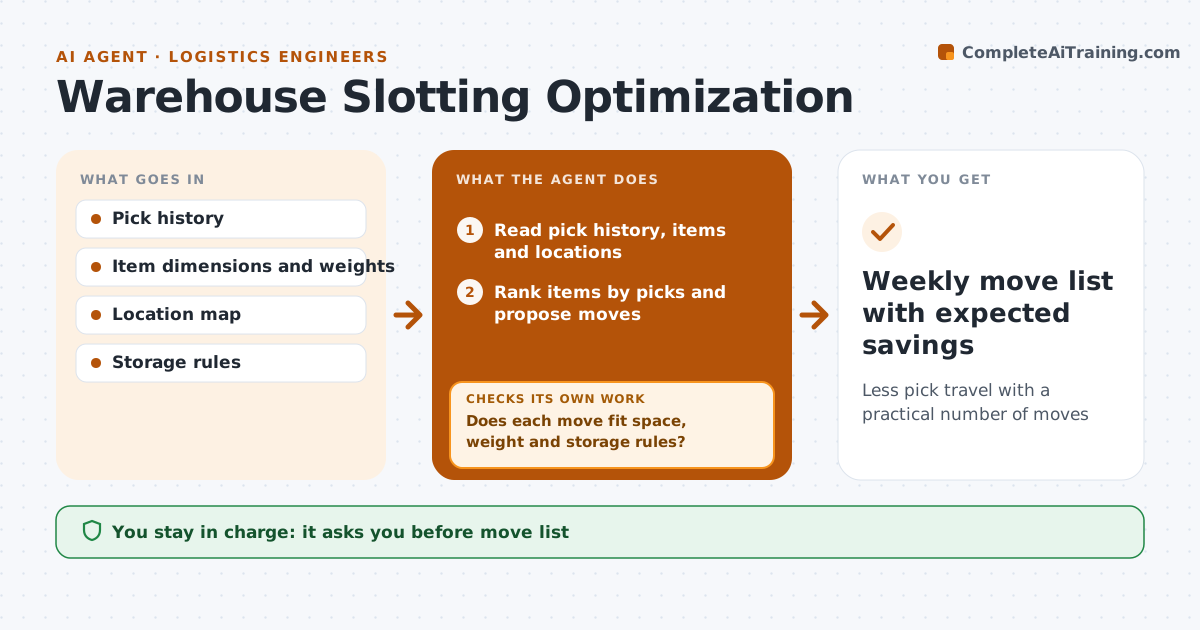
Less pick travel with a practical number of moves
What it does
Pick travel depends on where items are stored, and fast movers stuck in high or distant slots cost hours every day. Each month this agent reads pick history, item sizes and weights and the location map, and ranks items by picks per week. It proposes moving fast movers to the golden zone close to packing at waist height, and heavy items to low slots. Seasonal items are moved ahead of their peak. It simulates the last month's picks with the new layout to estimate travel saved. Each move is checked for space, weight limits and items that must not be stored together. If a move fails, it tries the next best slot. It ranks moves by travel saved and stops at the team's weekly move limit. The warehouse manager approves the move list. Edge case: an item under a quality hold is not moved.
How it works
Follow the arrows from top to bottom. The orange dashed arrow is the loop: when a check fails, the agent goes back and tries again.
Read the steps as a list
- Monthly slotting review
- Read pick history, items and locations
- Rank items by picks and propose moves
- Simulate travel with the new layout
- Does each move fit space, weight and storage rules?If not: try the next best slot for that item. Back to step 3.
- Limit the list to the weekly move capacity
- Warehouse manager approves the move listThe agent waits here for your OK.
- Weekly move list with expected savings
How it decides
It ranks moves by travel saved per move and stops at the weekly move limit.
- Fast movers go to golden zone
- Heavy items low
- Seasonal items moved before peak
Make it yours
Every agent is a starting point. You choose these settings for your own situation.
- Weekly move limit
- Golden zone definition
- Seasonal calendar
- Storage rules
What keeps you in control
It always asks you first
- Move list
Hard limits
- Never moves stock in the system itself
- Respects storage rules
It stops when
- Done: move list approved
- Stop: location data out of date, request an audit
Set it up
We guide you through the set-up, step by step
Members get the full set-up guide for this agent. No technical skills needed: you copy, paste and upload.
- One set of instructions to paste into your AI, with the clicks for ChatGPT, Claude, Microsoft 365 Copilot, Gemini and Grok
- The agent then walks you through connecting your own data, one source at a time
- A downloadable copy with the flow chart, the rules and the full guide