AI agent for plumbers
Water Heater Replacement Sizing and Permit Agent
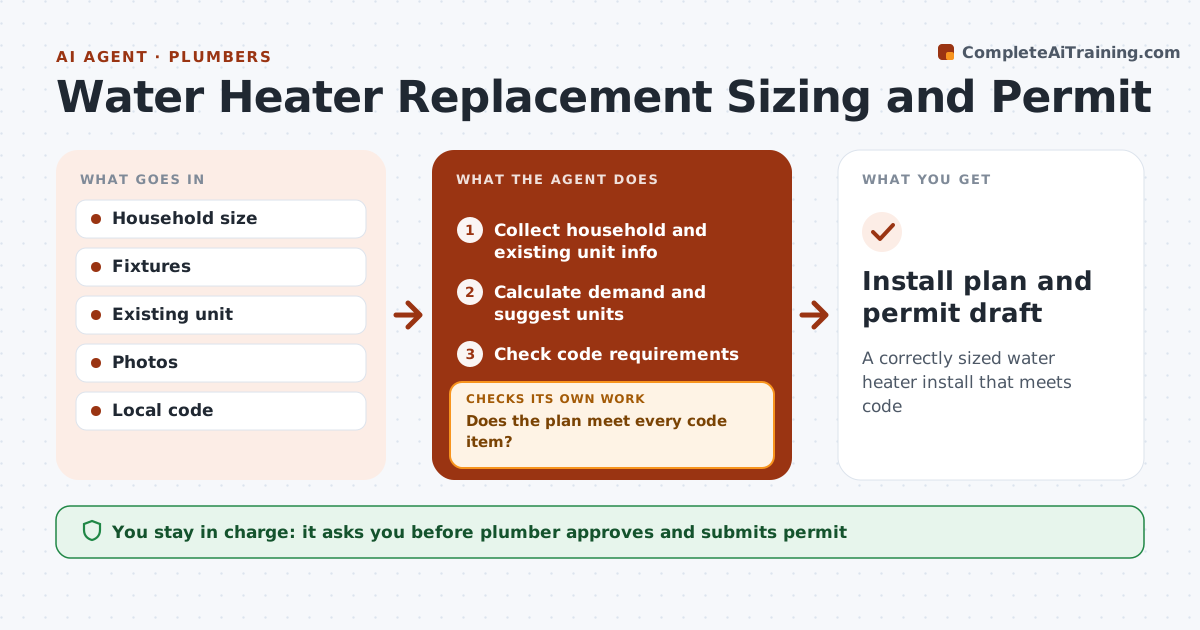
A correctly sized water heater install that meets code
What it does
Replacing a water heater means choosing the right size and type and meeting code for venting, expansion tanks, seismic straps and drain pans, and a missed item fails inspection. This agent collects household size, fixture counts, existing unit details and photos, calculates the first-hour rating the household needs, and suggests suitable units. It then checks code requirements for the location against the planned install and lists required parts. If a code item is not met, it adds the missing part and checks the plan again. It drafts the permit application. The plumber approves the unit, the parts list and the plan, and submits the permit. Edge case: switching from gas to a heat pump unit triggers checks for electrical capacity and space, since those can turn a simple swap into a bigger job.
How it works
Follow the arrows from top to bottom. The orange dashed arrow is the loop: when a check fails, the agent goes back and tries again.
Read the steps as a list
- Replacement requested
- Collect household and existing unit info
- Calculate demand and suggest units
- Check code requirements
- Does the plan meet every code item?If not: add missing parts and recheck. Back to step 4.
- Draft permit application
- Plumber approvesThe agent waits here for your OK.
- Install plan and permit draft
How it decides
First-hour rating must meet demand. All code items must be in the plan.
- First-hour rating meets demand
- Code items required
- Fuel switch triggers checks
Make it yours
Every agent is a starting point. You choose these settings for your own situation.
- Code jurisdiction
- Brands
- Sizing method
- Permit forms
What keeps you in control
It always asks you first
- Plumber approves and submits permit
Hard limits
- Never submits permits
- Never gives gas work instructions to customers
It stops when
- Done: plan ready
- Stop: customer declines
Set it up
We guide you through the set-up, step by step
Members get the full set-up guide for this agent. No technical skills needed: you copy, paste and upload.
- One set of instructions to paste into your AI, with the clicks for ChatGPT, Claude, Microsoft 365 Copilot, Gemini and Grok
- The agent then walks you through connecting your own data, one source at a time
- A downloadable copy with the flow chart, the rules and the full guide