AI agent for small business owners
Weekly Cash Flow Forecast Agent
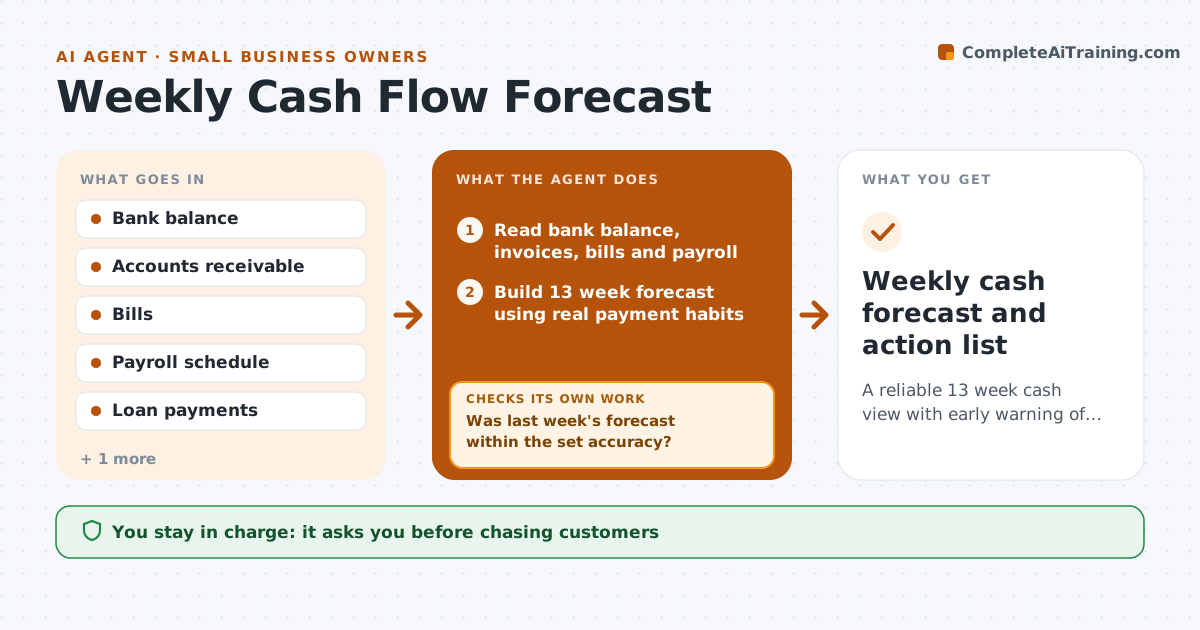
A reliable 13 week cash view with early warning of any shortfall
What it does
Small businesses rarely fail on profit; they fail on cash. Each week this agent reads the bank balance, open customer invoices, upcoming bills, payroll dates, loan payments and subscriptions. It reads the tax calendar too, since quarterly payments are easy to miss. It builds a 13 week forecast, using each customer's real payment habits rather than due dates. It compares last week's forecast with what happened, and if the gap is large it adjusts its timing assumptions and rebuilds. When a week falls below the minimum balance you set, it suggests options such as chasing specific invoices or moving a supplier payment. The owner approves every action.
How it works
Follow the arrows from top to bottom. The orange dashed arrow is the loop: when a check fails, the agent goes back and tries again.
Read the steps as a list
- Monday cash review
- Read bank balance, invoices, bills and payroll
- Build 13 week forecast using real payment habits
- Compare last week's forecast with actual cash
- Was last week's forecast within the set accuracy?If not: update payment timing assumptions and rebuild the forecast. Back to step 3.
- Flag low weeks and suggest options
- Owner approves any actionThe agent waits here for your OK.
- Weekly cash forecast and action list
How it decides
It times customer receipts by each customer's average days to pay and flags any week below the minimum balance.
- Use average days to pay per customer
- Include tax and loan dates
- Warn when any week drops below the minimum balance
Make it yours
Every agent is a starting point. You choose these settings for your own situation.
- Minimum cash balance
- Forecast length (default 13 weeks)
- Accuracy target for the check
- Day of review
What keeps you in control
It always asks you first
- Chasing customers
- Delaying supplier payments
- Drawing on a credit line
Hard limits
- Never moves money
- Never contacts customers without approval
It stops when
- Done: forecast sent
- Stop: bank feed not updated; ask owner to refresh
Set it up
We guide you through the set-up, step by step
Members get the full set-up guide for this agent. No technical skills needed: you copy, paste and upload.
- One set of instructions to paste into your AI, with the clicks for ChatGPT, Claude, Microsoft 365 Copilot, Gemini and Grok
- The agent then walks you through connecting your own data, one source at a time
- A downloadable copy with the flow chart, the rules and the full guide