
Learning path
Learning AI as a Farmer
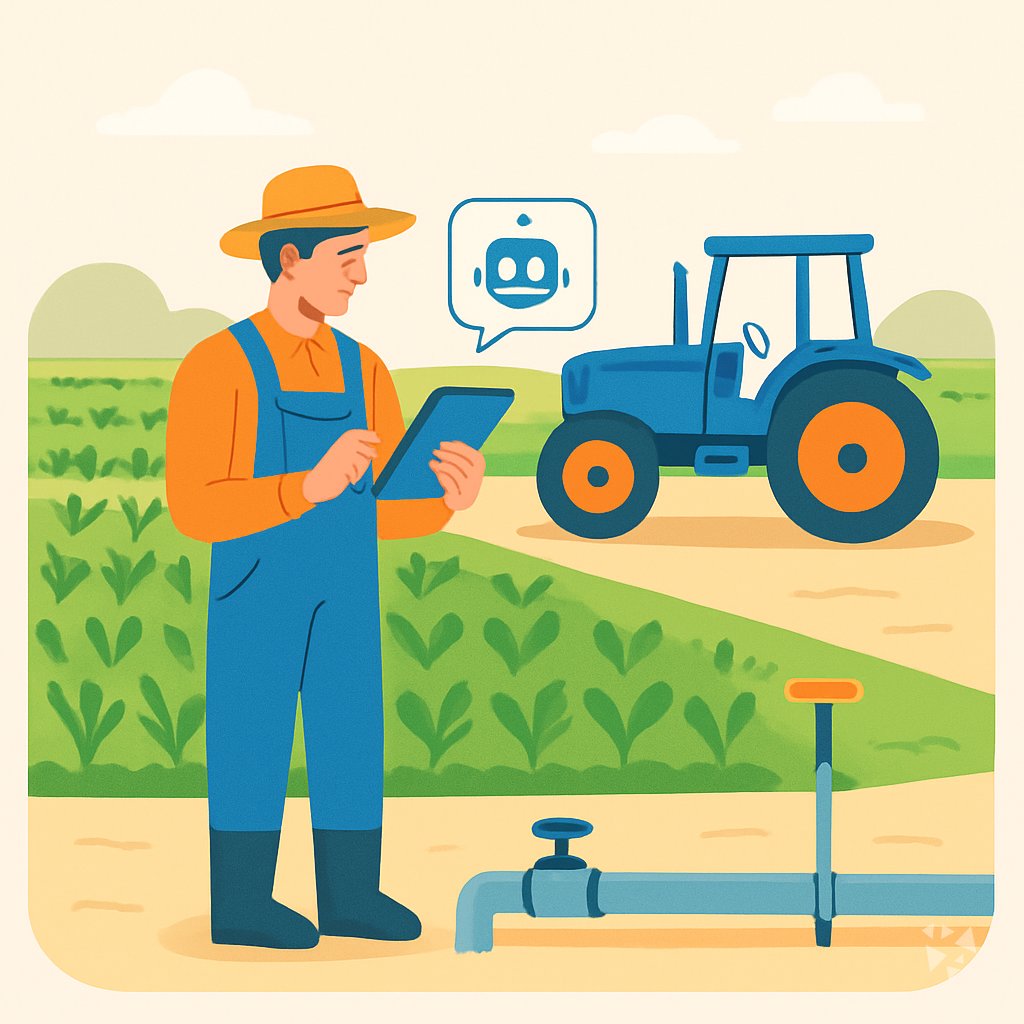
This learning path shows farmers how to use AI for daily plans, weather calls, livestock care, and paperwork. You set up a tool you trust, learn prompts for real farm tasks, and pick video courses with certificates.
Your path
Everything in the Farmer AI kit, in the order that makes sense. Members tick off each step and see their progress.
Set up your AI
We guide you through each click.
Let skills do your everyday tasks
Connect your apps and pick your AI apps
Hand whole tasks to AI agents
Build your own tools
Everything for farmers
All the courses, certifications, AI tools, MCP servers and apps for farmers, most relevant first. Open any list to see more.
Take the prompt courses
A short framework course to learn how to ask, then 9 lessons with ready-to-use prompts for farmers.
Start with this framework: how to talk to AI
TAG suits farming by framing choices like corn or beans after rain as task, actions, and a leading harvest goal.
Then your prompt course for farmers- 1Daily Planning And Records3 prompts
- 2Weather And Irrigation3 prompts
- 3Soil And Crop Rotation2 prompts
- 4Livestock Care3 prompts
- 5Pests Weeds And Disease3 prompts
- 6Machinery And Repairs2 prompts
- 7Selling And Customer Communication3 prompts
- 8Farm Finances And Paperwork2 prompts
- 9Learning And Farm Improvement2 prompts
Watch the video courses or add them to your Favorites for later
77 video courses our AI picked for farmers, most useful first. Save the ones you want to watch later with the heart.
Favorites are saved to your account: sign in or get your AI kit first.
Show all 77 video courses
Get certified, or add certifications to your Favorites
Every course ends in an exam and a certificate you can add to LinkedIn. Save the certifications you are aiming for with the heart.
Favorites are saved to your account: sign in or get your AI kit first.
More certifications for farmersShow all 24 certifications
Connect your AI to the apps farmers use
MCP servers let ChatGPT, Claude or Copilot look things up and get work done in other apps, like your email, calendar or bookkeeping software. These 6 fit the work of farmers best, well-known apps first.

Weather MCP server
by SaintDoreshLets your AI look up current weather, forecasts, air quality and past weather for any place you name.

IMGW Polish Weather MCP server
by bartosz-kucAsk your AI for live Polish weather, river levels and storm warnings straight from IMGW.
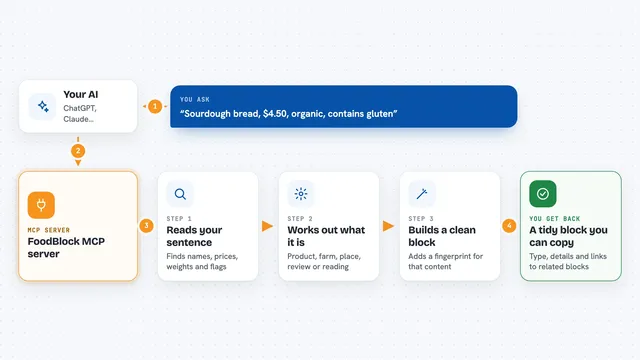
FoodBlock MCP server
by FoodXDevelopmentTurn plain-English food descriptions into structured data blocks for ingredients, products, places and more.

Ambee MCP server
by ambeelabsLets your AI check live air quality, pollen and weather for any place you name.
Research Official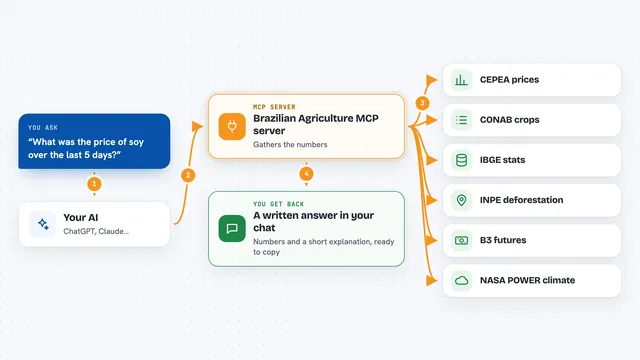
Brazilian Agriculture MCP server
by bruno-portfolioLets your AI look up Brazilian farm prices, crop estimates, climate and deforestation data for you.

Calculator MCP server
by githejieLets your AI do exact math instead of guessing at numbers.














































































About this learning path
6 topicsPractical AI for Farmers, Day by Day
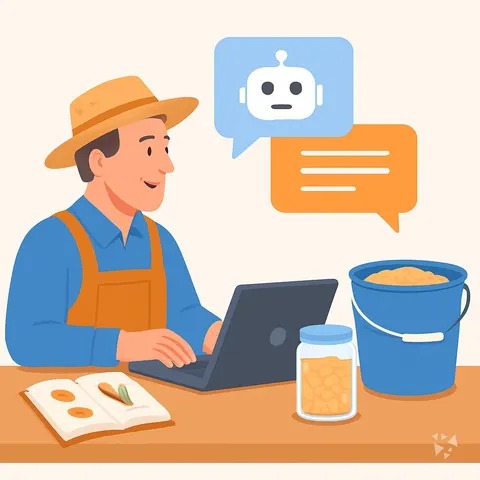
Farming runs on decisions made early, often with too little sleep and too many moving parts. AI can help you sort the weather, the fields, the animals, and the messages into a clearer plan.
It will not know your ground or your cows better than you do. It works best when you bring your own notes, your own eyes, and your own judgement, and it helps you write the plan, the reply, or the record.
Why AI Matters Now
Prices move, weather shifts, and paperwork grows. A simple AI tool can help you think through the day and keep records in order, so you spend less time starting from a blank page. You still make the calls. The tool helps you see options and write them down.
What the Path Includes
You begin with setup questions so your AI knows your farm, your crops, and your animals. Then you connect your tool, learn the skills for your job inside it, and work through the prompt course.
You also get video courses chosen for farmers and the certifications that come with them, so you can keep learning in a way that fits your day.
How It Saves Time
A rough note about the north field can become a scouting plan. A forecast can become an irrigation schedule. A customer question can become a clear reply.
The time you save comes back as time in the barn, on the tractor, or at the kitchen table.
How It Protects Your Career
Farm work is becoming more data heavy, from traceability to funding applications. Knowing how to use AI well helps you stay in charge of those tasks instead of paying someone else or falling behind.
It also keeps your knowledge in your hands. You decide what the tool does and what it never touches.
How to Start
Pick one task you dislike, such as writing market updates or planning the week. Set up your AI with a few facts about your farm, then try one prompt from the course.
Keep it small. Ten minutes at the start of the day is enough to see whether it helps.
Frequently asked questions
Do I need to be good with computers?
No. If you can send a text message, you can use the tools in this path. The setup questions walk you through the first steps in plain language.Will the AI know my farm?
Not on its own. You give it the details that matter, such as your soil type, your animals, and your local weather patterns. It uses what you share to help you plan, but you still check the ground and the animals yourself.Is my farm information safe?
Use the privacy settings in your chosen tool and avoid sharing bank details, passwords, or private customer information. The course shows you what to leave out and how to keep sensitive records separate.Can AI replace my vet or agronomist?
No. It can help you prepare questions and understand general information, but a vet or agronomist knows your animals and fields. Use AI as a planning helper, not as a final authority.