AI agent for franchise owners
Delivery Invoice Verification Agent
Pay only for what was ordered, received and agreed, and recover every credit owed.
What it does
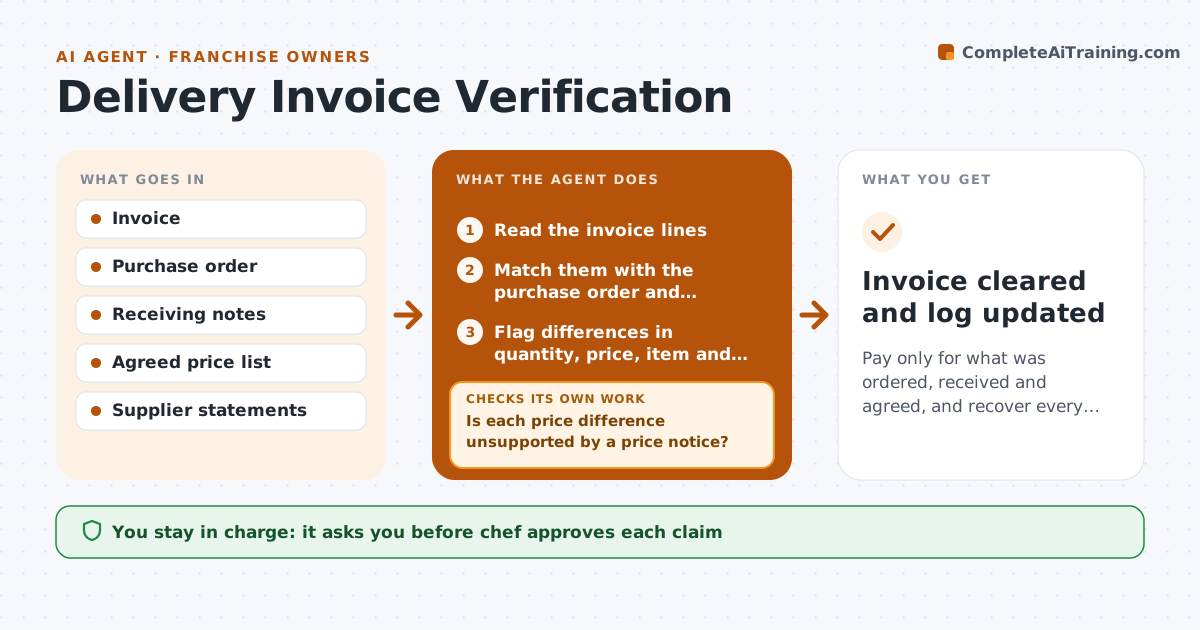
A supplier invoice lists 40 pounds of beef at $7.10 when 32 pounds arrived and the agreed price was $6.80, and nobody checks before it is paid. The agent matches each supplier invoice with the purchase order and the receiving notes. It compares quantity, unit price, item and total, and flags differences, such as short deliveries, price rises, items not ordered and duplicated lines. It drafts a claim for each gap with the evidence: the order, the receiving note and the price list. After the chef approves, it is sent to the supplier. The agent then looks at later statements to confirm that the credit arrives, and chases it if not. Edge case: a price rise that the supplier announced in advance. The agent checks the notice. The chef approves each claim before it goes out.
How it works
Follow the arrows from top to bottom. The orange dashed arrow is the loop: when a check fails, the agent goes back and tries again.
Read the steps as a list
- A supplier invoice arrives
- Read the invoice lines
- Match them with the purchase order and receiving notes
- Flag differences in quantity, price, item and duplicates
- Is each price difference unsupported by a price notice?If not: mark the line as correct and note the notice. Back to step 3.
- Draft a claim with the evidence for each gap
- Chef approves each claim before it is sentThe agent waits here for your OK.
- Send the claim and hold payment for the disputed amount
- Check the next statement for the credit
- Did the credit arrive for the right amount?If not: send a reminder with the claim reference and check again. Back to step 8.
- Invoice cleared and log updated
How it decides
A line is correct when item, quantity and price match the order and the receiving note, or a notice supports the new price. Anything else is a difference to claim.
- Flag price differences over 1 percent
- Flag quantity differences against the receiving note
- Hold payment only for the disputed lines
- Accept a price change when a notice exists
Make it yours
Every agent is a starting point. You choose these settings for your own situation.
- Price tolerance (default 1 percent)
- Suppliers
- Payment hold rules
- Claim format
- Statement check timing
What keeps you in control
It always asks you first
- Chef approves each claim
- Owner approves holding payment on a large invoice
Hard limits
- Never pay or dispute invoices itself
- Attach evidence to every claim
It stops when
- Done: invoice paid and credits received
- Stop: receiving notes are missing, ask the receiver
Set it up
We guide you through the set-up, step by step
Members get the full set-up guide for this agent. No technical skills needed: you copy, paste and upload.
- One set of instructions to paste into your AI, with the clicks for ChatGPT, Claude, Microsoft 365 Copilot, Gemini and Grok
- The agent then walks you through connecting your own data, one source at a time
- A downloadable copy with the flow chart, the rules and the full guide