AI agent for manufacturing engineers
Work Instruction Revision Agent
All work instructions affected by a change are revised, reviewed and ready to release
What it does
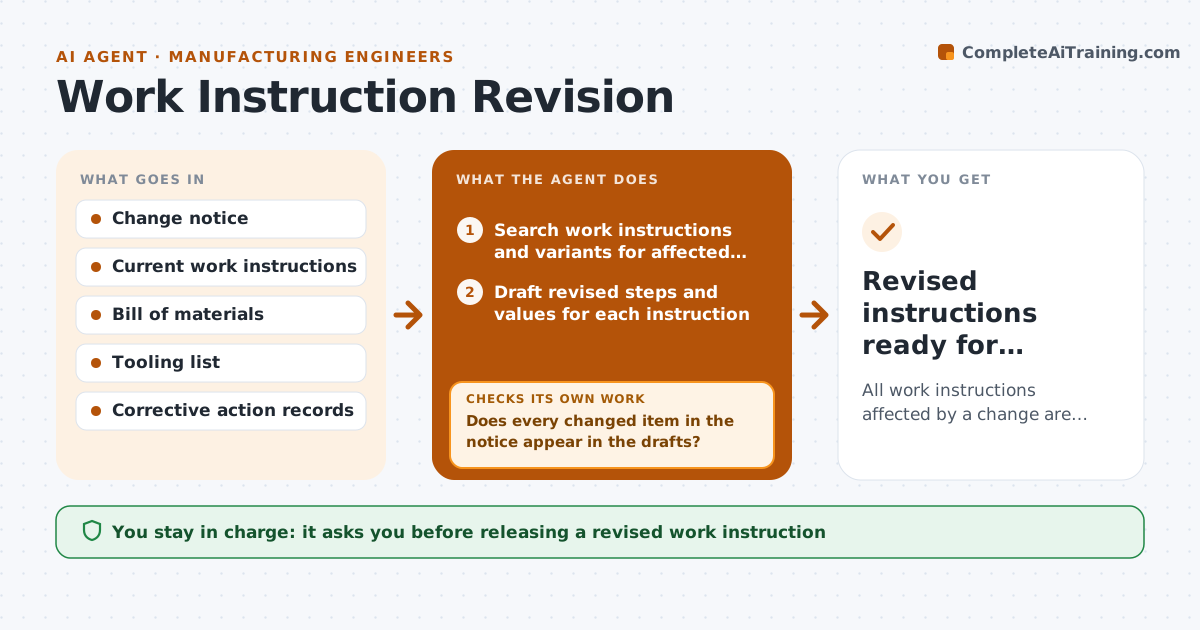
Every engineering change, new tool or corrective action can make a work instruction wrong, and operators following an old value can build bad parts. When a change notice is approved, this agent searches all work instructions for any reference to the affected parts, tools, values or steps, including every product variant that shares an instruction. It drafts the revised steps and values for each one. Torque, temperature and dimension values must match the notice exactly, and safety-related steps are flagged for extra review. It then checks that every changed item in the notice appears in the drafts. If something is missing, it lists it and updates the affected drafts. It builds redlines and an operator training note, and checks that each redline shows only the intended changes. The engineer approves before the new revision replaces the old one.
How it works
Follow the arrows from top to bottom. The orange dashed arrow is the loop: when a check fails, the agent goes back and tries again.
Read the steps as a list
- Change notice approved
- Search work instructions and variants for affected parts, tools and steps
- Draft revised steps and values for each instruction
- Flag safety-related steps for extra review
- Does every changed item in the notice appear in the drafts?If not: list the missing items and add them to the affected drafts. Back to step 3.
- Build redlines and an operator training note
- Do the redlines show only the intended changes?If not: undo the unintended edits and rebuild the redlines. Back to step 3.
- Engineer approves revisions for releaseThe agent waits here for your OK.
- Revised instructions ready for document control
How it decides
It flags an instruction when it references any part, tool, value or step named in the change and treats the draft as complete only when every changed item appears in it.
- Include every variant that shares the instruction
- Torque, temperature and dimension values must match the notice exactly
- Flag safety-related steps for extra review
Make it yours
Every agent is a starting point. You choose these settings for your own situation.
- Document system to search
- Which change types trigger it
- Redline style
- Who signs off safety steps
What keeps you in control
It always asks you first
- Releasing a revised work instruction
Hard limits
- Never publishes to the floor without approval
- Never deletes the prior revision
It stops when
- Done: all affected instructions revised and approved
- Stop: change notice is unclear on a value; ask the change owner
Set it up
We guide you through the set-up, step by step
Members get the full set-up guide for this agent. No technical skills needed: you copy, paste and upload.
- One set of instructions to paste into your AI, with the clicks for ChatGPT, Claude, Microsoft 365 Copilot, Gemini and Grok
- The agent then walks you through connecting your own data, one source at a time
- A downloadable copy with the flow chart, the rules and the full guide