AI agent for diversity and inclusion managers
Workforce Representation Report Agent
An accurate, privacy-safe representation report with trends
What it does
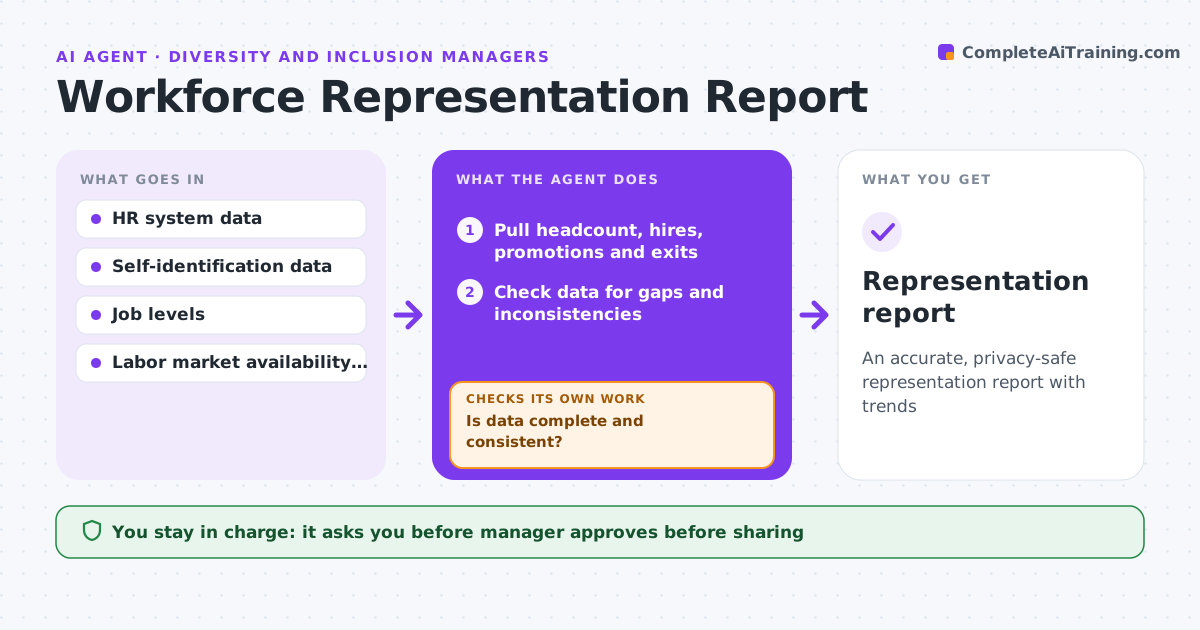
Leadership and regulators ask for workforce representation by level, department and group, and the numbers must be right and private. At quarter end, this agent pulls headcount, hires, promotions and exits from the HR system and checks the data for gaps and inconsistencies, such as missing job levels. If data fails, it lists records for HR to fix and pulls again. It builds representation tables and trends, suppressing any group under 5 to protect privacy. It compares results with the last period and with labor market availability data. The manager approves the report before it goes anywhere. Edge case: employees who did not self-identify are reported as 'not disclosed' and never guessed from names or photos.
How it works
Follow the arrows from top to bottom. The orange dashed arrow is the loop: when a check fails, the agent goes back and tries again.
Read the steps as a list
- Quarter ends
- Pull headcount, hires, promotions and exits
- Check data for gaps and inconsistencies
- Is data complete and consistent?If not: list records for HR to fix and pull again. Back to step 2.
- Build tables and trends with suppression
- Compare with last period and market availability
- Manager approves reportThe agent waits here for your OK.
- Representation report
How it decides
Groups under 5 people are suppressed. Missing data is reported as not disclosed.
- Suppress groups under 5
- Never infer demographics
- Compare with availability data
Make it yours
Every agent is a starting point. You choose these settings for your own situation.
- Suppression threshold
- Groups and levels
- Availability data source
- Report format
What keeps you in control
It always asks you first
- Manager approves before sharing
Hard limits
- Never guesses demographics
- Never shares individual data
It stops when
- Done: report approved
- Stop: HR data not available
Set it up
We guide you through the set-up, step by step
Members get the full set-up guide for this agent. No technical skills needed: you copy, paste and upload.
- One set of instructions to paste into your AI, with the clicks for ChatGPT, Claude, Microsoft 365 Copilot, Gemini and Grok
- The agent then walks you through connecting your own data, one source at a time
- A downloadable copy with the flow chart, the rules and the full guide