AI agent for education consultants
Workshop Follow-Up Impact Check Agent
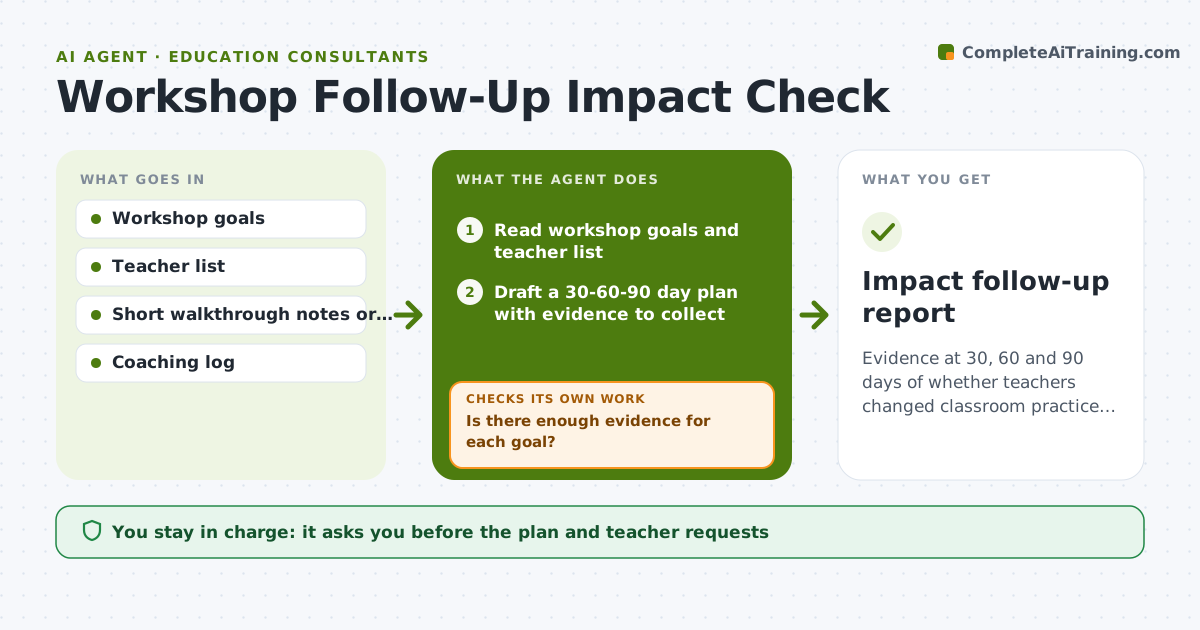
Evidence at 30, 60 and 90 days of whether teachers changed classroom practice, with coaching adjusted.
What it does
A teacher workshop ends and everyone is happy, but three months later nothing has changed in classrooms. This agent builds a 30-60-90 day follow-up plan for each workshop. It collects light classroom evidence, such as short walkthrough notes or teacher reflections, and compares it with the workshop goals. If evidence shows no change, it adjusts the next coaching focus and suggests a smaller, concrete step. At each checkpoint it checks whether the evidence moved. Edge case: a teacher reports success but walkthrough notes show the old approach, so the agent flags the gap gently for the coach. The consultant approves the follow-up report.
How it works
Follow the arrows from top to bottom. The orange dashed arrow is the loop: when a check fails, the agent goes back and tries again.
Read the steps as a list
- Workshop delivered
- Read workshop goals and teacher list
- Draft a 30-60-90 day plan with evidence to collect
- Consultant approves the plan and requests to teachersThe agent waits here for your OK.
- Collect reflections and walkthrough notes at each checkpoint
- Rate each goal as seen, partly seen or not seen
- Is there enough evidence for each goal?If not: ask for a short note or visit for the missing goals. Back to step 5.
- Set the next coaching focus for goals not seen
- Did the evidence improve since the last checkpoint?If not: choose a smaller step and note the barrier. Back to step 4.
- Consultant approves the follow-up reportThe agent waits here for your OK.
- Impact follow-up report
How it decides
It rates each goal as seen, partly seen or not seen from evidence, and chooses the next coaching focus from the goals not seen.
- A goal is seen only if two pieces of evidence agree.
- No change across two checkpoints leads to a smaller step.
- Teacher self-report alone is not enough.
- Reports use teacher groups, not named individuals, unless the teacher agrees.
Make it yours
Every agent is a starting point. You choose these settings for your own situation.
- Checkpoint days
- Evidence types
- Rating scale
- Report audience
- Teacher naming rules
What keeps you in control
It always asks you first
- The plan and teacher requests
- The final report
Hard limits
- Do not contact teachers without approval.
- Do not name teachers in client reports without consent.
It stops when
- Done: three checkpoints completed and the report approved
- Stop: the school withdraws access to classrooms
Set it up
We guide you through the set-up, step by step
Members get the full set-up guide for this agent. No technical skills needed: you copy, paste and upload.
- One set of instructions to paste into your AI, with the clicks for ChatGPT, Claude, Microsoft 365 Copilot, Gemini and Grok
- The agent then walks you through connecting your own data, one source at a time
- A downloadable copy with the flow chart, the rules and the full guide