
All-in-one AI plugin for paramedics
The All-in-One AI Plugin for Paramedics
Seven skills, 24 prompts, 3 apps and 5 Grok Bot agents that handle drug checks, handoffs, incident reports and equipment faults, right inside the AI you already use.
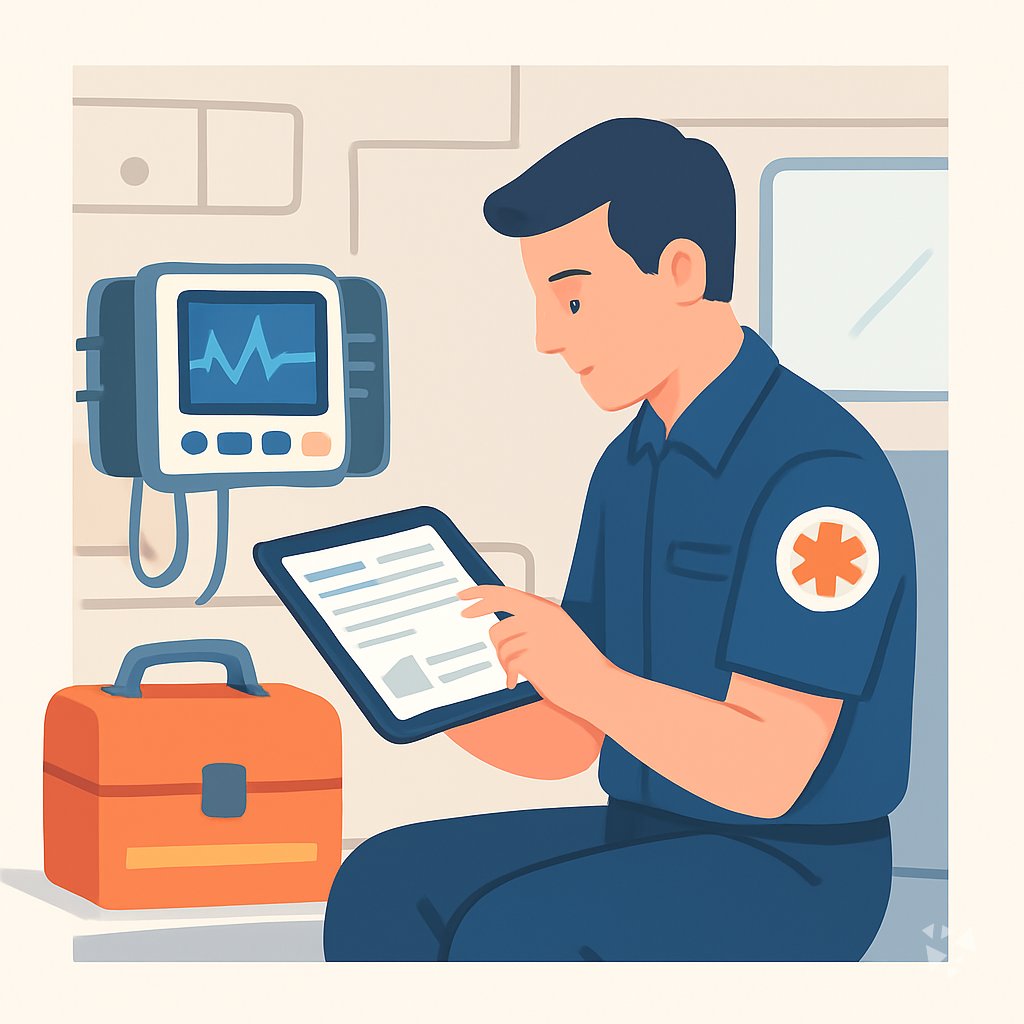
- 7skills
- 24prompts
- 3apps
- 5Grok bots
What's inside
Your week runs on quick decisions and paperwork that never fits the shift. You check a drug before you push it, call a radio report at the door, hand off to the ED nurse, write up the call hours later. Half of it lives in your head, in a notebook, or in a system you rarely have time to open.
Seven job skills, plain language
A drug reference checker, an incident reporting and analysis helper, a patient history summarizer, and an equipment troubleshooting guide. Ask in normal language and get steps you can act on at the curb.
24 prompts for your shift
Nine topics cover patient care notes, handoff and radio reports, family updates, dose checks, protocol questions, equipment faults, skills practice, incident paperwork, and end of shift debriefs. Open one, fill it in, send.
Three apps that finish the job
A notes to report workbench keeps your own words while it builds the report. A source linked clinical documentation console traces every statement to the visit. An interagency case handoff checklist leaves clear receiving ownership.
A five agent Grok Bot team
Emergency Card Generator, Emergency Response Planning, Crisis Management Planning, Safety Protocol Development, and Incident Responder. They handle the planning and paperwork side, so the scene work stays yours.
Works in eight AIs
ChatGPT, Claude, Microsoft 365 Copilot, Gemini, Grok, Grok Bot, Cursor and Kimi. Download once and add it to the one you already have open at the station.
Daily news, ideas, updates
Members get a live connection to Complete AI Training for AI news in your job, one new idea each day with the prompt to do it, and automatic skill updates. No searching.
A day with your plugin
The plugin puts the help inside the AI you already use. Ask it to check an interaction, draft the radio report, summarize the history you were handed, or turn your messy notes into an incident report. Same chat window, no new system to learn.
- Morning
Before your first call, you check a medication you rarely carry. The drug reference skill returns the interaction, the dose range and the caution in one answer you can read at the curb.
- Late morning
On the way in, you dictate what happened. The handoff and radio report prompt shapes it into a structured report for the receiving nurse, with the allergies and last dose up front.
- Afternoon
A call went sideways. You paste your notes into the notes to report workbench and get a clean incident write up that keeps your wording and links each line to what you saw.
- End of day
Ten minutes before you clock out, you open the debrief and resilience prompt. It walks you through the call that is still sitting with you and gives you three things to say at home.
Install it in your AI
Choose the AI you use. No technical knowledge needed: it's a few clicks and some copy and paste.
ChatGPT
Your own GPT on chatgpt.com, plus a plugin for Codex and ChatGPT workspaces. About 5 minutes.
- Download the ChatGPT version and unzip it (double-click the file).
- Go to chatgpt.com, click GPTs in the left menu, then Create, then the Configure tab.
- Name it Paramedic Assistant. Open
custom-gpt/instructions.txt, copy everything and paste it into Instructions. - Under Knowledge, upload all the files from the
custom-gpt/knowledgefolder. - Paste the lines from
conversation-starters.txtas conversation starters and click Create. - For the daily news, ideas and skill updates: in ChatGPT go to Settings → Apps & Connectors, add the Complete AI Training connector and sign in with your membership. The README shows each click.
Download for members
Members download the plugin for every job, with daily news, ideas and skill updates. Or buy this plugin alone for $49, once.
Claude
A Claude plugin for claude.ai, the desktop app, Cowork and Claude Code. About 2 minutes.
- Download the Claude version. Keep it zipped.
- Open Claude (claude.ai or the desktop app), click your name at the bottom left, then Settings → Capabilities.
- Click Upload plugin and choose the zip file. Turn the plugin on.
- Start a new chat and type /start. Your paramedic assistant introduces itself.
- The first time it uses Complete AI Training, Claude asks you to connect: click Connect and sign in with your membership.
Download for members
Members download the plugin for every job, with daily news, ideas and skill updates. Or buy this plugin alone for $49, once.
Microsoft 365 Copilot
A Copilot agent: set it up yourself in Agent Builder, or give IT the ready app package. About 5 minutes.
- Download the Microsoft 365 Copilot version and unzip it.
- Open Microsoft 365 Copilot (m365.cloud.microsoft/chat) and click Create agent, then the Configure tab.
- Name it Paramedic Assistant. Paste everything from
agent-builder/instructions.txtinto Instructions. - Under Knowledge, upload the files from
agent-builder/knowledge. Add the starter prompts and click Create. - Working in a company? The
appPackagefolder is a ready app for your IT team, with the Complete AI Training connection built in. The README has a message you can forward to them.
Download for members
Members download the plugin for every job, with daily news, ideas and skill updates. Or buy this plugin alone for $49, once.
Gemini
Skills you upload to Gemini, a ready Gem, and a Gemini CLI extension. About 2 minutes.
- Download the Gemini version and unzip it.
- Go to gemini.google.com and open Settings → Skills → Upload.
- Upload the
SKILL.mdfiles from theskillsfolder, starting with the folder whose name ends in-assistant. Gemini now uses them by itself. - Prefer a Gem? Open Gems → New Gem, paste
gem/instructions.txtand upload the files ingem/knowledge. - Using Gemini CLI?
gemini extensions installon the folder also connects Complete AI Training for the daily news, ideas and skill updates.
Download for members
Members download the plugin for every job, with daily news, ideas and skill updates. Or buy this plugin alone for $49, once.
Grok
A Grok Project with all the instructions and files. About 5 minutes.
- Download the Grok version and unzip it.
- Go to grok.com, open Projects in the left menu and click New project. Name it Paramedic Assistant.
- Paste everything from
grok-project/instructions.txtinto the project's instructions. - Upload the files from
grok-project/knowledgeto the project. - Start your work chats inside this project. Try one of the lines in
conversation-starters.txt.
Download for members
Members download the plugin for every job, with daily news, ideas and skill updates. Or buy this plugin alone for $49, once.
Grok Bot
One message that sets up a whole team of Grok Bot agents for your job. About 5 minutes.
- Download the Grok Bot version and unzip it.
- Open Grok Bot and create a new bot. Name it Paramedic Team Lead.
- Open
SETUP-MESSAGE.md, copy everything and paste it as your first message. - The team lead sets up its own role and walks you through adding each specialist bot, one at a time.
- Add the Complete AI Training connector in Grok Bot so your team lead gets the daily news and ideas for paramedics.
Download for members
Members download the plugin for every job, with daily news, ideas and skill updates. Or buy this plugin alone for $49, once.
Cursor
A Cursor plugin with the skills, rules and connection, or project files. About 3 minutes.
- Download the Cursor version and unzip it.
- In Cursor, open Settings → Plugins and add the unzipped folder.
- No plugins in your Cursor? Copy
skillsto.cursor/skillsandrulesto.cursor/rulesin your project, andmcp.jsonto.cursor/mcp.json. - Open the Agent chat and ask what it can do for you as a paramedic.
Download for members
Members download the plugin for every job, with daily news, ideas and skill updates. Or buy this plugin alone for $49, once.
Kimi
A Kimi Code plugin, and instructions with files for Kimi chat. About 3 minutes.
- Download the Kimi version and unzip it.
- Kimi chat (kimi.com or the app): start a new chat, paste
kimi-chat/instructions.txtand attach the files inkimi-chat/files. - Keep using that chat for your work: Kimi now acts as your paramedic assistant.
- Kimi Code: type
/plugins installwith the folder, then/reload. It connects Complete AI Training too.
Download for members
Members download the plugin for every job, with daily news, ideas and skill updates. Or buy this plugin alone for $49, once.
Everything in the plugin
Your AI picks the right part by itself. You can also ask for one by name.
Skills for paramedics 7
- drugbank databaseLooks up drugs and checks interactions, so you can confirm a patient's home meds before you give anything.
- incident reporting and analysis assistantTurns your incident notes into a standardized report with severity, root cause, trends, and a prevention plan.
- patient history summarizerCondenses messy patient records into a clean timeline and summary, so handovers take minutes instead of an hour.
- lab equipment troubleshooting assistantWalks you through faults on monitors, pumps, and lab devices with maintenance, calibration, parts, and documentation steps.
Plus a start-here assistant, the prompt library and the app builder, and for members the daily brief.
Ready-made prompts 24
- Patient Care Documentation3 prompts, like Draft A Patient Care Narrative
- Handoff And Radio Reports3 prompts, like Draft An SBAR Handoff
- Patient And Family Communication3 prompts, like Explain A Procedure In Plain Language
- Medication And Dose Checks3 prompts, like Check A Weight-Based Dose
- Protocol And Drug Questions2 prompts, like Explain A Protocol Step By Step
- Equipment Troubleshooting3 prompts, like Troubleshoot Cardiac Monitor Alarm
- Scenario And Skills Practice3 prompts, like Generate Emergency Call Scenario
Show all 9 topics
- Incident Reports And Admin2 prompts
- Debrief And Resilience2 prompts
Apps you can build with AI 3
- Notes-to-report knowledge workbenchBuild it to turn rough call notes into a finished report that still sounds like you wrote it. Demo included.
- Source-linked clinical documentation and coding consoleBuild it when every clinical statement in your documentation must trace back to the visit record. Demo included.
- Interagency case handoff checklistBuild it for handoffs to police, social services, or another agency where receiving ownership must be clear. Demo included.
Your Grok Bot team 5
- Emergency Card GeneratorGenerate emergency medical information summary cards in HTML, JSON, text, and PDF formats for first aid or quick medical visits.
- Emergency Response Planning AssistantPrepares logistics emergency response plans, contacts, drills, and continuity strategies.
- Crisis Management Planning AssistantBuilds and maintains your crisis management plans, protocols, and training.
- Safety Protocol Development AssistantDevelops, reviews, and updates workplace safety protocols from research to training.
- Incident ResponderAssess severity, stabilize systems, coordinate communication, and produce blameless post-incident reports.
Get the plugin
Two ways to get it. Most people choose the membership: it includes every plugin and keeps them up to date.
Recommended
Membership
$9 a month, billed yearly
- The plugin for paramedics, and for 500 other jobs
- Daily AI news and a new idea every day, inside your AI
- Skills update by themselves
- 900+ video courses and certificates
- Download up to 2 plugins a day
This plugin only
Standalone plugin
$49 once
- The plugin for paramedics, for all eight AIs
- All 7 skills, 24 prompts and 3 apps
- Yours to keep, no subscription
- No daily news, ideas or skill updates
Secure payment by Stripe. Bought it already? Use the link in your email.
Questions
What is a plugin, and can I install it without technical skills?
A plugin is a set of instructions and files that teach your AI how to do this job. You download it once and add it the same way you add any file to your AI app. There is no code and no setup.
Which AI does it work with?
ChatGPT, Claude, Microsoft 365 Copilot, Gemini, Grok, Grok Bot, Cursor and Kimi. Use the one your service already gives you. The skills, prompts and apps behave the same way in each.
What is the difference between the member download and the $49 one?
The $49 one time plugin is the standalone version. It gives you everything on this page but no daily AI news, no new idea each day and no automatic skill updates. Members get those included.
Is my patient data safe?
The plugin itself is only instructions and files. Your chats stay with the AI provider you chose and are handled under their privacy terms. Follow your service rules on what you enter, as you already do.
How many plugins can I download?
Members can download two plugins a day. If you are new, start with this one. Come back tomorrow for another job or a different role on your team.
Learn to use AI as a paramedic
The plugin does the work; the learning path shows you how to get the most out of it, step by step.
Plugins for related jobs
 AI plugin
Optometrists
One download adds 8 skills, 24 prompts and 3 apps to the AI you already use, so stock, notes and patient questions take less of your day.
8 skills · 24 prompts · 3 apps AI plugin
Personal Trainers
One download gives your AI 7 skills, 24 prompts, 3 apps and 6 Grok Bot agents for programs, client check-ins and follow-through.
7 skills · 24 prompts · 3 apps AI plugin
Pharmacists
One download gives the AI you already use 8 pharmacist skills, 24 ready prompts and 3 apps for counseling, verification, shortages and compliance.
8 skills · 24 prompts · 3 apps