
AI tool
Canopy
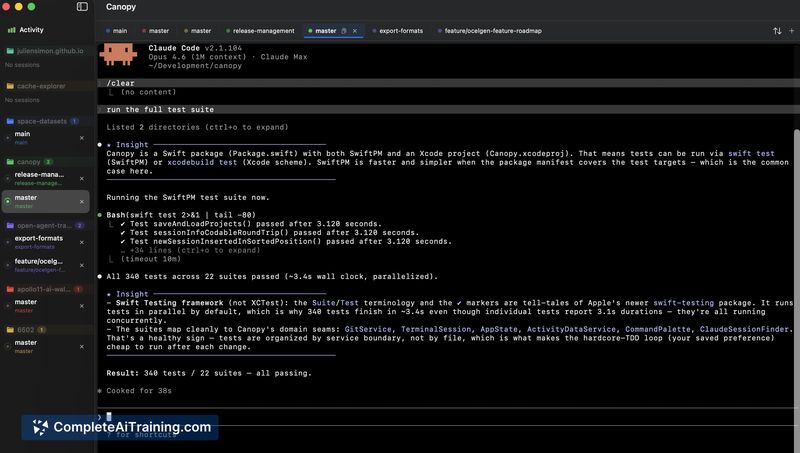
Canopy is a macOS tool for developers using Claude Code. It prevents parallel task collisions by running each session in an isolated git worktree and sandboxed container. The app manages multiple sessions in tabs and preserves state on exit.
About Canopy
Canopy is a native macOS application that runs parallel Claude Code sessions as tabs in a single window. Each session lives in its own git worktree and can be wrapped in a sandboxed container using Docker or Apple's Container framework. The app is free, open source under AGPL-3.0, and requires macOS 14 or later.
Review
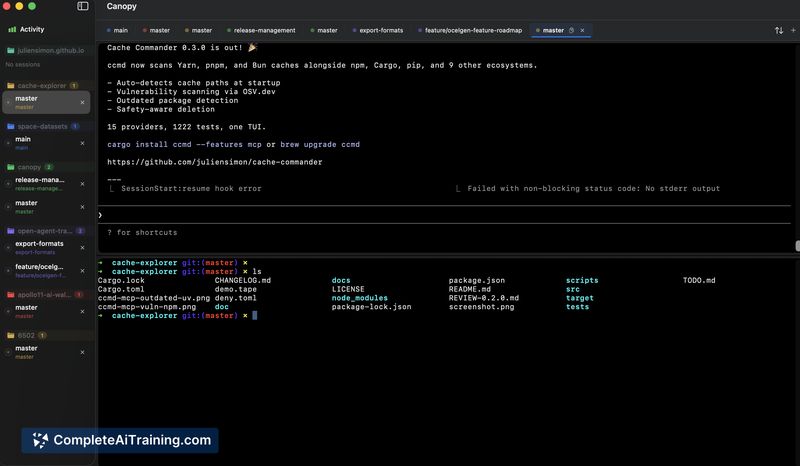
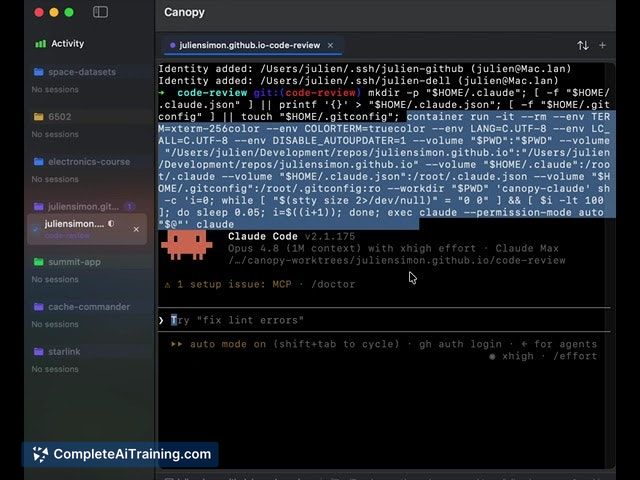
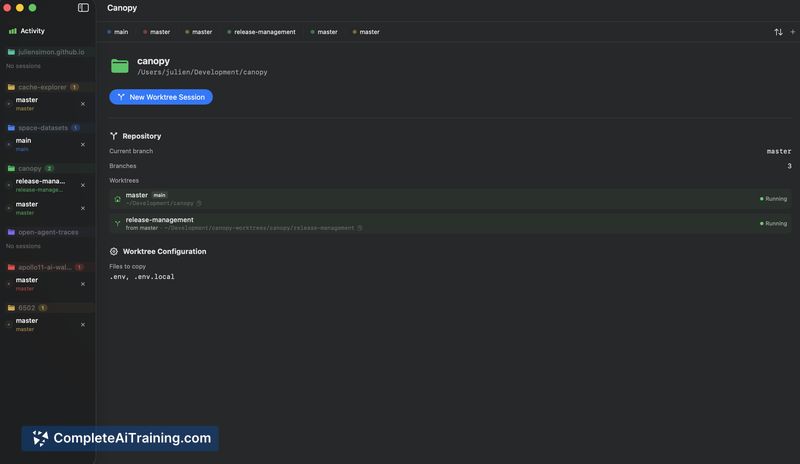
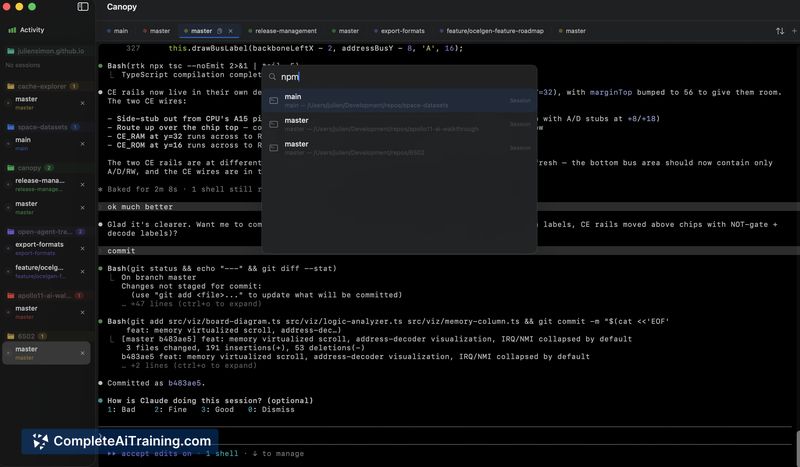

Developers who use Claude Code heavily often run into two problems: parallel tasks clobbering each other's files, and the unease of granting an AI agent free rein to execute commands. Canopy tackles both through isolation. Worktree isolation keeps code changes separate; container isolation constrains what the agent can touch at runtime.
Key Features
- Git worktree isolation spawns each Claude Code session in its own branch and directory, preventing file conflicts between concurrent tasks.
- Sandboxed containers let you wrap sessions in Docker or Apple's native Container framework, so Claude runs in a contained runtime rather than directly on the host.
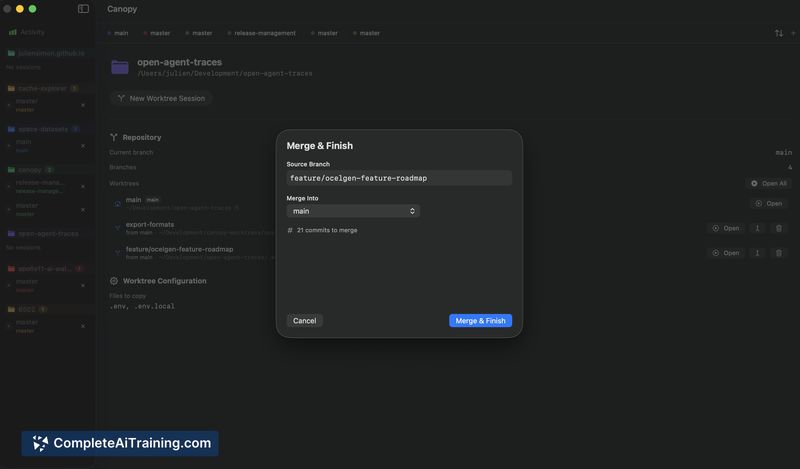
- Merge & Finish replaces the typical multi-command merge-and-cleanup sequence with a two-click operation that handles both steps.
- A split shell pane sits alongside Claude, allowing git commands or log tailing without interrupting the agent's work.
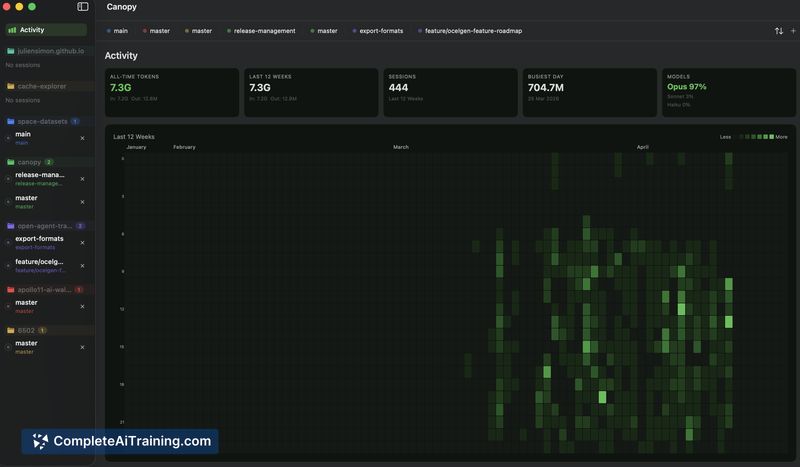
- An Activity dashboard displays where tokens were spent across sessions.
Pricing and Value
Canopy is free and open source under the AGPL-3.0 license. There are no paid tiers, subscriptions, or usage limits mentioned in the current release.
Pros
- Two-level isolation (worktree + container) addresses code conflicts and runtime safety as distinct concerns.
- Native SwiftUI build means fast launch times and standard macOS behavior - no Electron, no bundled Node.
- Sessions persist across app restarts; closing the window doesn't lose conversation context or require hunting down session IDs.
- Merge & Finish condenses a manual git workflow into a short interaction.
- Cmd+1-9 keyboard shortcuts make switching between active sessions quick.
Cons
- macOS-only. Developers on Windows or Linux cannot use Canopy, and the maker has indicated no plans to port it.
- Tightly coupled to Claude Code. The tool is not a general-purpose worktree manager and won't help if your workflow involves other AI coding agents.
- The app is young and has been tested primarily against one person's daily workflow. Edge cases - like two sessions touching shared project surfaces such as package manifests or generated types - may surface unresolved merge conflicts that still require manual intervention.
Canopy fits developers who already use Claude Code on macOS and regularly run multiple tasks in parallel. The isolation model reduces the friction of letting an agent operate autonomously, and the tabbed interface keeps the workflow contained in one window. Teams or developers on other platforms, or those using different AI coding tools, will need to look elsewhere.
Jobs Canopy suits
We checked Canopy against 500+ jobs; these get the most out of it.



