About Ellis
Ellis is an AI notetaker built specifically for in-person meetings. It records conversations using just an iPhone or Apple Watch, then produces a speaker-labeled transcript and lets you query the content afterward. The tool is designed for individual use across both professional and personal contexts, from sales meetings to doctor visits.
Review
Ellis tackles a problem that most AI meeting tools ignore: conversations that happen face-to-face, away from a laptop. The app records audio, separates speakers, and generates a transcript you can search by question or by location. It's a single-purpose utility that doesn't try to replace your notes app or project management tool.
Key Features
- Voice enrollment during onboarding to match your speech against a saved profile, combined with speaker diarization to tell participants apart in a single-microphone recording.
- A post-meeting interface for manually assigning speaker names, with the app suggesting a best match for your own voice.
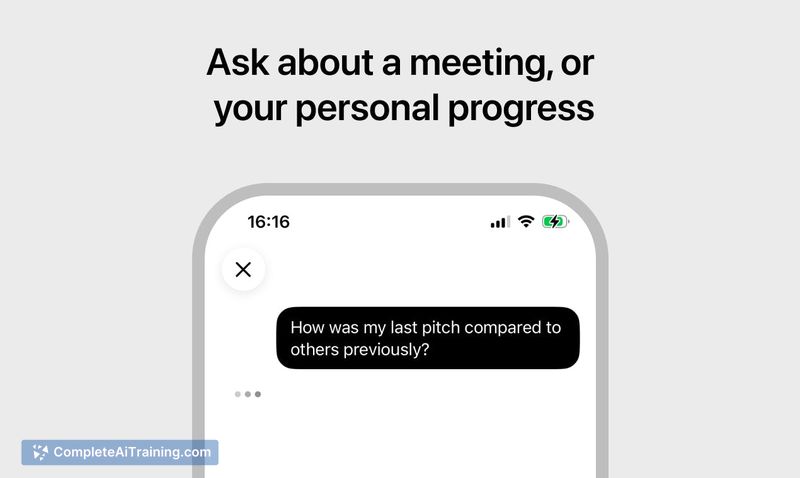
- Question-based retrieval: ask about decisions, missed points, or specific details, and search by place like "what did we agree on during our walk in Fort Greene?"
- Automatic deletion of audio recordings once transcription completes; transcripts remain accessible.
- Support for Apple Watch as a recording device, so you don't need to pull out your phone.
Pricing and Value
Ellis launched as a free product. The maker mentions it was built with RevenueCat to handle subscriptions, but no pricing tiers or future plans are defined publicly. At this stage, the tool is available at no cost, with no indication of when or how that might change.
Pros
- Runs without extra hardware - only an iPhone or Apple Watch is needed, which lowers the barrier for spontaneous in-person meetings.
- Audio is deleted after transcription, reducing the risk of retained recordings.
- Speaker labeling combines automated diarization with a manual correction UI, so you can fix misattributions without editing a raw transcript.
- Cross-context search lets you pull information from meetings that span work, health, and personal life in one place.
- The location-based memory aid ("find it by place") adds a retrieval path that text-based search alone doesn't cover.
Cons
- Overlapping speech isn't handled - the diarization picks one speaker per utterance, so words spoken simultaneously by a quieter voice are dropped without any marker in the transcript.
- Transcription and voice matching run on a server, not on-device, which means your audio leaves the phone during processing; the maker states nothing about other speakers is retained, but the transcript itself isn't described as encrypted at rest.
- Ellis isn't a good fit for teams that need organization-wide note storage, shared speaker profiles, or integration with corporate tools - it's built for a single user's personal repository.
Ellis works best for someone who regularly has one-on-one or small-group in-person conversations and wants a lightweight way to capture what was said without a laptop. The location-based queries and cross-context search make it practical for people who move between different roles - caregiver, patient, salesperson - and want a single, private record. If your meetings are mostly remote or you need real-time collaboration on notes, this tool won't match your workflow.
Open 'Ellis' Website
Your membership also unlocks: