AI tool
Figma MCP
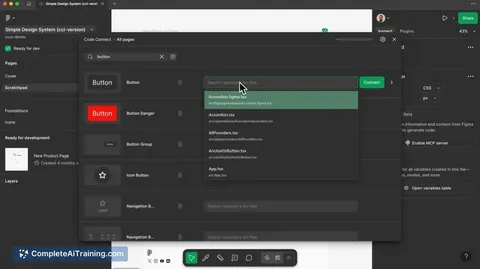
Figma MCP gives remote access to your Figma server, making design context portable by streaming live design system and layout data into IDEs and AI agents. Adds Figma Make support and improved Code Connect for smoother design-to-code workflows.
About Figma MCP
Figma MCP brings live design context out of the design file and into development environments and automated agents. It provides remote access to components, layouts, and interaction details so that design information can be consumed directly by IDEs and AI tools.
Review
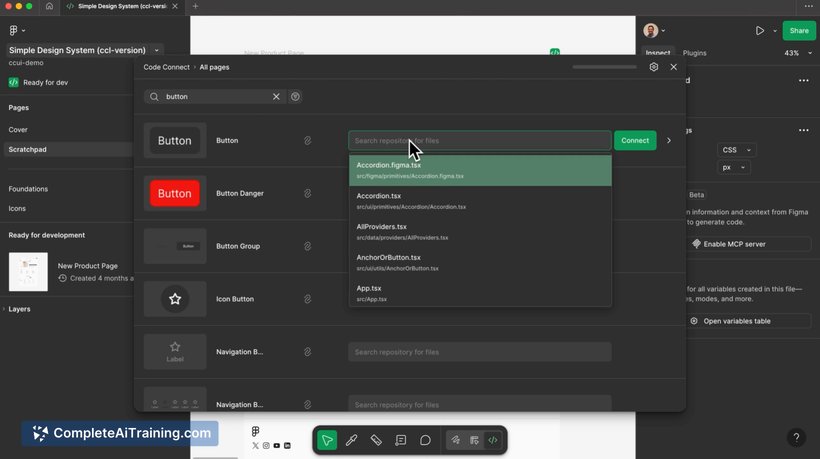


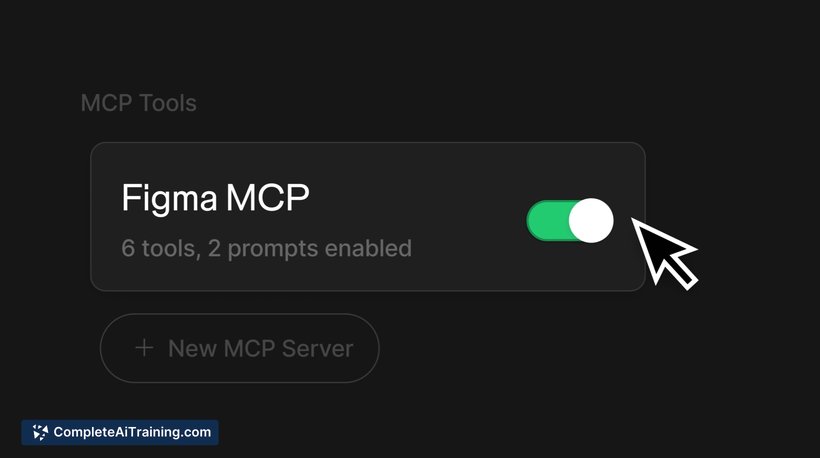
Figma MCP focuses on improving the handoff between design and development by exposing up-to-date design state outside the design application. The update adds remote server access and support for prototype source files so downstream tools can read structure and code instead of just static images.
Key Features
- Remote access to a live design server so design context is available outside the design app.
- Delivery of component, layout, and interaction data directly to IDEs and automated agents.
- Support for prototype source files that let tools inspect underlying code and behavior rather than only screenshots.
- In-app mapping that improves the link between design elements and production code.
- Portability of design context to reduce manual copying of specs and assets.
Pricing and Value
The launch is listed as payment required, indicating this capability is an add-on or part of a paid tier. The value proposition is strongest for teams that spend significant time on design-to-code handoff or that incorporate AI-assisted development into their workflow. For such teams, the cost can be offset by reduced back-and-forth, fewer implementation errors, and faster iteration. Smaller teams or individual contributors should weigh the added expense against how often they need live design context in external tools.
Pros
- Makes current design state available directly to development tools and agents, reducing guesswork.
- Helps link design elements to production code with improved in-app mapping.
- Allows automated tools to access underlying prototype files instead of working from images.
- Reduces context switching by making design information portable and machine-readable.
Cons
- Requires payment, which may be a barrier for smaller teams or infrequent users.
- Depends on well-structured files and consistent naming conventions; messy files will limit its usefulness.
- May introduce new setup and maintenance work to keep mappings and integrations accurate.
Overall, Figma MCP is best for product teams that need close alignment between design and engineering or that use automated agents in their workflow. It can meaningfully reduce manual handoff work for larger teams with established design systems, but smaller teams should evaluate cost and the effort needed to keep design files organized before adopting it.
Jobs Figma MCP suits
We checked Figma MCP against 500+ jobs; these get the most out of it.
Alternatives to Figma MCP
Other tools that do the same main job. Our AI compared Figma MCP with similar tools and kept the ones you could use instead.