About Live Captions by Subanana
Live Captions by Subanana is a live captioning tool that routes each language to whichever speech model performs best on it, rather than relying on a single AI vendor. It lets an audience scan a QR code and follow a speaker in their own language on their phone, either reading captions or hearing a spoken translation. The tool also supports sending a clean caption feed into production software like OBS, vMix, and ProPresenter.
Review
Live Captions by Subanana addresses a specific problem: real-time multilingual events where interpreter booths are impractical. The tool listens to a microphone or computer audio instead of joining calls as a bot, and it introduces a short delay to clean up captions before they appear. This review covers what the tool does today, how it's priced, and where it fits.
Key Features
- Multi-vendor language routing that sends each source language to the speech model best benchmarked for it, handling code-switching like Cantonese-English mid-sentence switches.
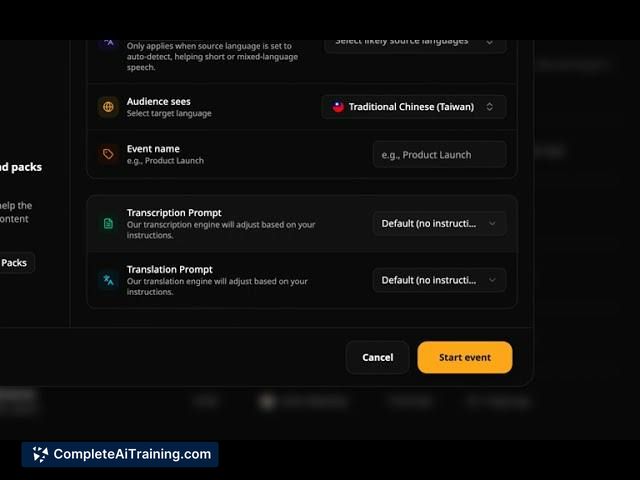
- Audience-side captioning via QR code, where attendees pick a language and follow along on their own device by reading or listening to a translation.
- Production-desk output with support for up to five simultaneous languages, two on-screen languages, a floating subtitle box over slides, and a transparent caption layer for OBS, vMix, or ProPresenter.
- Mid-session language switching through the Edit event panel, which pauses and reconnects captions under new settings while preserving earlier caption history.
- Correction pass on live captions that uses surrounding context and an event glossary, creating a short delay in exchange for cleaned-up text.
Pricing and Value
Every plan, including the free tier, includes a 5-minute live session for testing. Live captions themselves are available on the Max plan. A discount code (PRODUCTHUNT20) takes 20% off the first three months and is valid until 10 October. Exact pricing tiers beyond this are not detailed in the available reference material. The free test session lets users evaluate the tool on a real meeting before committing to a paid plan.
Pros
- Routes each language to a different speech model, which produces better results for under-served languages like Cantonese, Armenian, and Georgian.
- Preserves mixed-language speech as spoken instead of forcing sentences into a single language.
- Works without a meeting bot, so it functions next to a Zoom call, on a conference stage, or in a classroom without needing to invite anything into the session.
- Outputs a transparent caption layer directly into common production tools for streamed or in-venue events.
- Lets you change source and audience languages mid-session without losing earlier captions.
Cons
- The correction delay means captions appear about a second after speech, which may not suit scenarios where instant display is prioritized over accuracy.
- Live captions are locked to the Max plan, so users who only need occasional live use must pay for the top tier.
- Not well suited for single-language English meetings where simpler, single-vendor tools handle the job without the routing complexity or delay.
Live Captions by Subanana fits events where the audience doesn't share one language and the speaker isn't changing how they talk to accommodate tools. Conference organizers, multilingual churches, and panel hosts dealing with code-switching will find the language routing and mid-session switching most relevant. If your room rarely moves beyond one language, the tool's specific strengths won't outweigh its constraints.
Open 'Live Captions by Subanana' Website
Your membership also unlocks: