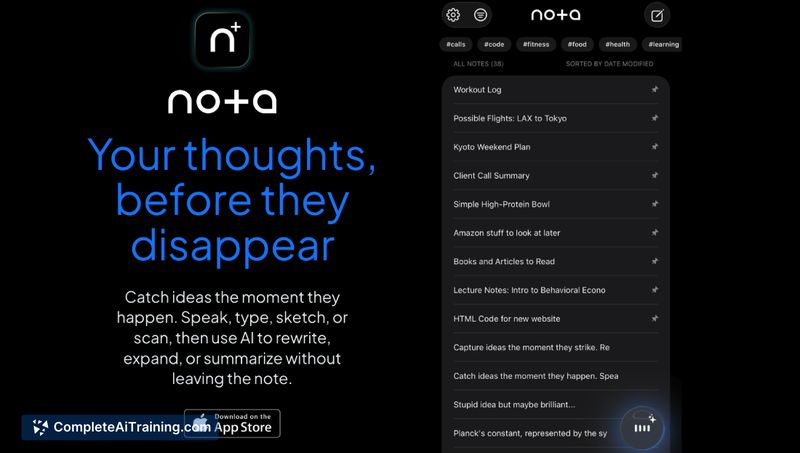
About Nota: AI Notes & Voice
Nota: AI Notes & Voice is a note-taking app for iPhone, iPad, Mac, and Apple Watch that captures ideas by voice, text, sketch, or scan and refines them using built-in AI. It offers local-first storage, searchable scans, and the option to choose AI models for on-demand editing and transformation of note content.
Review
Nota emphasizes fast capture and in-note assistance rather than acting as a conversation-style assistant. It shines when you need to record a quick idea-especially by voice from an Apple Watch or phone-and then clean up or expand that content without moving it into a separate AI tool. The app balances simple note-taking with helpful AI actions, though some collaboration and organization features are reserved for the paid tier.
Key Features
- Multi-modal capture: voice recordings, typed text, sketches, and document scans all saved as searchable notes.
- Transcription in 45 languages and direct recording from Apple Watch with auto-sync to device notes.
- In-note AI actions (Cleanup, Expand, Professional, Summarize and other quick actions) that transform selected text without leaving the note.
- Model selection on Pro: choose between OpenAI, Claude, Gemini, Grok and more for AI outputs.
- Local-first design focused on privacy, plus a polished UI with features like a floating audio player and live HTML preview for tinkering.
Pricing and Value
There is a free tier that allows unlimited local notes and basic capture features, making it easy to try the app without commitment. A Pro subscription unlocks cross-device sync, collaboration, export options, and access to the external AI models that enable more advanced editing and processing. The free tier is useful for solo, local use; Pro is reasonable value for users who want syncing or to work with specific AI providers.
Pros
- Fast, reliable voice capture with broad language support and Apple Watch integration.
- True multimodal input (sketch, scan, photo, voice) that becomes searchable and editable in one place.
- AI tools live inside the note so you can refine snippets without copying text out to another app.
- Choice of AI models on the paid plan gives flexibility for different output styles and quality.
- Local-first approach and a clean, focused interface that minimizes friction when capturing ideas.
Cons
- Primarily built for Apple devices, so cross-platform users are left out or limited.
- Advanced sync, collaboration, and export capabilities require a Pro subscription.
- Organizational features such as complex databases or heavyweight project management are limited compared with dedicated workspace apps.
Nota: AI Notes & Voice is best suited for people who capture ideas on the go-creatives, students, and professionals who record thoughts, meetings, or sketches and want quick AI-powered cleanup inside the note. If you need deep project management, relational databases, or a cross-platform workspace, this app may feel more like a complement than a replacement for heavier tools.
Open 'Nota: AI Notes & Voice' Website
Your membership also unlocks: