About Notto
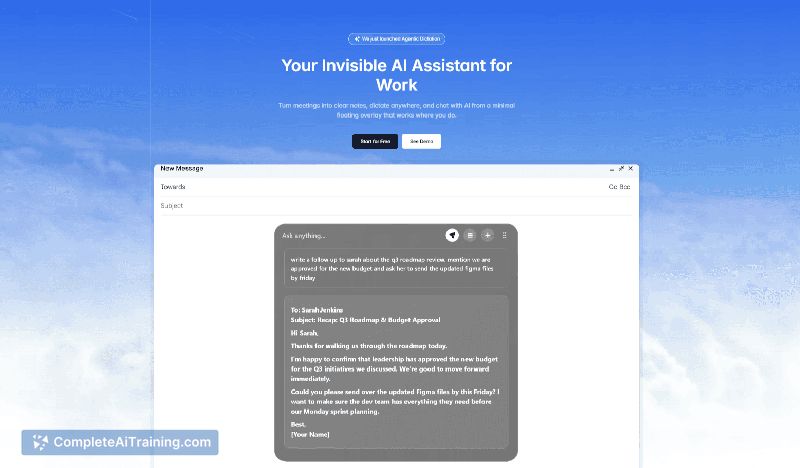
Notto is a desktop AI overlay that sits transparently over your screen, enabling chat, dictation and meeting transcription without switching apps. It lets you ask questions, draft text or take notes while keeping your main window or video call in view.
Review
Notto offers a compact way to bring AI assistance directly onto the desktop as a translucent layer that works over any application. The concept is appealing for users who want quick answers, fast dictation and live meeting transcripts without alt-tabbing to a separate tool, though the app feels like an early-stage product in places.
Key Features
- Invisible chat overlay for asking questions or brainstorming while keeping your current screen visible.
- Meeting transcription to capture spoken content and create searchable notes.
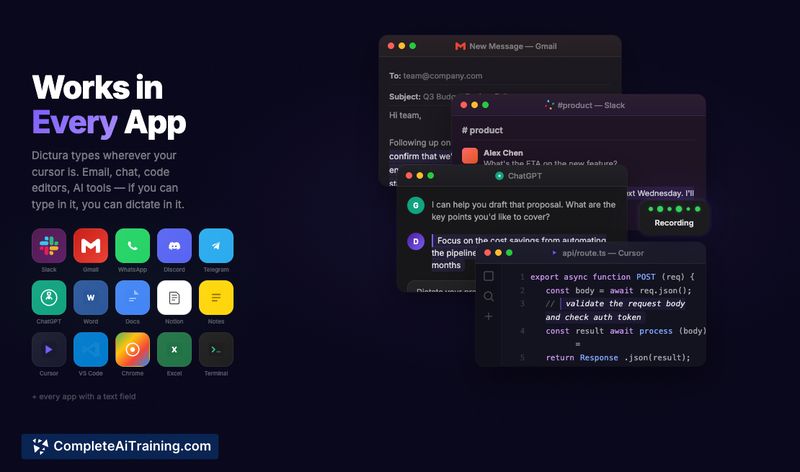
- Dictation that converts voice to text in any textbox to speed up writing and replies.
- Quick note-taking and action-item capture directly on top of other apps.
- Desktop support across macOS, Windows and Linux.
Pricing and Value
The product listing highlights free options, but detailed pricing tiers or enterprise plans are not presented on the launch page. For individual users, the free option is a low-risk way to evaluate whether the overlay workflow and dictation features save time; organizations should verify stability and admin controls before committing to broader deployment.
Pros
- Keeps focus by providing AI help without leaving the active window or breaking eye contact during calls.
- Useful mix of features: live transcription, dictation and quick note capture in one overlay.
- Cross-platform desktop support makes it accessible to a wide range of users.
- Dictation can speed up long replies or prompts compared with typing.
- Feels lightweight in concept - a layer over existing workflows rather than a standalone workspace.
Cons
- Reports of stability issues and crashes; some users encounter erratic shortcut behavior and overlay failures.
- Large install size reported and limited controls for shortcut customization and overlay transparency can be frustrating.
- Subtle interface can be confusing for first-time users who may not immediately know how to summon controls.
Notto is best suited for professionals who frequently participate in meetings or need fast dictation and in-context AI help without juggling multiple windows. It can be a real productivity aid for solo users and small teams, but organizations and power users should test stability and shortcut behavior before relying on it for critical workflows.
Open 'Notto' Website
Your membership also unlocks: