
AI tool
OpenCompanion
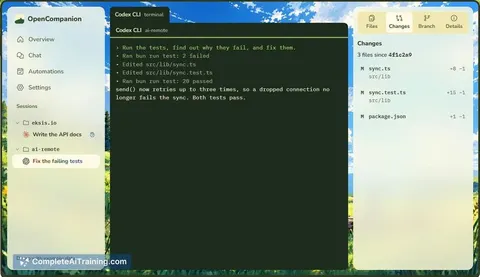
OpenCompanion lets you run and monitor multiple AI coding CLI sessions from one screen. It alerts you when a session needs permission and lets you approve or deny prompts from your desktop or phone. The tool is for developers who run assistants li...
About OpenCompanion
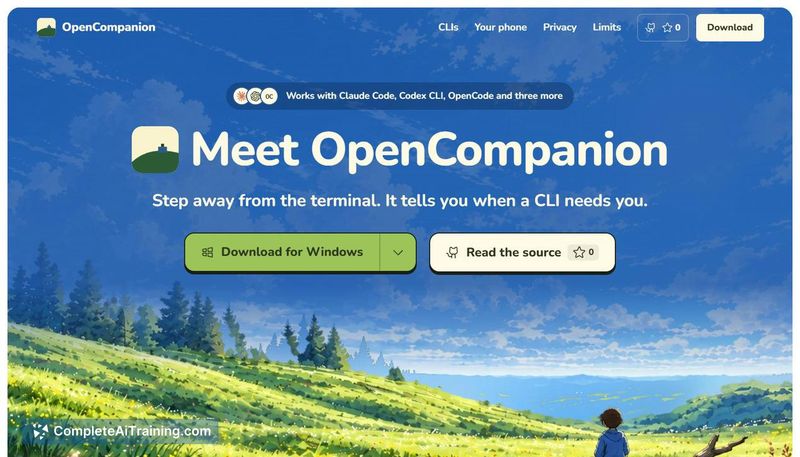
OpenCompanion is a desktop application that starts, monitors, and lets you respond to AI coding CLIs from a single screen. It works with tools like Claude Code, Codex CLI, and OpenCode across multiple project folders. The software runs locally without accounts, cloud servers, or telemetry, and is released under the MIT license for Windows, Linux, and macOS.
Review
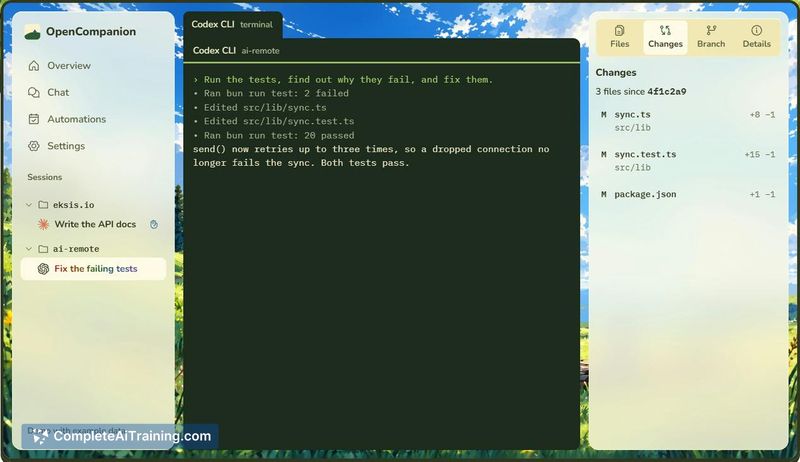
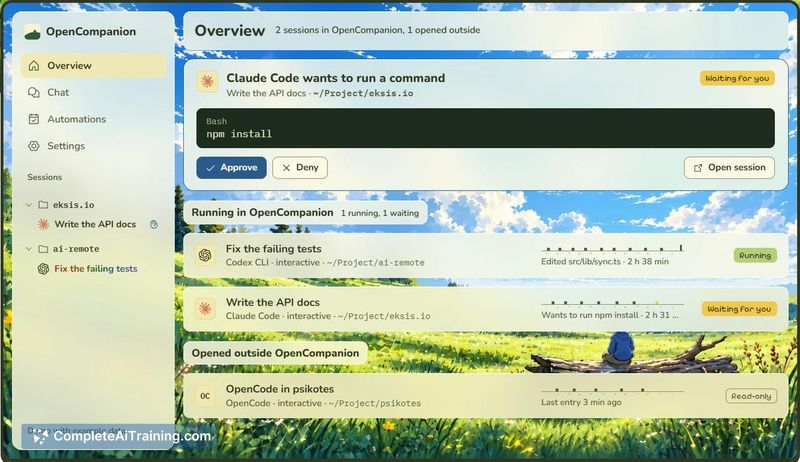
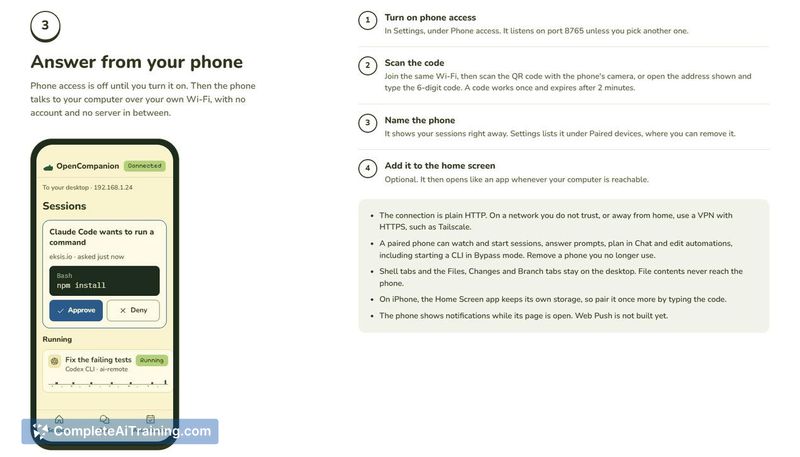
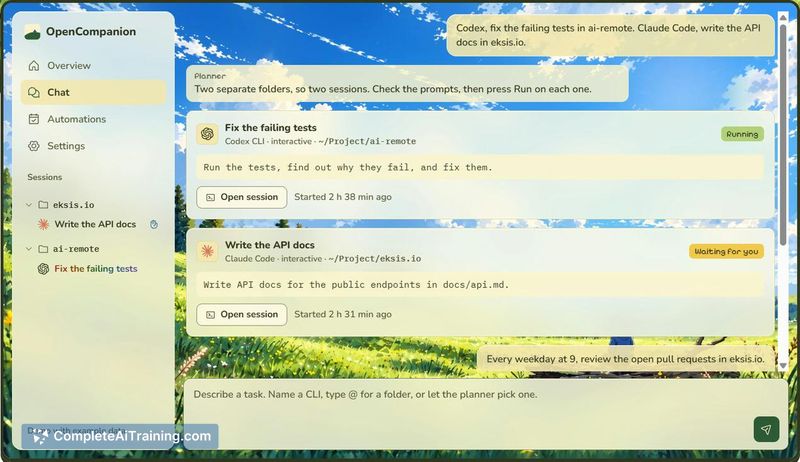
Running several AI coding agents in parallel usually means juggling terminal windows and missing permission prompts until you tab back to the right one. OpenCompanion consolidates those sessions into one list, flags when a session is waiting, and lets you approve or deny from the desktop or a phone on the same Wi-Fi. It's a focused utility that tackles a specific friction point for developers who work with multiple CLI agents simultaneously.
Key Features
- Starts Claude Code, Codex CLI, OpenCode, and other CLIs in a real terminal or headless mode, then displays each session with its status and latest event on one screen.
- Detects when a session is waiting for input and surfaces Approve/Deny buttons for Claude Code permission prompts, accessible from the desktop or a phone over the local network.
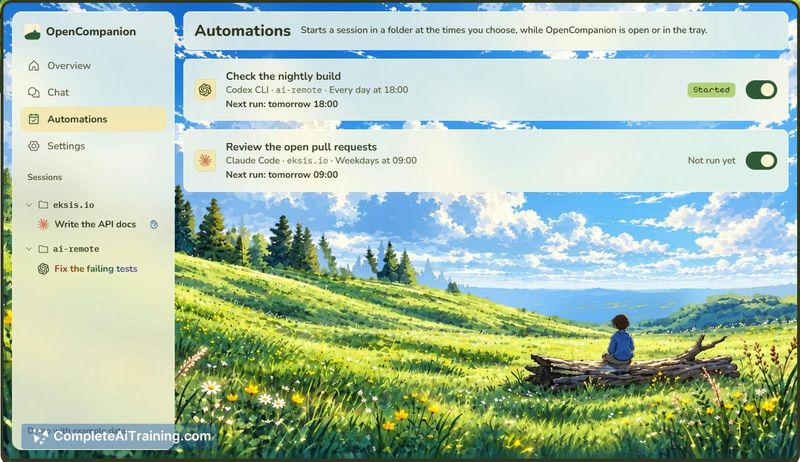
- Chat input converts a plain request into individual cards per session - you review each prompt and press Run. Repeated tasks can be set as scheduled automations.
- Splits a shell beside any session for running tests, browsing the folder, or reading the uncommitted diff.
Pricing and Value
OpenCompanion is free and open source under the MIT license. There are no paid tiers, subscriptions, or in-app purchases at this time. Each CLI you connect continues to use your own login and quota - OpenCompanion doesn't intermediate API costs or introduce its own billing layer.
Pros
- Consolidates multiple CLI agent sessions into a single view, so you don't miss permission prompts across terminals.
- Phone access over local Wi-Fi lets you approve or deny prompts without being at your desk.
- Runs entirely on your machine with no account, cloud dependency, or telemetry.
- MIT license permits inspection, modification, and redistribution of the source code.
- Chat-to-task workflow splits one request across sessions and supports recurring scheduled automations.
Cons
- Installers are not code-signed, so the operating system flags a security warning on first launch that requires manual override.
- The phone link uses plain HTTP on the local network with no pairing token described - anything on the same Wi-Fi segment could potentially interact with the session, which is a concern on shared office networks.
- Not well suited for developers who work with a single AI coding CLI in one project at a time, since the tool's main benefit comes from managing multiple concurrent sessions.
OpenCompanion fits developers who regularly run AI coding agents in several project folders and want a centralized way to see which session needs attention. The local-only architecture and MIT license give teams room to inspect and adapt the tool, though the unsigned installers and plain-HTTP phone link mean you'll want to evaluate those trade-offs before adopting it on untrusted networks. If you only ever run one agent at a time, the added layer of session management won't change your workflow much.
Jobs OpenCompanion suits
We checked OpenCompanion against 500+ jobs; these get the most out of it.



