AI tool
OpenGyver
OpenGyver is a free, open-source CLI and Claude Code skill that converts formats and units-currency, color codes, timestamps, images, JSON, UUIDs-extensible via modules for custom conversion commands.

About OpenGyver
OpenGyver is a free, open-source command-line utility that bundles many small conversion and data tools into a single interface. It lets you perform tasks like file and unit conversions, UUID generation, JSON/HTML formatting, and string encoding/decoding directly from the terminal.
Review


This review examines how well OpenGyver serves developers and power users who prefer working in the shell. The tool focuses on keeping common one-off utilities available in scripts and pipelines so repetitive tasks can be automated without switching to web pages or hunting for separate packages.
Key Features
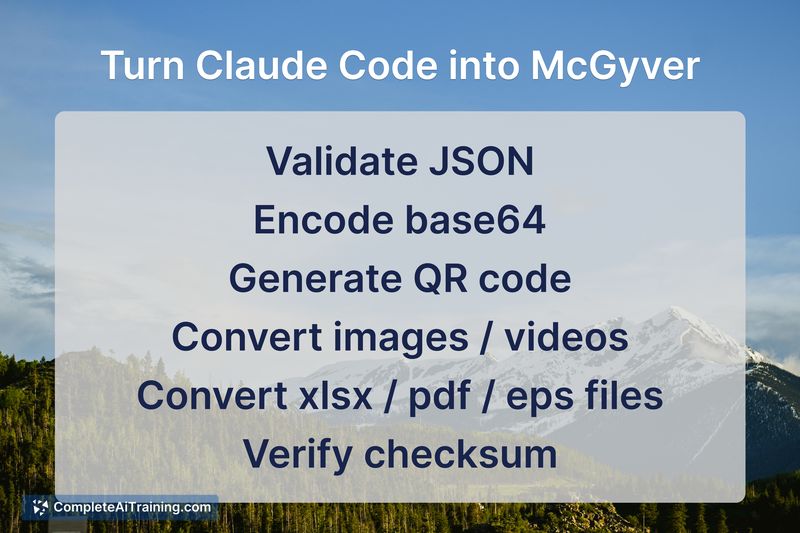
- Wide-ranging conversions: file formats, units, audio/image transforms, and simple media conversions.
- Quick utility generators: UUIDs, random tokens, and small data helpers accessible from the CLI.
- JSON and HTML manipulation: pretty-printing, basic transformations, and streamlined data inspection.
- Pipe-friendly design for shell scripting and automation workflows.
- Extensible command modules so additional utilities can be added as plugins.
Pricing and Value
OpenGyver is offered at no cost and is open source, which makes it easy to inspect, modify, and contribute to. Its main value comes from consolidating many small utilities into a single, scriptable CLI-reducing context switching and removing the need to rely on multiple websites or separate packages for common tasks.
Pros
- All-in-one CLI replaces multiple one-off tools and websites for quick tasks.
- Free and open source, enabling review and extension by the community.
- Built for piping and automation, which fits well into shell-based workflows and scripts.
- Modular approach allows adding new commands without bloating the core.
- Saves time when performing frequent small conversions or data fixes.
Cons
- Command-line only, so users who prefer graphical interfaces may find it less approachable.
- Some niche conversions may depend on community-provided modules and could require extra setup.
- Ongoing maintenance and security depend on community activity and contributors.
OpenGyver is best suited for developers, DevOps engineers, and power users who work heavily in terminals and want to bake small utilities into scripts and automation. If you frequently convert formats, generate identifiers, or manipulate JSON as part of shell workflows, this tool can save time and reduce friction.
Jobs OpenGyver suits
We checked OpenGyver against 500+ jobs; these get the most out of it.