
AI tool
Pickle Browser
Pickle Browser is a Chromium-based browser that simplifies webpage content for AI agents, reducing token usage by 32x. It works with Claude Desktop, Cursor, VS Code, and Codex CLI, and includes policy gating for purchases or destructive steps. It ...
About Pickle Browser
Pickle Browser is a browser built for AI agents that launched this week. It runs locally on your machine in a visible window, letting you watch an agent browse the web in real time. The browser works with your real logins and gates every action through policy checks before the agent executes it.
Review
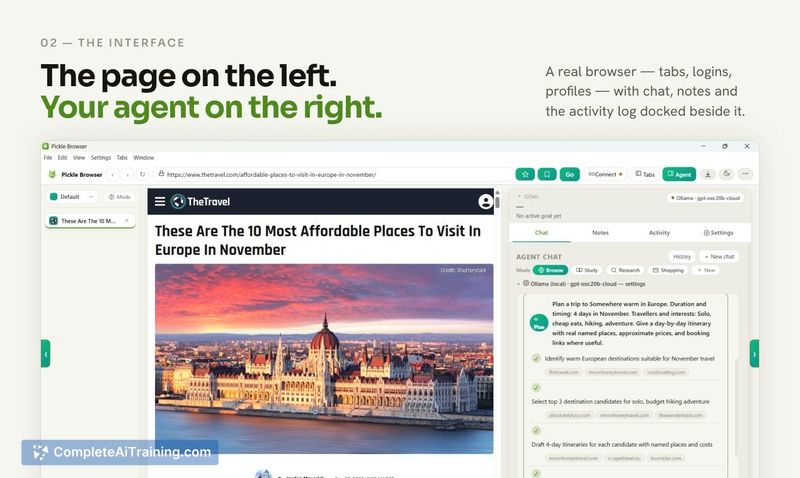
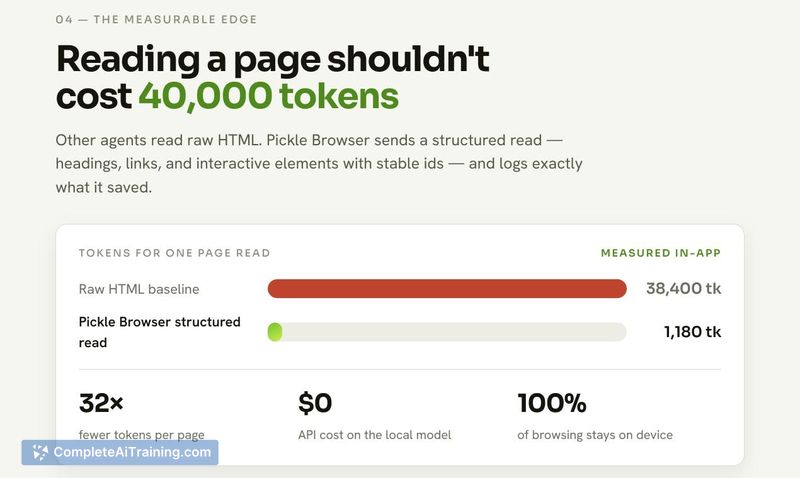

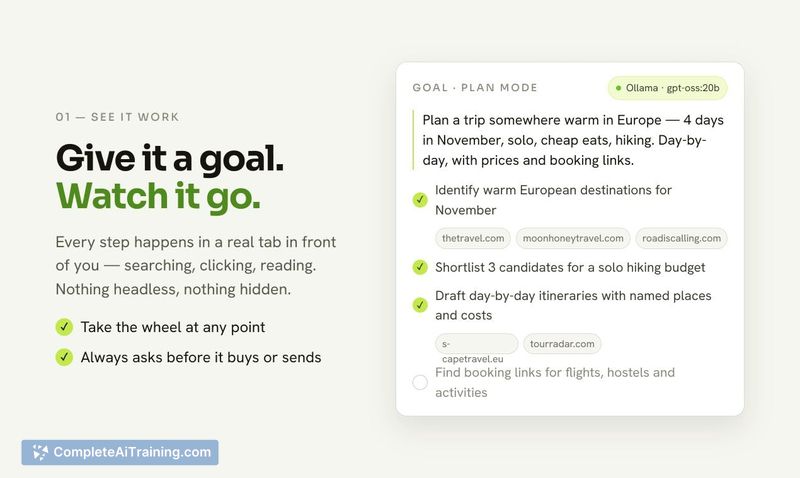
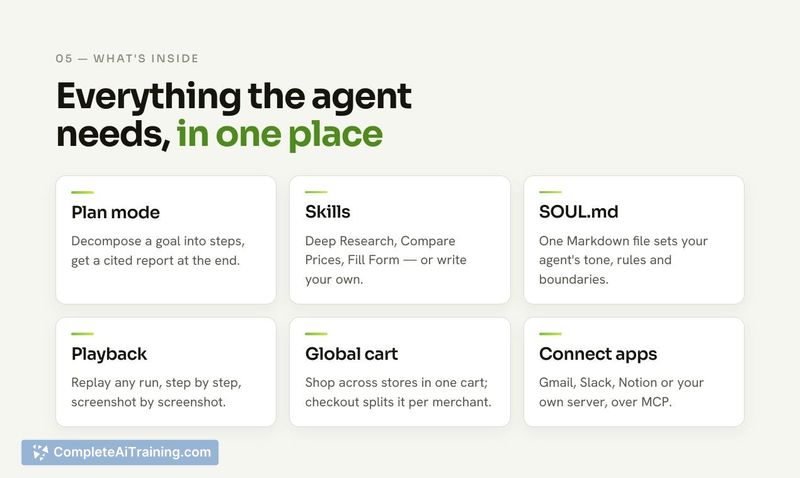
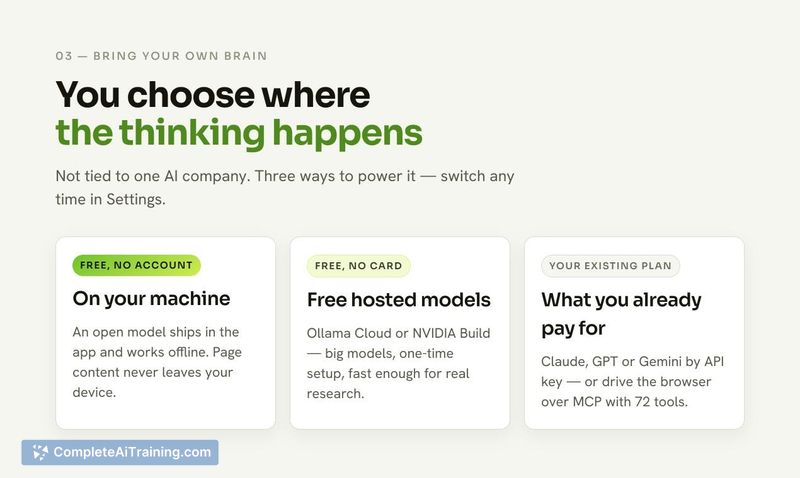
Pickle addresses a specific problem: agents waste tokens reading raw HTML and often act without clear oversight. The browser compresses pages before the agent processes them, reports a 32x reduction in token usage, and provides a live view of every action. Compatibility extends to Claude Desktop, Cursor, VS Code, and Codex CLI, with support for anything else that uses MCP.
Key Features
- Full visibility: Every action is policy gated, purchases and destructive steps require approval, everything is logged, and you can watch the agent work live on screen.
- Works with any agent: Connects to Claude Desktop, Cursor, VS Code, and Codex CLI today, with no reconfiguration needed. It supports MCP protocol for other agents.
- Works with weak models too: Bundles Ollama so a small local model can run the agent without an API key or cloud. Weak models get constrained prompting that limits them to one choice at a time to prevent hallucinated actions. Stronger models get full multi-step planning.
- Reads pages efficiently: Compresses webpage content before the agent sees it, reducing token usage by 32x.
- Full browser, not just a wrapper: Includes tabs, history, bookmarks, real Chromium, persistent element memory across sessions, and a shared notebook that both the agent and you can write to.
Pricing and Value
Categorized as free. Pickle bundles Ollama for local model support, meaning you can run agents without incurring API key or cloud costs. The cost structure beyond the current free tier is not yet defined. Since it runs locally on your machine, there are no per-use fees for browser access or page compression, and no stated limits on usage.
Pros
- Every action gets gated by policy with logging and optional approval, giving you stop-and-check control.
- Works with Claude Desktop, Cursor, VS Code, and Codex CLI today; MCP support extends to other agents.
- Uses your real logins do not require a separate managed browser profile.
- 32x token reduction can reduce the operational cost when running support agents on paid APIs.
- Bundled Ollama removes the need to set up separate model dependencies.
Cons
- Active development is early-stage, and features like persistent element memory may not yet function exactly as described in time or with every agent type.
- Browser runs locally, which places processing and model execution on your hardware-meaning you'll need a machine that can handle Ollama's resource demands if you plan to use the local model capability.
- Not well suited for non-technical users who don't use MCP-compatible coding environments; the tool does not have a mobile interface or web service attached, and setup requires familiarity with local agent tooling.
Pickle Browser fits developers who already run agents through Claude Desktop, Cursor, VS Code, or Codex CLI and want to see those agents working in a browser with external policy controls. It's also a reasonable choice if you run smaller models locally and want to be the one to watch actions before they execute. If you require managed browser instance or don't work with MCP-compatible agents, this tool won't cover those needs.
Jobs Pickle Browser suits
We checked Pickle Browser against 500+ jobs; these get the most out of it.



