
AI tool
Qursor
Qursor helps developers using AI agents make UI changes. It lets you point at any website element to copy structured, code-aware context like selectors and styles to your clipboard, giving agents exact details for modifying interfaces.
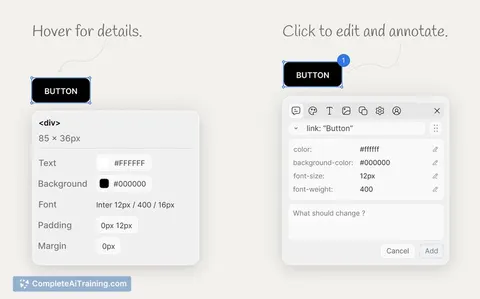
About Qursor
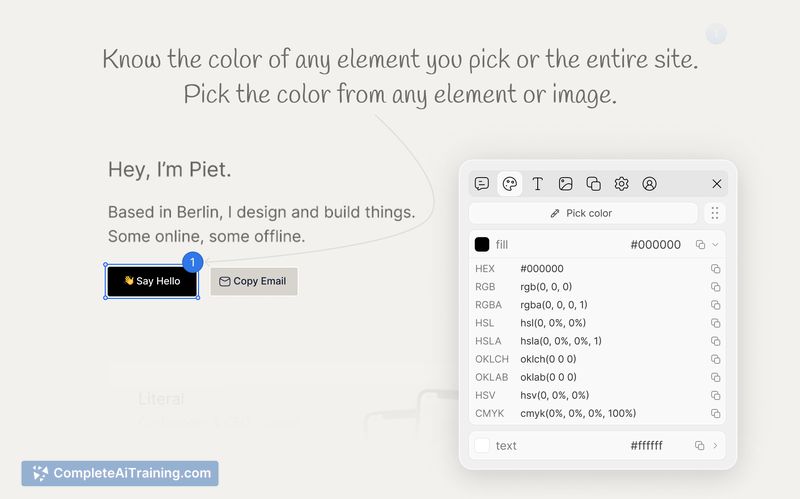
Qursor is a Chrome extension that captures structured UI context directly from web pages. It allows users to point at any on-screen element and copy its selectors, classes, styles, fonts, and colors to the clipboard. This process reduces token usage and miscommunication when instructing AI agents to make user interface modifications.
Review
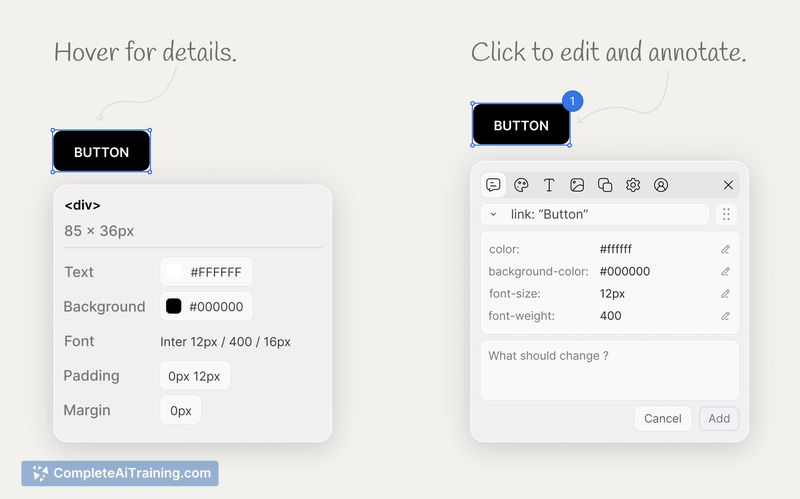
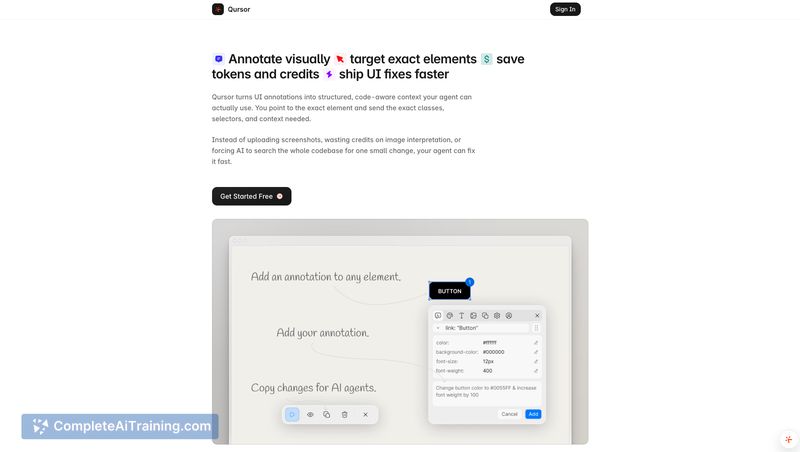
Developers and designers frequently spend time describing specific UI elements to AI agents. Qursor attempts to replace vague screenshots with precise, code-aware data. Copying exact DOM attributes gives AI coding assistants the concrete information required to edit the correct elements without guessing.
Key Features
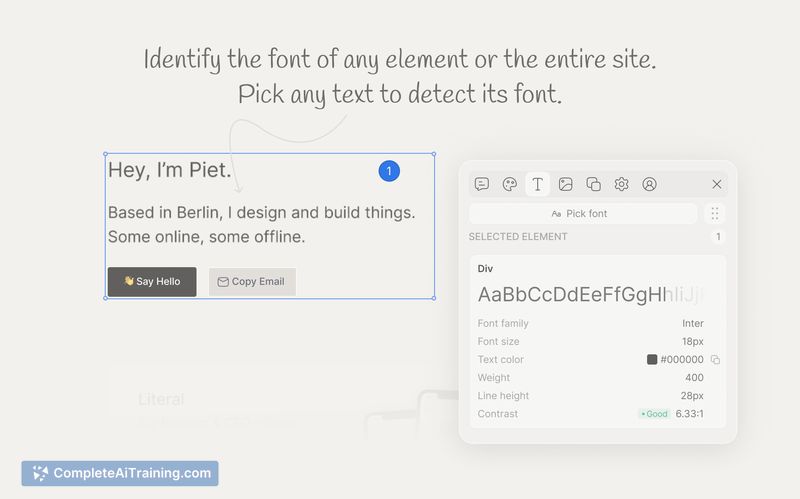
- Visual inspection of UI elements to identify fonts, colors, spacing, and layout.
- Clipboard extraction of AI-ready context, including selectors, classes, and inline styles.
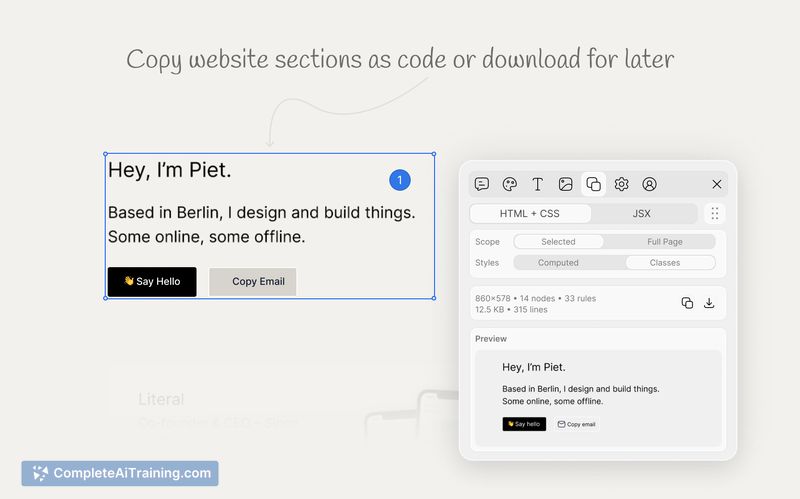
- Component extraction formatted as HTML, CSS, or JSX.
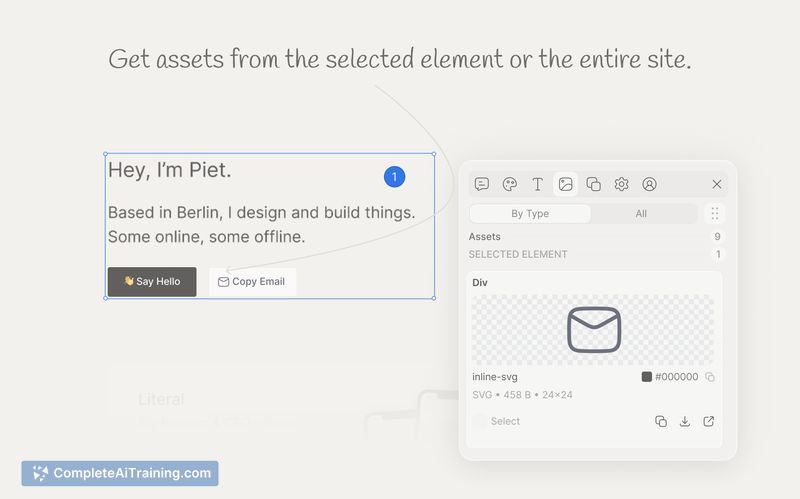
- Asset downloading for SVGs, PNGs, and JPGs directly from the browser.
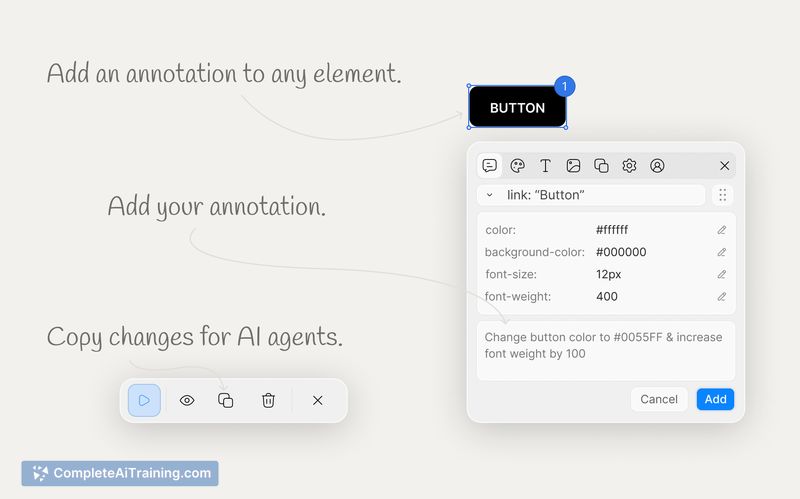
- Multi-element annotation for compiling feedback before pasting into an AI agent.
Pricing and Value
Qursor has a free plan that limits users to three picks per day. A lifetime deal is available for a one-time payment of $39. This pricing structure targets individuals who regularly interact with AI coding agents and want to reduce token consumption from image uploads.
Pros
- Reduces token consumption by replacing image uploads with text-based selectors and styles.
- Functions on internal tools and SaaS dashboards, provided they are accessible in Chrome.
- Reads from the rendered DOM, meaning it works regardless of the underlying frontend framework.
- Allows multiple annotations on a single page before copying the compiled context.
Cons
- Not well suited for users working exclusively within visual website builders like Webflow, as it targets AI coding agents rather than visual dashboards.
- Requires a Chrome browser environment to function, limiting use in other browsers or desktop IDEs.
- The free tier restricts usage to three picks per day, which may interrupt heavy daily workflows.
Qursor fits best into workflows where developers or designers regularly prompt AI agents to modify web interfaces. It serves professionals who need to pass exact styling and structural data without relying on manual code inspection. Teams managing client feedback might also find the annotation feature useful for gathering precise change requests.
Jobs Qursor suits
We checked Qursor against 500+ jobs; these get the most out of it.



