AI tool
Sled
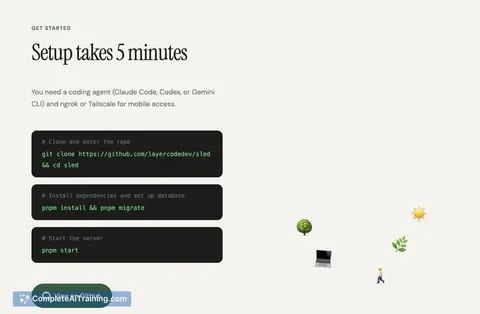
Sled provides a secure voice interface to your local coding agent: speak from your phone, the agent runs on your computer and reports what it did. Code stays on-device via Tailscale. Open-source; set up in about five minutes.
About Sled
Sled is a tool that lets you run a coding agent from a phone using voice commands. It connects to your local agent over a secure private network so code and data remain on your machine, and it reads results back to you.
Review
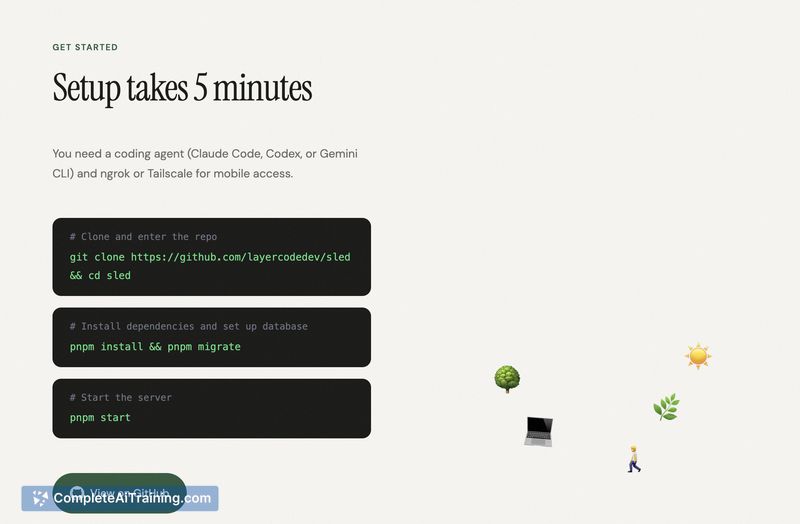

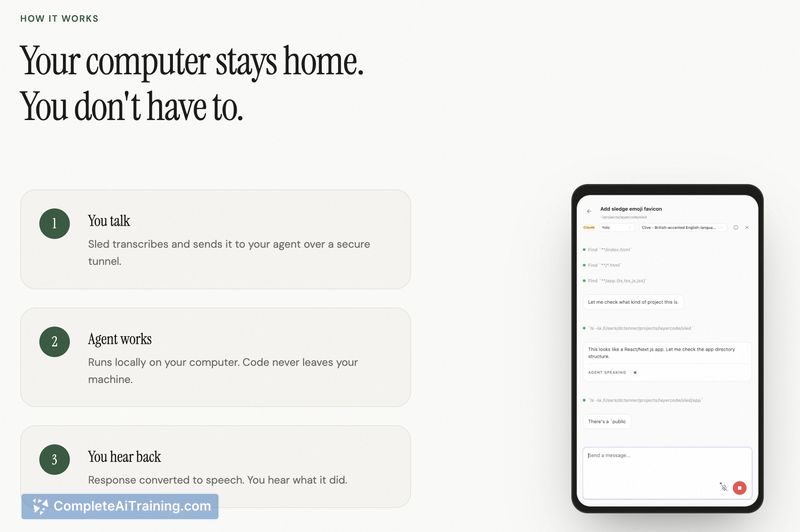
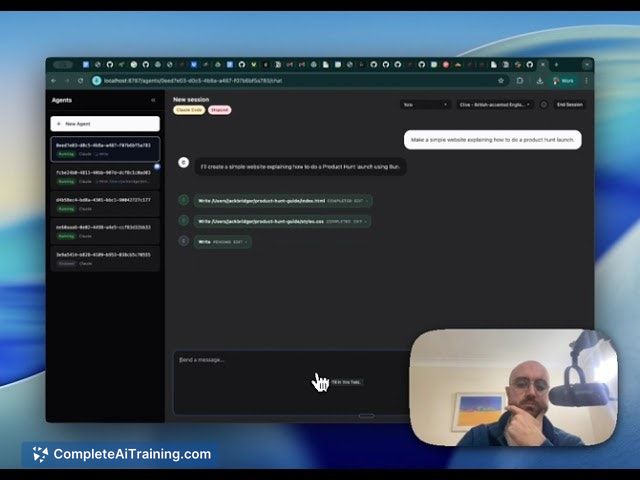
Sled provides a lightweight voice interface for interacting with local coding agents when you're away from your desk. Setup is straightforward, the tool is open source, and it focuses on keeping execution local for privacy-conscious developers.
Key Features
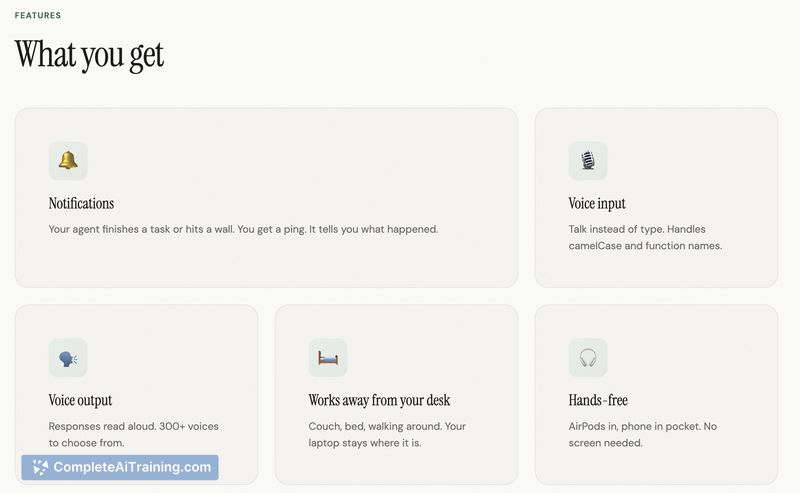
- Voice-driven control from a mobile device, enabling hands-free interaction with a coding agent.
- Local execution model over a secure private network so code does not leave your machine.
- Compatibility with multiple code-aware models and command-line agent workflows.
- Open source codebase and a short setup flow intended to get you started in minutes.
- Voice messages are transcribed and can be reviewed before being sent, reducing the risk of accidental commands.
Pricing and Value
The tool is available at no cost and is open source, which lowers the barrier to trying it out and inspecting how it works. Its main value proposition is enabling continuous agent interaction off-desk while preserving local control of code and data, making it attractive for developers who run private agents and want a simple mobile interface.
Pros
- Keeps code and execution local, which is good for privacy and security-conscious workflows.
- Makes it easy to issue tasks and hear results from a phone, reducing the need to be physically present at a terminal.
- Quick setup and open source licensing make experimentation low-risk.
- Works with a range of agent frameworks and CLI-style tools rather than locking you into a single stack.
- Transcription review before sending helps avoid accidental or dangerous commands.
Cons
- Limited support for visual context or complex code reviews in its current form; it's more focused on issuing tasks than full review workflows.
- Speech-to-text errors can cause misinterpreted commands, so cautious use is advised for high-risk operations.
- Not a replacement for a desktop workflow when deep debugging or visual inspection is required.
Sled is best suited for developers who run local agents and want a simple, private way to interact with them from a phone-ideal for lightweight tasking, monitoring progress, or issuing quick fixes while away from a desk. It's a practical companion for those who value local execution and open source tooling, but teams that need rich visual review or heavy-duty debugging should treat it as a supplement rather than a primary interface.
Jobs Sled suits
We checked Sled against 500+ jobs; these get the most out of it.
Alternatives to Sled
Other tools that do the same main job. Our AI compared Sled with similar tools and kept the ones you could use instead.