AI tool
Tucky
Tucky is a note-taking tool for Mac that docks to the edge of your screen, with a built-in AI agent that converts ideas into actions. It is designed for founders and fast thinkers who need to capture and act on scattered thoughts.
About Tucky
Tucky is a native macOS notes application that docks as a thin stripe along the screen edge. Notes are stored locally and encrypted. A paid Plus tier at $4/month adds voice input, third-party connectors, and access to large language models through an integrated AI agent.
Review

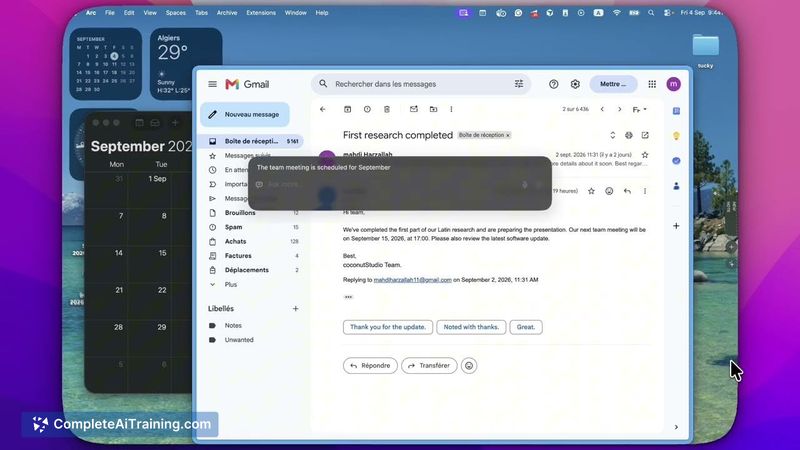
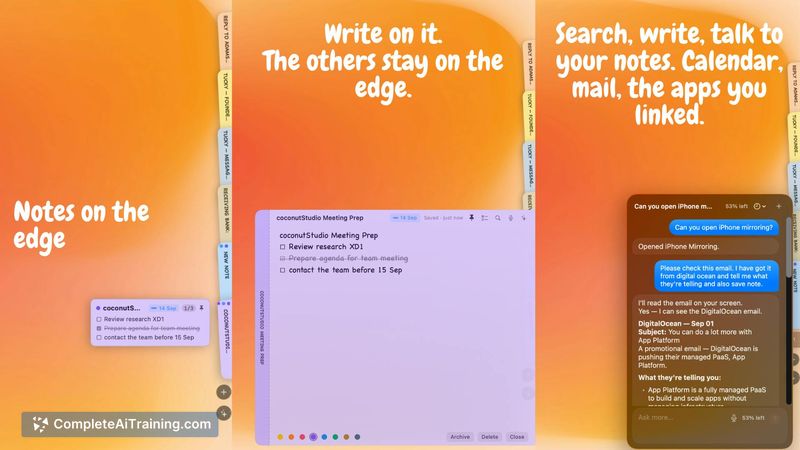
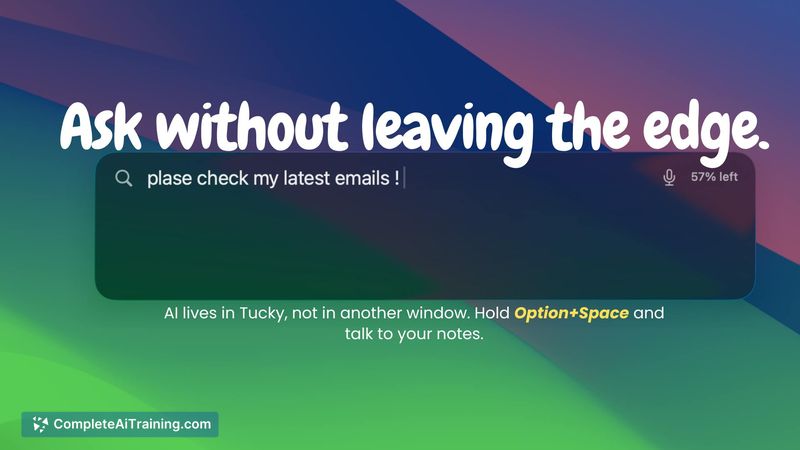
Tucky approaches note-taking from a different angle - it lives at the margin of the screen rather than in a separate window. The maker built it to catch thoughts before they disappear across scattered apps, and that origin story shapes how the tool behaves. This review looks at what the current, shipped version actually does.
Key Features
- Edge-docked note panel that collapses to a thin stripe and expands on demand, keeping notes visible without switching contexts.
- Local, encrypted storage for all notes - the data sits on the user's Mac, not on Tucky's servers.
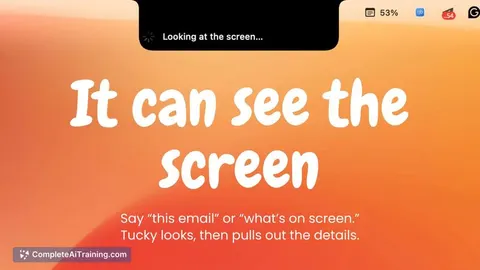
- AI agent that accepts short commands for scheduling, drafting replies, and capturing tasks with due dates.
- Voice input via Soniox in the Plus tier: hold to talk, see transcription under the macOS notch, and hear replies read back.
- Free tier includes core note-taking; the Plus subscription unlocks the agent, LLM access, and external operations like calendar and email connectors.
Pricing and Value
Tucky has two tiers. The free tier covers the note-taking functionality - creating, storing, and organizing notes locally. The Plus tier costs $4/month and includes the AI agent, voice input through Soniox, connectors to external services, and the best available LLM models. The maker has stated that the paid subscription covers LLM costs and agent operations. A bring-your-own-API-key option has been mentioned as under consideration, but it is not currently available. No lifetime or annual pricing appears in the published details.
Pros
- Notes stay on the user's machine with local encryption - no cloud storage or account required for basic use.
- The edge-docked design means notes are visible without opening another window, which reduces the friction of switching apps.
- Voice input transcribes under the notch and reads responses aloud, enabling hands-free capture.
- Commands handle concrete actions like setting due dates and scheduling directly from the note interface.
- Free tier lets users test the core note-taking concept indefinitely before committing to a subscription.
Cons
- macOS only at launch - a Windows version appears on the roadmap, but no release date has been confirmed.
- The AI agent and external connectors sit entirely behind the $4/month paywall, so the full feature set requires a subscription from day one.
- Tucky is not well suited for teams needing shared workspaces or collaborative editing, since notes are local and encrypted per device.
Tucky fits a specific workflow: solo founders and fast-moving individuals who want to capture stray thoughts without leaving their current screen. People who prefer cloud-synced notes across multiple devices or need team collaboration won't find those capabilities here. For Mac users who want an always-visible scratchpad that can turn a quick command into a scheduled task, the free tier gives a clear sense of whether the edge-docked approach works for them before they commit to Plus.
Jobs Tucky suits
We checked Tucky against 500+ jobs; these get the most out of it.
Alternatives to Tucky
Other tools that do the same main job. Our AI compared Tucky with similar tools and kept the ones you could use instead.