AI app for operations · no coding needed
Action Item Automator
The system learns from human corrections to improve extraction accuracy over time, making it more reliable than generic transcription tools.
Made for: Team leads at consulting firms and project-based service companies
What it does for you
The problem
Action items from meetings get lost in the hand-off from conversation to execution.
What it gives you
Assigned tasks with due dates, meeting summary, and automated reminders
What you give it
Meeting recordings or audio files
How it works, step by step
- Upload or record meeting audio
- Transcribe and parse for action items, decisions, and owners
- Review and edit extracted tasks in a queue
- Sync approved tasks to project tools with due dates
- Post summaries to team channels
- Send reminders for overdue tasks
What you see on screen
- Meeting list
- transcript review
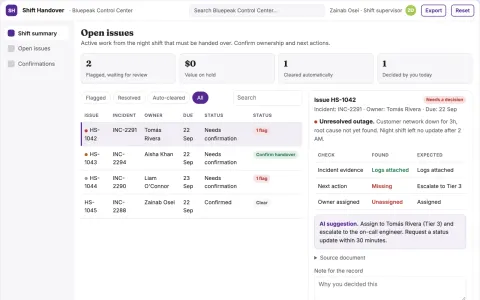
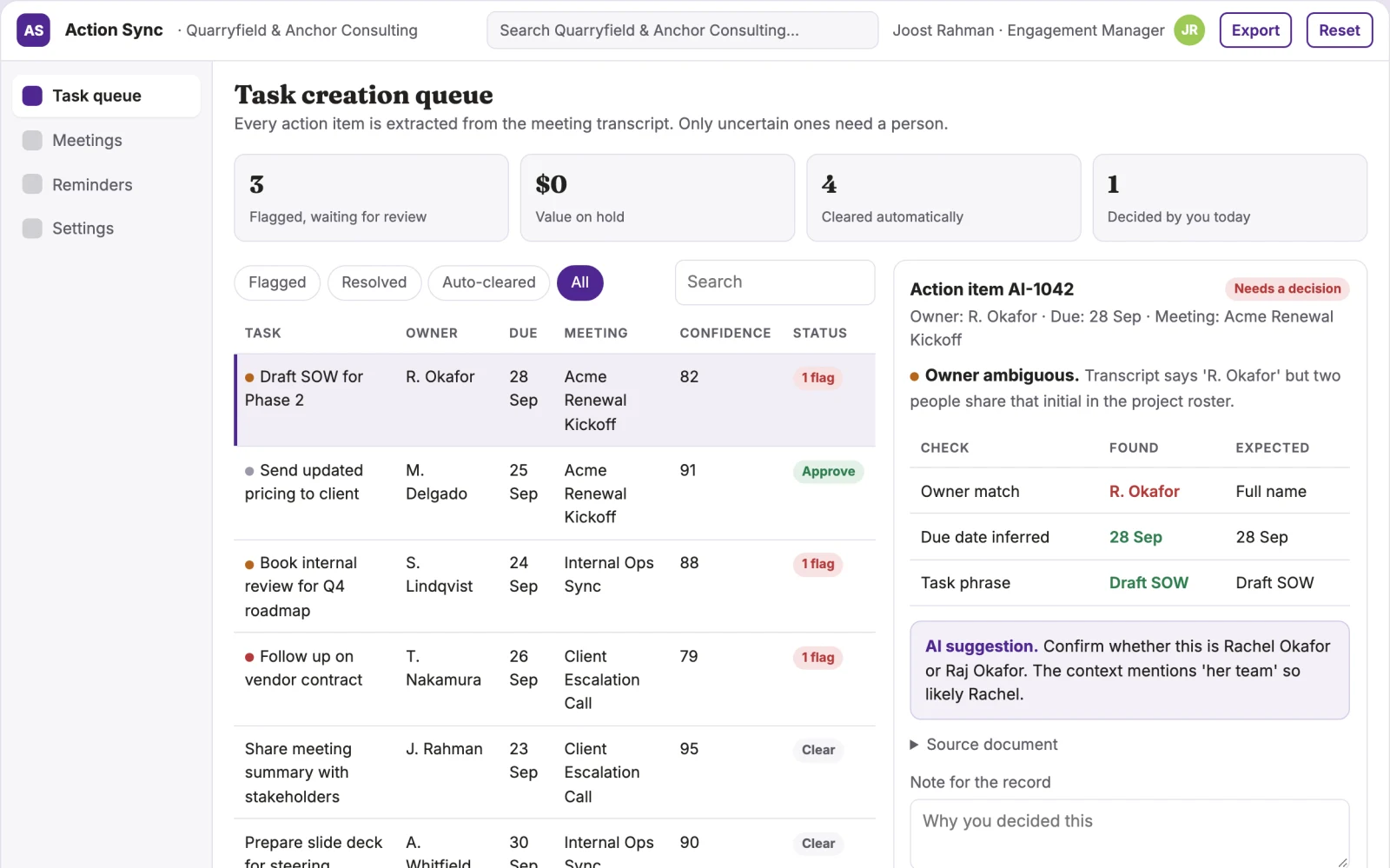
- task creation queue
- reminder dashboard
Jobs this app suits
Our AI checked this app against 500 jobs; these get the most out of it. Each job links to its learning path.
Build it yourself with your AI system
Build this app yourself, no coding needed
Start with a quick version you can try in a few minutes. Like it? Then build the full app by copying and pasting our step-by-step instructions: everything is prepared for you.
Sign in to see how to build it yourself
Build a quick version to try, or get the full app pack for Action Item Automator with the step-by-step building instructions. You don't need any technical skills: you copy, paste and answer a few questions. Both are included in the membership.
4 Have it built for you days to a few weeks
Rather not do it yourself, or want it fully tailored to your data, your way of working and your brand? Nexibeo builds Action Item Automator with you.
What's in the app pack
Included in the Complete AI Training membership.
- The building instructions your AI follows, step by step
- The questions your AI will ask you about your business before it starts
- A clickable demo you can open in your browser, to see how it should work
- A detailed blueprint of the screens, the information it keeps and the checks it runs
Become a member to get the app packAlready a member? Sign in
The files, for the technically curious
- START-HERE.mdHow to build it with your own AI (read first)3 KB
- README.mdOverview and links1 KB
- questions.mdQuestions to answer before you build2 KB
- prompt-cloudflare.mdThe full build prompt, hosted on Cloudflare21 KB
- prompt-vps.mdThe same build on your own server (Docker)21 KB
- spec.jsonData model, API, AI pipeline, acceptance criteria12 KB
- demo/index.htmlThe working demo on sample data196 KB
Questions
Do I need to know how to code?
No. You copy and paste the prompts on this page into ChatGPT or Claude, and the AI does the building. When it asks you something, you answer in your own words.
What does it cost?
The quick version, the app pack and the step-by-step instructions are for members: you pay the membership price, not a price per app (see the plans). Building the full app uses your own ChatGPT or Claude subscription. Putting it online is often cheap or no cost at the start, and your AI tells you before anything costs money.
How long does it take?
The quick version: about two minutes. The real app: an afternoon for a first version you can use, longer if you want every feature.
Can I change it to fit my business?
Yes. Tell your AI what to change in plain words, like “add a column for the price” or “use our logo and colours”. Or have Nexibeo build and customise it for you.
More detailsHow the AI works, safeguards and what to build first
For team leads at consulting firms and project-based service companies, turn meeting recordings and transcripts into assigned tasks, due dates, and follow-up reminders in existing project tools. The value hypothesis is that this reduces the manual loop of note-taking, task creation, and status chasing, saving time and preventing missed commitments. The pilot must establish whether the automation is accurate enough to trust without heavy review.
Upload recording, transcribe, parse for actions, review tasks in queue, approve and sync to project tool, post summary to channel, then send reminders for overdue items. Start with meeting recordings and finish with assigned tasks and follow-up reminders.
How the AI works
Use language models to transcribe and extract action items, decisions, and named owners. A human reviewer checks and edits the extracted tasks before they sync, especially for client-facing work, to avoid misinterpretation of ambiguous names or jargon.
Safeguards
Limit access to approved users only. Require human approval before tasks sync to external tools. Never send reminders without a task being approved. Must not auto-assign tasks without confirmation of the owner. Must not share meeting content outside the client's workspace.
What to build first
One buyer: team leads at a small consulting firm. One use case: client-facing project meetings. First two modules: transcription and task extraction, plus manual review queue. Sync to one project tool (e.g., Jira) with manual approval before tasks go live.
What it can connect to
Zoom, Teams, Google Meet for recordings; Jira, Asana, Notion for task creation; Slack and Teams for summaries and reminders.
The screens in detail
Use a meeting list for recent recordings, a transcript view with highlighted action items, a queue for reviewing and confirming tasks before they sync, and a dashboard showing open tasks and reminders. The main screen is the task creation queue, where users approve or edit extracted actions before they go live.