Claude AI for Lawyers: From Generic Chatbot to Legal Expert (Video Course)
Most lawyers using Claude get maybe ten percent of its potential. This course fixes that. Configure instructions, install legal plugins, build workflows that turn generic AI output into genuinely professional legal analysis. No fluff.
Related Certification: Certification in Applying Claude AI for Legal Expertise
Also includes Access to All:
What You Will Learn
- Configure the persistent Instructions for jurisdiction, citation format, and confidentiality
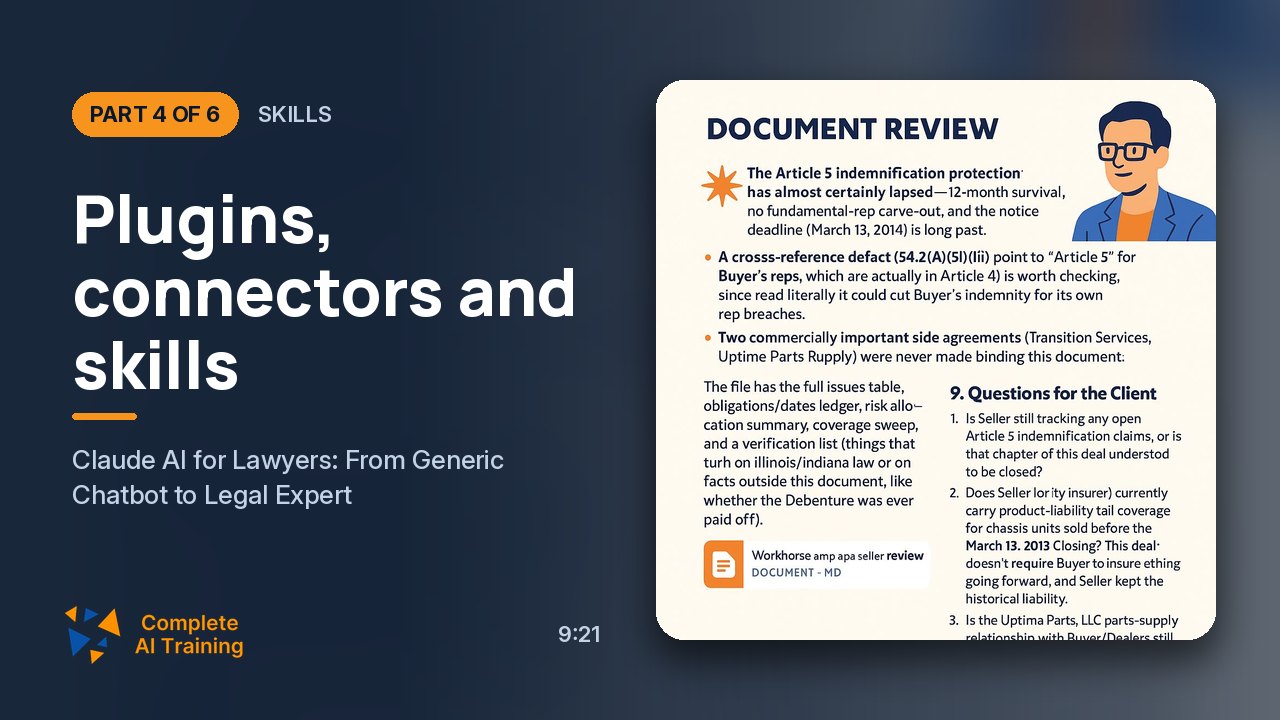
- Install and manage legal plugins and skills (contracts, litigation, IP, corporate)
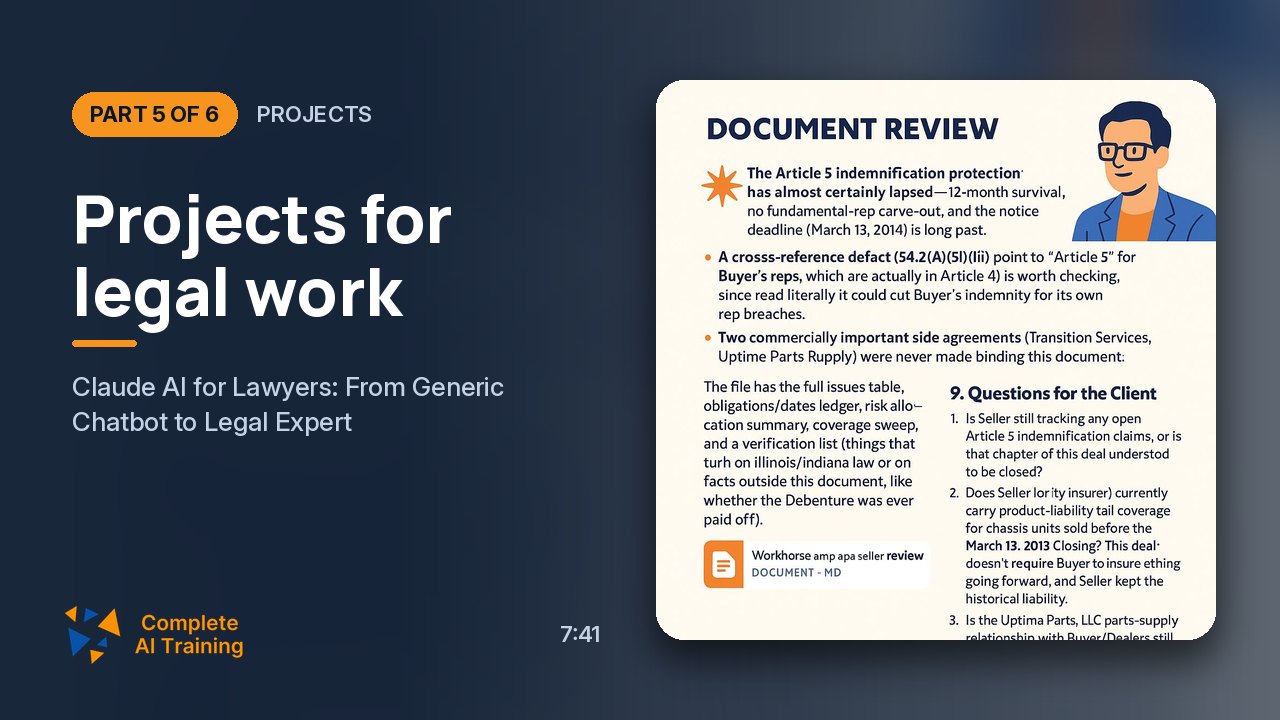
- Use projects and file uploads to organize multi-document matters and auto-reference sources
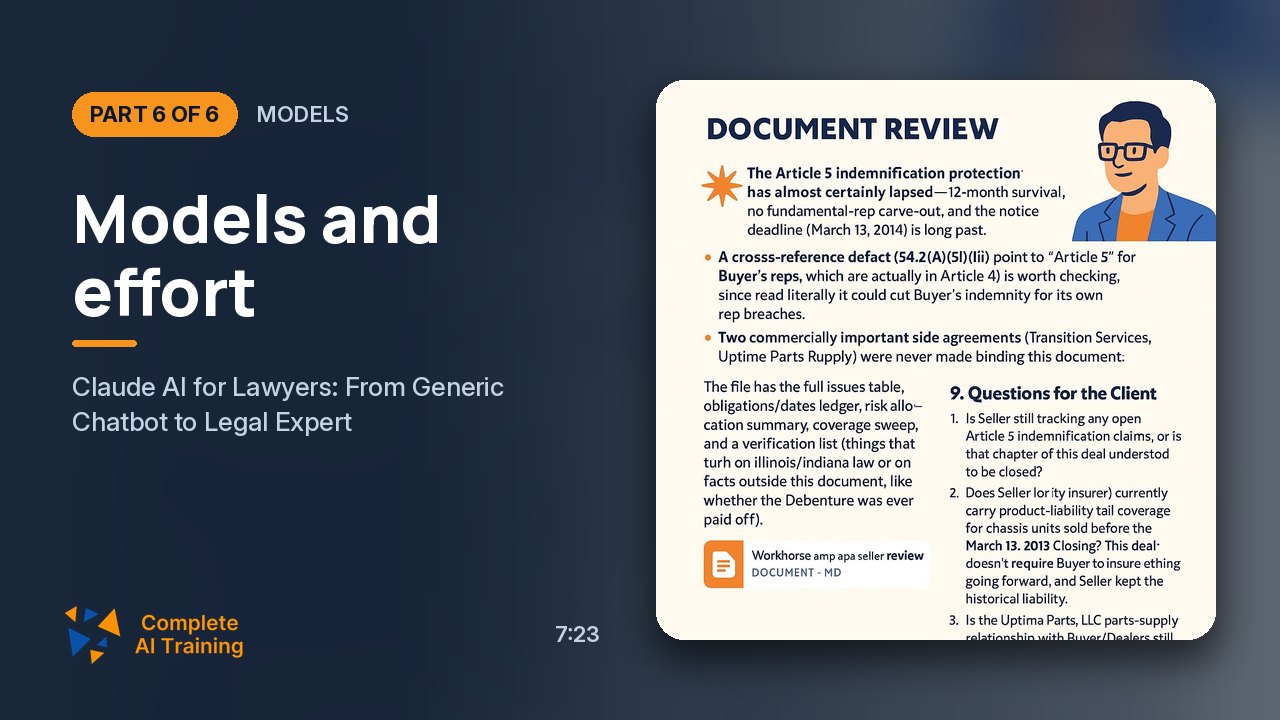
- Select appropriate models (Sonnet/Opus/Fable) and match effort settings to task complexity
- Prevent hallucinations by uploading primary statutes/cases and verifying all citations
- Secure accounts and privacy: enable 2FA, disable training-data & location sharing, and monitor sessions
Study Guide
# Using Claude AI Like a Super Lawyer: A Complete Learning Guide ## Introduction: Why This Course Exists Here's the uncomfortable truth about AI in legal practice. Most lawyers who use Claude AI are leaving ninety percent of its potential sitting on the table. They open the chat window, type a question about a contract clause or a legal research topic, and accept whatever generic answer comes back. Then they wonder why the output is shallow, why it misses obvious issues, and why it sometimes fabricates citations that don't exist. The problem isn't the AI. The problem is that nobody taught them how to configure it properly. I've spent months testing Claude AI under real-world legal conditions. I've thrown standardized bar examinations at it, fed it seventy-page contracts, asked it to prepare cross-examination strategies from multi-document exhibits, and compared its output with and without specialized configuration. The results are stark. A default-configured Claude produces work that any experienced lawyer would immediately recognize as amateur. The same model, properly configured with the right instructions, skills, and workflows, produces analysis that rivals a competent junior associate. This course takes you through everything I've learned. You'll discover how to transform Claude from a generic chatbot into a specialized legal tool that understands your jurisdiction, respects your citation conventions, protects client confidentiality, and produces consistently comprehensive analysis. You'll learn about the plugin ecosystem that gives Claude expert-level skills in contract review, litigation, corporate law, intellectual property, and more. You'll understand which models to use for which tasks, how to manage costs, and why uploading source documents to every workflow is the single most important discipline you can adopt. The legal profession is adopting AI whether individual lawyers like it or not. The question isn't whether you'll use these tools. The question is whether you'll use them like a professional or like an amateur. This course is designed to ensure you land on the right side of that line. --- ## Part One: Foundational Account Configuration ### The Single Most Important Field You're Probably Ignoring When you open Claude AI for the first time, what do you do? If you're like most legal professionals, you immediately start asking questions. You've got contracts to review, research to conduct, documents to draft. The chat window is right there, inviting you to type something. So you do. That's a mistake. Before you ask a single question, there's a field you need to fill in. It's called the **Instructions for Claude** field, and it lives under the customization settings. Most users leave it completely empty. That's like hiring a brilliant associate and never telling them what jurisdiction you practice in, what kind of law you handle, how you want citations formatted, or what level of explanation you expect. You just hand them a contract and say "review this." The results are predictably mediocre. The Instructions field accepts persistent instructions that apply across every single conversation you have with Claude. You write it once, and it shapes every future interaction. This is the highest-leverage configuration element in the entire platform. Nothing else you do will have as much impact on output quality. Let me give you a concrete example. A technology lawyer practicing in India since 1999 might set up their instructions like this: *"I am a technology lawyer practicing in India since 1999. Indian law applies unless I specify otherwise. Do not explain fundamentals, do not define common legal terms, and do not summarize what a provision generally does. Cite statutes by section and act. Cite cases in the standard citation format used by Indian courts. Where new acts have replaced older acts such as the IPC or CrPC, provide the new provision and the corresponding old provision. Never produce a citation that you are not confident is real. Distinguish clearly between settled law, contested law, and your own reasoning by analogy. Treat every fact, document, name, and figure that I provide as privileged client material. Do not reuse it in general explanations or hypotheticals. Use the date format day-month-year. Use Indian Rupees unless stated otherwise."* Now consider what happens without this configuration. You ask Claude about a legal question involving Indian contract law. It gives you a generic answer that defines basic terms you've known for decades. It cites cases using American citation formats. It gets the date wrong because it defaults to US conventions. It invents a case citation that sounds plausible but doesn't exist. And it uses your client's name in a hypothetical example that feels like a privacy violation. With the configuration in place, Claude knows who you are, what you need, and how to behave. It doesn't waste your time with fundamentals. It formats dates correctly. It cites statutes properly. It flags uncertain citations rather than fabricating them. And it treats everything you share as privileged material. Let me break down each element of a well-designed instruction block. **Professional Background** State who you are and what kind of law you practice. This isn't vanity. It tells Claude the level of expertise it's dealing with, which changes how it responds. A lawyer with decades of experience doesn't need hand-holding. Claude should know that from the start. **Explicit Instruction to Avoid Basics** Without this, Claude will explain what a force majeure clause is when you're negotiating a complex cross-border technology agreement. It will define "consideration" when you're analyzing a sophisticated commercial dispute. Add a line that says something like "do not explain fundamentals" or "assume I am an experienced attorney." This single instruction eliminates massive amounts of wasted output. **Jurisdiction and Conventions** The default assumption for most AI models is US law, US date formats, and US currency. That's wrong for most of the world's lawyers. Specify your jurisdiction explicitly. Tell Claude what date format to use. Tell it what currency to reference. These small details make outputs feel professional rather than generic. **Citation Rules** Legal citations are jurisdiction-specific and failure to format them correctly undermines your credibility. Tell Claude exactly how you want statutes and cases cited. If you practice in a jurisdiction where legislation has been recently overhauled, instruct Claude to provide both the new and old provisions when relevant. This is particularly important in jurisdictions that have transitioned from older criminal codes to new criminal law acts. **Accuracy and Hallucination Control** Here's the thing about AI hallucinations. They're not random errors. They're confident fabrications that sound completely plausible. A model might invent a case citation that looks perfect, with the right court, the right year, the right parties. But the case doesn't exist. In legal work, that's catastrophic. You can reduce hallucinations significantly with explicit instructions. Tell Claude never to produce a citation it isn't confident is real. Tell it to distinguish between settled law, contested law, and its own reasoning by analogy. These instructions don't eliminate hallucinations entirely, but they dramatically reduce their frequency and make the AI more likely to flag uncertainty rather than bluff. **Confidentiality Directives** Legal work involves privileged client information. Names, documents, financial figures, strategic positions. Instruct Claude to treat everything you share as privileged client material and never to reuse it in general explanations or hypotheticals. This doesn't guarantee absolute privacy, but it signals to the AI how to handle sensitive material in its responses. ### Voice and Response Preferences Once your instructions are configured, there are a few more settings worth adjusting. Voice functionality is surprisingly useful for legal professionals. You can select your preferred language, choose a voice style, and adjust speech speed. When you're dictating a prompt or reviewing a response while doing something else, voice input and output can save significant time. There's also a setting for response completion notifications. When Claude finishes generating a long response, the browser can alert you. This is incredibly useful when you're working on other tasks while waiting for a lengthy analysis to complete. You don't have to sit staring at the screen watching the cursor blink. You can switch to drafting an email or reviewing another document, and the notification tells you when Claude is ready. ### Account Security: This Is Not Optional Let me be blunt about something. If an unauthorized person gains access to your Claude account, they can see every question you've asked, every document you've uploaded, every legal strategy you're developing. In an adversarial context, that's devastating. Opposing counsel with access to your AI workspace would know exactly how you're approaching a case, what research you're conducting, and what arguments you're considering. Account security isn't an optional precaution. It's a professional necessity. Under the account settings, you should regularly review your active sessions and trusted devices. If you see a device or session you don't recognize, act immediately. Log out of all devices, reset your password, enable two-factor authentication, and review recent activity for anything suspicious. Two-factor authentication should be enabled from day one. I can't emphasize this enough. The inconvenience of an extra authentication step is nothing compared to the professional catastrophe of a compromised legal workspace. ### Privacy and Data Controls When you set up your account, the platform will ask for certain permissions. Two of these should be declined by legal professionals. The first is location metadata usage. The platform may ask whether it can use your city or region data to improve the product experience. There's no professional benefit to granting this. Decline it. The second is chat and coding session usage. This permission allows the platform to train its AI models on your conversations. For legal professionals handling confidential client matters, this should always be switched off. Your conversations contain privileged information. They should not be feeding model training. You should also review the memory preferences. Claude can build a profile of your preferences over time, remembering how you like things formatted and what kind of work you do. This memory can be exported and imported if you switch between AI platforms. Review what Claude remembers about you periodically and delete anything you don't want stored. ### Connectors: Extending Claude's Reach Connectors allow Claude to integrate with external data sources. There are three main options, and they have very different relevance for legal practice. The Gmail integration enables Claude to read and assist with email responses. The practitioner whose experience informs this course does not recommend this for legal work. Email is where your most sensitive client communications live. Connecting your AI assistant to your email creates unnecessary risk. The Google Drive integration, on the other hand, is recommended. It allows Claude to access and analyze documents stored in Google Drive. For legal professionals who keep contracts, pleadings, and research materials in Drive, this integration can be genuinely useful. It eliminates the need to download and re-upload files. The GitHub integration is primarily for developers. Unless you're doing legal technology work that involves code, it's probably not relevant to your practice. --- ## Part Two: Capabilities and Tool Management ### Third-Party Tools for Specialized Data Access Claude can integrate with third-party tools that provide specialized data access. For legal professionals, this might include services that offer case law databases for India, the United States, the United Kingdom, or other jurisdictions. These tools can be configured to load automatically when needed. The recommended setting is to load tools only when required. This improves speed and efficiency. You don't want Claude spending processing time loading a case law database when you're just asking it to format a document. Let the tool load when the question actually requires it. ### Model Switching for Guardrail Bypass Here's something that surprises many legal professionals: AI models have safety guardrails that sometimes block legitimate legal questions. These guardrails are designed to prevent the AI from giving medical advice, financial advice, or other regulated guidance. But they're blunt instruments. They often can't distinguish between a lawyer asking about a medical negligence case and a patient asking for treatment advice. Consider this scenario. You're handling a medical negligence case. You need Claude to analyze the legal elements of negligence in the healthcare context. You describe the plaintiff's medical condition as part of your analysis. The AI flags your question as a request for health advice and refuses to respond. That's frustrating. But there's a solution. Claude offers a setting called **"Switch models when a message is flagged."** When enabled, if one model refuses to answer due to a guardrail conflict, Claude automatically tries a different model that may interpret the request differently. This is particularly useful for legal work involving health, mental capacity, violence, or other sensitive topics that trigger inappropriate guardrails. Enable this setting. You'll encounter guardrail conflicts eventually, especially if your practice touches health-related legal issues, and you don't want to be stuck without an answer when you do. ### Web Search Best Practices Web search is a powerful feature, but it's dangerous for legal work if not properly constrained. When web search is enabled, Claude can pull information from anywhere on the internet. That includes social media platforms where incorrect information is rampant. The explicit guidance here is simple: never use social media published information for legal work. Ever. Instead, you should specify allowed sources when web search is enabled. Tell Claude to use only authoritative sources. For Indian statutes, direct it to official government sites like indiacode.nic.in. For case law, specify approved legal databases. For other jurisdictions, list the official court websites. But here's the deeper point. The best practice is to avoid relying on web search at all when you have the primary documents. If you need to analyze the Code of Civil Procedure, upload the CPC text directly into your chat or project. If your analysis depends on a specific court judgment, upload the judgment itself. When Claude has access to the primary source, web search becomes unnecessary and the risk of unreliable information drops dramatically. --- ## Part Three: Skills and Plugins , The Legal Expertise Multiplier ### The Problem with Default Behavior Let me paint a picture for you. You upload a seventy-page contract to Claude and type a simple instruction: "Review this." What happens? Without any legal skill installed, Claude behaves like a regular person who happens to have read a lot of contracts. It produces a brief, superficial overview. It identifies a few obvious issues. It summarizes the main clauses. But it doesn't think like a lawyer. It doesn't ask whose side you're on. It doesn't analyze the contract against a comprehensive set of legal parameters. It doesn't flag the subtle indemnity issues or the problematic dispute resolution clause that an experienced attorney would catch immediately. The reason is straightforward. Claude hasn't been given any legal skill framework. It's thinking like a general assistant because that's what it is at that point. ### The Plugin Solution Now let's run the same scenario with a contract review plugin installed. The same seventy-page contract. The same instruction: "Review this." The difference is dramatic. First, Claude asks a question that the unconfigured AI never thought to ask: "Which party are we reviewing this contract for , the seller or the buyer?" That single question changes everything. A contract review for the seller focuses on different issues than a review for the buyer. The risks are different. The negotiation positions are different. The recommendations are different. The unconfigured AI doesn't know to ask because it doesn't understand the fundamental nature of contract representation. With the plugin installed, Claude produces a comprehensive document with structured issue lists. It generates an obligations and dates ledger , something you didn't explicitly request but is exactly what a competent lawyer would produce. It performs a coverage sweep analyzing forty-one predefined legal parameters. It provides practical recommendations tailored to your client's position. This is the difference between an amateur and a professional. And it's entirely the result of configuration. ### What Exactly Is a Plugin? A plugin is a group of related skills. A skill is a pre-written, powerful prompt that standardizes a specific legal task. The contracts plugin might include skills like contract drafter, contract reviewer, clause comparator, redlining assistant, indemnity liability analyzer, and risk assessor. Each skill is a detailed prompt that directs the AI to behave as an expert in that specific area. When you install a plugin, Claude automatically knows these skills exist. When you ask a contract-related question, Claude selects the appropriate skill on its own. You don't need to tell it which skill to use. The system handles detection automatically. This is a profound advantage over ad hoc prompting. When you write your own prompts, tiny variations in phrasing produce inconsistent results. One day you ask Claude to "review this contract" and get a decent analysis. The next day you ask it to "look at this agreement and tell me what you think" and get something completely different. Skills standardize the process. They ensure that every contract review follows the same comprehensive workflow, regardless of how you phrase the request. ### The Plugin Ecosystem The plugin ecosystem for legal work is surprisingly extensive. There are twenty-four plugins containing one hundred and fifty-nine legal skills. And they're available free through a GitHub repository. The available plugin categories include advisory, arbitration, conciliation, consumer contracts, corporate law, criminal law, family law, finance law, and intellectual property. There are also plugins for litigation, which include skills for cross-examination preparation, witness statement analysis, and chronology development. Multiple plugins can be used for a single research task. Claude will draw on all relevant installed skills as needed. If you're analyzing a corporate dispute that involves intellectual property issues, Claude will use both the corporate law plugin and the IP plugin without you having to switch between them. ### How to Install Plugins The installation process is straightforward, but it's not immediately obvious if you've never done it. First, navigate to the plugins section in the customization settings. Look for the option to add a marketplace. You'll need to add a marketplace via a GitHub repository URL. Paste the URL and sync the marketplace. This is a one-time process. Once the marketplace is synced, you can browse the available plugins. You'll see the full list of twenty-four plugins. Each plugin shows an install icon. Click install on each plugin you want. Installed plugins show a gear icon. Uninstalled ones show a plus sign. All plugins install automatically with all their constituent skills. You don't need to install skills individually. I recommend installing the plugins relevant to your practice area immediately. If you're a corporate lawyer, install the corporate law and contracts plugins. If you handle litigation, install the litigation plugin. If you do intellectual property work, install the IP plugin. The installation is free and takes about five minutes. The impact on output quality is immediate and dramatic. ### Projects vs. Plugins: The Confusion Ends Here Legal professionals constantly confuse projects and plugins. They sound similar, but they serve completely different functions. A project is a data storage and organization tool. Think of it as a folder on your computer. It holds multiple documents in one place. When you ask questions inside a project, Claude automatically references all the uploaded documents. A plugin is a skill acquisition tool. It gives Claude expertise. From being a general assistant, Claude becomes an expert IP lawyer because of the plugin. Here's a concrete example. A lawyer preparing for cross-examination creates a project containing sixteen or seventeen documents: exhibits, a master chronology, witness statements, previous pleadings, and relevant correspondence. Every time a question is asked inside the project, Claude refers to all the uploaded documents and generates an answer based on the entire record. Without a project, the lawyer would have to upload the documents repeatedly for each question. Now consider the same lawyer analyzing a contract. They upload the contract to a chat and ask for a review. With a contract plugin installed, Claude applies its contract review skills to the document. The plugin doesn't hold the contract file. It knows how to review, draft, compare, and redline contracts. Both tools can be used together. A project holds the documents while a plugin supplies the expert analysis. For a complex litigation matter, you might create a project with all the case documents and rely on the litigation plugin to provide the analytical framework. The practical guideline is simple. For multiple documents and multiple related questions, use a project. For a single document with a few questions, upload directly to the chat. And always have the relevant plugins installed, regardless of whether you're using a project or a direct upload. --- ## Part Four: Model Selection and Benchmarking ### The Available Models Claude offers multiple models with different capabilities and costs. Understanding which model to use for legal work is essential. **Haiku** is the fastest and least expensive model. It's not recommended for legal work. The quality gap between Haiku and the higher-tier models is too significant for professional legal analysis. **Sonnet** provides a good balance of capability and cost. It's suitable for many legal tasks and is a reasonable default for routine work. **Opus** is highly capable and is recommended for legal work. When the stakes are high and the analysis is complex, Opus is the model to use. **Fable** is a top-tier model that requires additional credits beyond a standard subscription. It offers the highest level of performance but comes at a premium cost. Free accounts have limited access to these models. The standard paid subscription unlocks the mid-tier models, while the top-tier model requires separate credit purchases. ### What the Benchmarks Actually Show I've spent considerable time benchmarking these models under real-world legal conditions. One of the most revealing tests involved the All India Bar Examination, administered without internet access to test the models' internal knowledge. The results were striking: Claude Opus 5 scored 93.7 percent. Sonnet scored 81.1 percent. Haiku scored 73.7 percent. These numbers illustrate the significant quality gap between models. But here's the critical insight: even a 93.7 percent score represents a meaningful error rate. That remaining 6.3 percent includes potential hallucinations, incorrect legal statements, and missed exceptions. In legal practice, that error rate is unacceptable. Comparative testing across different AI platforms shows some models achieving 100 percent on the same examination. But even a perfect score on a bar exam doesn't mean the model is reliable for legal work. Bar exams test established legal principles. Real legal work involves ambiguous facts, contested interpretations, and evolving jurisprudence. The conclusion is clear. Model selection matters, and you should use the most capable models for legal work. But no model's internal knowledge is sufficient for professional legal analysis. ### The Non-Negotiable Rule Here's the rule that should govern all your legal AI work: never ask the AI to do any legal work based on its own knowledge alone. Whenever the AI needs to access a law, a case, or any legal authority, give it the actual material. Upload the statute. Upload the case. Upload the contract. Upload the regulation. This practice addresses the hallucination problem directly. When Claude has the actual statute in front of it, it doesn't need to recall the statute from memory. When it has the actual case judgment, it doesn't need to reconstruct the holding from training data. The primary source material eliminates the most dangerous failure mode of AI in legal practice. A low-quality output is acceptable in some contexts. Hallucination is never acceptable. And the most effective way to prevent hallucination is to provide the source material. ### Effort Settings and Cost Management Claude offers effort settings that control the depth of processing. The options range from low to max, and each level has significant implications for both output quality and cost. **Low effort** is suitable for simple formatting, date cross-checking, and basic text processing. These are tasks where you just need Claude to do something mechanical without deep analysis. **Medium effort** is the recommended default setting for most legal work. It provides solid analysis without excessive token consumption. **High effort** is appropriate for complex work such as analyzing relationships between multiple contracts or preparing detailed litigation documents. **Extra and max effort** settings are reserved for very complex tasks. They produce the most thorough analysis but consume significantly more tokens and can exhaust subscription quotas quickly. The cost implications are real. Higher effort settings increase usage costs and can exhaust your subscription quota, temporarily blocking your account until the reset period. This is not hypothetical. I've seen accounts get blocked in the middle of important work because the user set everything to max effort. The discipline is to match effort to task complexity. Don't use max effort to format a document. Don't use low effort to analyze a complex cross-border transaction. Think about what the task actually requires and set the effort level accordingly. --- ## Part Five: Practical Workflows for Legal Practice ### Contract Review: The Complete Workflow Let me walk you through the complete contract review workflow with a properly configured system. First, ensure your instructions field includes your professional background, jurisdiction, citation conventions, and confidentiality directives. Install the contracts plugin. Then upload the contract to a chat or project. When you type "review this," Claude will ask which party you're reviewing for. Answer honestly. The analysis will be dramatically different depending on whether you represent the seller or the buyer. Claude will then produce a comprehensive review that includes a detailed list of legal issues and risks, an obligations and dates ledger, a coverage sweep against predefined legal parameters, and practical recommendations tailored to your client's position. The coverage sweep is particularly valuable. It analyzes the contract against a comprehensive set of legal parameters that a competent contract lawyer would check. This ensures nothing is missed, even when you're reviewing a contract quickly or when the contract is long and complex. ### Litigation Preparation: The Project Workflow For litigation preparation, the project workflow is essential. Create a project for the matter and upload all relevant documents: evidence exhibits, witness statements, a master chronology, previous pleadings, relevant correspondence, and draft submissions. Once everything is uploaded, you can ask questions that draw on the entire record. "What inconsistencies exist between the witness statements and the exhibits?" "What are the strongest arguments for our position on the limitation issue?" "Prepare a list of questions for cross-examination of the plaintiff's expert witness." The project automatically references all uploaded documents when questions are asked. You don't need to mention specific file names or re-upload documents for each question. This workflow transforms Claude from a document analyzer into a case analyst. It can identify connections between documents that you might miss, flag inconsistencies, and prepare comprehensive litigation documents that draw on the full record. ### Legal Research: The Source Material Discipline Legal research with AI requires a specific discipline. Never ask Claude to research a legal question based on its internal knowledge alone. Instead, provide the relevant statutes and case law directly. If you're analyzing a question under the Code of Civil Procedure, upload the CPC text. If your question involves a recent Supreme Court judgment, upload the judgment. If you're comparing approaches across jurisdictions, upload the relevant materials from each jurisdiction. When web search is enabled, restrict it to authoritative sources. Specify the official government websites and approved legal databases. Prohibit social media as a source. But recognize that web search is a supplement, not a substitute, for primary source material. The research workflow looks like this. Upload the relevant statutes and cases to a project or chat. Ask your question with reference to the uploaded materials. Review Claude's analysis critically, verifying every citation and legal conclusion. Use web search only for supplementary information from authoritative sources. ### Due Diligence: The Multi-Document Analysis Due diligence involves analyzing large volumes of documents against a checklist of legal and commercial concerns. This is where Claude's document analysis capabilities shine. Create a project for the due diligence matter and upload all relevant documents: contracts, corporate records, regulatory filings, litigation history, and intellectual property registrations. Install the relevant plugins for the practice area. Ask Claude to identify potential issues across the document set. "What change of control provisions exist in the material contracts?" "Are there any undisclosed litigations or regulatory proceedings?" "What intellectual property assets are owned by the target company and are there any encumbrances?" Claude can produce a due diligence report that synthesizes information across all documents, flags inconsistencies, and identifies issues that might otherwise be missed. The coverage sweep capability ensures that the analysis is comprehensive rather than selective. --- ## Part Six: Security, Privacy, and Professional Responsibility ### The Confidentiality Imperative Legal work involves privileged client information. Every fact, document, name, and figure you share with Claude should be treated as privileged client material. Your instructions field should include a confidentiality directive that tells Claude to treat everything you provide as confidential and never to reuse it in general explanations or hypotheticals. But instructions alone are not enough. You need to control the platform's data handling practices. Disable location metadata usage. Disable chat and training data permissions. Review memory preferences periodically and delete anything you don't want stored. ### Monitoring Account Access Regularly review your active sessions and trusted devices. If you see unfamiliar activity, act immediately. Log out of all devices, reset your password, and enable two-factor authentication. This is not paranoia. It's professional responsibility. An adversary with access to your AI workspace has access to your legal strategy, your research directions, and your internal analysis. In adversarial contexts, that's devastating. ### The Verification Responsibility No matter how well you configure Claude, no matter which model you use, no matter how comprehensive your plugins are, the final verification responsibility rests with you. AI systems can hallucinate. They can produce confident fabrications that sound completely plausible. They can misstate legal rules, invent citations, and miss critical exceptions. Even the best-configured system will occasionally produce errors. Your workflow must include human review of all AI-generated citations and legal conclusions. Verify every case citation. Check every statutory reference. Read the analysis critically and apply your professional judgment. This is not a limitation of the technology. It's a feature of professional practice. You wouldn't delegate final review to a junior associate without checking their work. Don't delegate it to an AI either. --- ## Key Takeaways The difference between a default-configured Claude and a properly configured one is the difference between a superficial overview and a comprehensive expert legal analysis. The instructions field is the highest-leverage configuration element. Write it carefully, and everything else becomes easier. Skills standardize output. Without them, minor prompt variations produce inconsistent results. With them, every contract review follows the same comprehensive workflow, every legal research task applies the same analytical framework, and every document analysis covers the same parameters. Context must be explicit. Tell Claude your jurisdiction, your citation formats, your date conventions, and your expected level of explanation. Without this context, outputs contain irrelevant foundational content and formatting errors. Hallucination mitigation is possible but never complete. Explicit instructions against fabricated citations reduce hallucinations significantly. Providing source documents reduces them further. But verification remains your responsibility. Benchmarks inform but never replace document uploads. A model scoring 93.7 percent on a bar exam is impressive, but the 6.3 percent error rate is unacceptable in legal work. Always provide source documents. Data privacy is controllable. Disable location sharing, disable training-data permissions, and monitor active sessions for unauthorized access. Guardrail conflicts require workarounds. Medical negligence cases and other health-adjacent legal work may trigger inappropriate guardrails. Enabling automatic model switching provides a solution. --- ## Implementation Action Plan Start with your instructions field. Write it today, before you do anything else. Include your professional background, jurisdiction, citation conventions, accuracy mandates, and confidentiality directives. Disable privacy-permitting settings. Turn off location metadata and training-data permissions. Enable two-factor authentication and establish a routine of reviewing active sessions. Install relevant plugins from the free marketplace. Contract, corporate, litigation, IP , whatever matches your practice area. The installation takes five minutes and the impact is immediate. Enable automatic model switching for flagged messages, particularly if your practice involves health-related legal issues. Adopt the source material discipline. Never rely on AI internal knowledge for legal analysis. Upload statutes, case law, and documents to every project or chat. Use projects for multi-document workflows. Use direct file upload for single-document tasks. Specify authorized web sources when web search is enabled. Prohibit social media as a source. Match effort settings to task complexity. Medium default, high for complex analysis, extra or max only for exceptional tasks. Run side-by-side comparison testing when adopting new skills or models. Test with and without configuration to measure quality differences. Document errors and hallucinations to inform future configuration adjustments. --- ## Conclusion The effective use of AI in legal practice is not determined by the choice of platform or model. It's determined by the rigor of configuration, the deployment of specialized skills, and the discipline of professional workflows. The difference between a general-purpose AI assistant producing a superficial contract summary and a properly configured legal AI producing a comprehensive, party-aware analysis with structured issue lists and obligations ledgers is entirely a function of deliberate setup. The framework I've laid out here , foundational configuration, plugin deployment, project-based document management, model selection informed by empirical benchmarks, and the unwavering principle of always providing source documents , represents a complete methodology for integrating AI into legal work at a professional standard. As AI models continue to evolve, the underlying principles remain constant. Provide context. Install expertise. Verify everything. Never outsource professional judgment. The legal profession's adoption of AI is inevitable. The question is whether you'll use it as an unreliable shortcut or as a powerful tool governed by professional standards. This course has given you the roadmap for the latter approach. Now go configure your system. Upload your source documents. Install your plugins. And start producing legal work that leverages AI as a force multiplier for your expertise rather than a source of professional risk. The tools are free. The skills are available. The only thing standing between you and a super lawyer AI assistant is the discipline to set it up properly.Frequently Asked Questions
This FAQ collects the most common questions lawyers and business professionals ask when they try to use Claude AI like a "super lawyer." The goal is simple: move you from casual, one-off chats to a consistent, repeatable system that produces reliable, lawyer-grade work product. You'll find answers on configuration, security, plugins, projects, models, and practical workflows,ranging from first steps to advanced use across a full practice. Use it as a reference you return to every time you feel Claude's output is generic, shallow, or risky.
Section 1: Foundations - Using Claude Like a Super Lawyer
What does "using Claude like a super lawyer" actually mean?
Using Claude like a super lawyer means treating it as a structured legal assistant, not as a casual chatbot. Instead of asking one-off questions, you build a system of instructions, plugins, projects, and workflows that push the model to think and write at expert level within your context.
You specify your jurisdiction, citation style, risk tolerance, and working style. You install legal plugins so Claude follows disciplined review checklists rather than giving generic summaries. You feed it the same materials a senior associate would get: pleadings, contracts, statutes, and internal memos. Then you use Claude to create issue lists, cross-references, chronologies, alternative arguments, and clean drafts you can refine.
The mindset shift is this: Claude is not a magic oracle; it's a reasoning engine that reflects the constraints you give it. Set tight constraints, give it real materials, and iterate like you would with a capable junior,then you get "super lawyer" leverage without sacrificing your standards.
Who is this approach best suited for,litigators, transaction lawyers, or in-house counsel?
This approach works across all legal roles, but it benefits each group differently. Litigators gain speed on fact chronologies, cross-examination prep, brief structuring, and alternative argument generation. Transactional lawyers use Claude for term sheet expansion, clause comparison, risk summaries for clients, and redline review with plugins. In-house counsel use it as a triage and communication layer,turning messy stakeholder emails into clear instructions, generating business-friendly summaries, and enforcing internal playbooks in routine contracts.
Non-lawyer executives can also use these workflows to understand risk, but should treat outputs as decision-support, not legal advice. The common thread: you configure Claude around your jurisdiction, templates, and risk posture, then let it handle repeatable analysis and drafting while you make the actual legal calls.
Section 2: Getting Started with Claude for Legal Work
Why should I configure Claude before asking it legal questions?
If you skip configuration and start typing questions, Claude will answer like a competent generalist, not like a specialist who works your way. That means generic explanations, wrong jurisdictions, and inconsistent formatting you'll have to fix later.
Configuration tells Claude who you are, where you practice, what conventions you use, and what quality bar you expect. When you set this once in custom instructions, every future answer is filtered through that lens. It stops overexplaining basics, applies the correct governing law by default, cites in your preferred style, and flags uncertainty instead of bluffing. In practice, five minutes of thoughtful setup can save hours of editing every week. You're effectively onboarding Claude like a new associate, instead of throwing it random tasks with no context.
What is the "Instructions for Claude" field and why is it critical?
The "Instructions for Claude" field is a persistent control panel for how Claude behaves. It lives under Customize → General and applies to every conversation, project, and document you work on. Think of it as your permanent brief to the AI.
Used well, it defines your professional background, jurisdiction, formatting rules, and accuracy requirements so you don't repeat them in every prompt. It also lets you tell Claude to skip basic explanations and to separate settled law, contested law, and its own reasoning. Example:
"I am a commercial litigator based in England and Wales. Use that law by default. Don't explain basic principles unless I ask. Cite cases in neutral citation format. Never invent citations. Clearly label what is binding law, what is arguable, and what is your analogy."
The more specific you are here, the more Claude behaves like a long-term colleague rather than a blank-slate chatbot.
Why do I need to specify my jurisdiction and formatting conventions?
Law is intensely local. If you don't specify jurisdiction, Claude will often slip into generic or foreign legal frameworks, especially ones based on US practice. That leads to incorrect authorities, wrong procedural assumptions, and subtle language issues that undermine credibility.
By stating your primary jurisdiction, date format, currency, and citation style, you eliminate entire classes of errors. Example:
"Apply Singapore law unless I say otherwise. Use day-month-year dates. Use SGD. Cite statutes as 'Act, section'. Use the official case reporter if available."
Those details seem small, but they let you move from "good first draft" to "nearly file-ready" with minimal edits. Without them, you'll waste time reformatting and correcting assumptions in every output.
Can the free version of Claude support effective legal work?
Yes, as long as you manage expectations and volume. The core reasoning quality of the models is the same across free and paid accounts; the main differences are usage limits, speed, and access to the top-tier models. For many routine tasks,issue lists, basic contract review with plugins, email drafting, or first-draft research memos,Sonnet on a free plan can perform well if you provide the underlying documents.
Paid plans become valuable once you're doing heavy, daily work or need consistent access to more capable models and higher effort levels. Think large transactions, ongoing litigation projects, or firm-wide adoption. Start with free, treat it as a pilot, and upgrade when the only thing slowing you down is the cap, not the model's quality.
How should I structure my very first legal prompt to Claude?
Think like you're emailing a sharp junior who knows law but not your file. Start with role, objective, materials, and constraints in one clear message instead of drip-feeding details.
Example:
"You are assisting me as a senior associate. I'm an employment lawyer in [jurisdiction]. I've uploaded the employment contract and termination letter. Objective: identify key legal risks in terminating this employee and draft a concise risk memo for internal use. Treat all information as confidential. Do not explain basic legal concepts. Focus on notice, severance, restrictive covenants, and likely litigation scenarios."
Then upload the documents and ask for something concrete: a risk table, an outline, or a short memo. Specific objective + full materials + clear constraints beats short, vague prompts every time.
What types of legal tasks is Claude strongest at,and where is it weak?
Claude is strongest where work is text-heavy, pattern-based, and judgment-supported by documents. Excellent use cases: contract analysis and drafting, research memos using provided sources, chronology building, witness Q&A outlines, policy drafting, and client-facing summaries. It is also strong at issue spotting and structuring arguments once you feed it the relevant law and facts.
Weak spots include: predicting exact case outcomes, giving authoritative answers without source documents, fact-heavy investigations without clear records, and anything requiring live evidentiary assessment (credibility, demeanor, etc.). It can also misfire in niche regulatory areas if you rely only on its training data. Use it for thinking, drafting, and cross-checking,not as a replacement for your professional judgment or official legal databases.
Section 3: Security, Privacy, and Confidentiality
How can I protect confidential client information when using Claude?
Treat Claude like any external vendor that may process sensitive data: tighten what you send, how you send it, and how the system is configured. First, add a standing instruction such as: "Treat every fact, document, name, and figure I give you as privileged client material. Do not reuse it in generic explanations or hypotheticals."
Next, review Privacy settings and turn off options that allow chat content to be used for model training. Enable two-factor authentication, monitor active sessions, and limit who has account access. Where possible, redact names, numbers, and identifiers unless they are essential to the analysis. For sensitive matters, you can abstract facts ("Client A, Company B") while still getting meaningful reasoning. AI doesn't remove your ethical duties,you simply add new tooling under the same duty of confidentiality you already follow.
How do I check if someone has accessed my Claude account?
Unauthorized access is more than an IT problem; it's a potential breach of privilege. In your account settings, review the "Active Sessions" and "Trusted Devices" lists. These show where your account is currently signed in and which devices have been approved.
If you see a location, browser, or device you don't recognize, act as if an adversary might be reading your work product. Immediately log out of all devices, reset your password, enable or confirm two-factor authentication, and then review recent activity. Make this a routine check,for instance, once a week or after using a shared or unfamiliar computer. Treat your Claude login like your email or DMS: a direct doorway into your strategy and confidential files.
Certification
About the Certification
Become certified in Claude AI for Legal Practice. Prove you can configure instructions, install legal plugins, and build workflows that turn generic AI output into professional legal analysis. Save billable hours, deliver court-ready quality.
Official Certification
Upon successful completion of the "Certification in Applying Claude AI for Legal Expertise", you will receive a verifiable digital certificate. This certificate demonstrates your expertise in the subject matter covered in this course.
Benefits of Certification
- Enhance your professional credibility and stand out in the job market.
- Validate your skills and knowledge in cutting-edge AI technologies.
- Unlock new career opportunities in the rapidly growing AI field.
- Share your achievement on your resume, LinkedIn, and other professional platforms.
How to complete your certification successfully?
To earn your certification, you’ll need to complete all video lessons, study the guide carefully, and review the FAQ. After that, you’ll be prepared to pass the certification requirements.
Join 20,000+ Professionals, Using AI to transform their Careers
Join professionals who didn’t just adapt, they thrived. You can too, with AI training designed for your job.