MCP server · Developer tools
fauxnix MCP server
by 20000419
Let your AI run Linux-style commands on Windows and get back clean, familiar output.

fauxnix is a helper that lets your AI write the Linux-style commands it already knows, even when you are working on a Windows computer. It quietly turns those commands into Windows commands behind the scenes, so you get normal-looking results instead of confusing Windows errors. It is handy for anyone who uses an AI assistant on Windows for everyday file and text work.
What is an MCP server? The 30-second version
On its own, your AI can only chat with you. An MCP server is a small helper program that gives your AI a new skill or a connection to something useful. This one connects your AI to your Windows computer's command line, so when you ask it to look at files or run a command, it can actually do it. fauxnix is the helper that makes those commands work the way your AI expects.
What this MCP server does
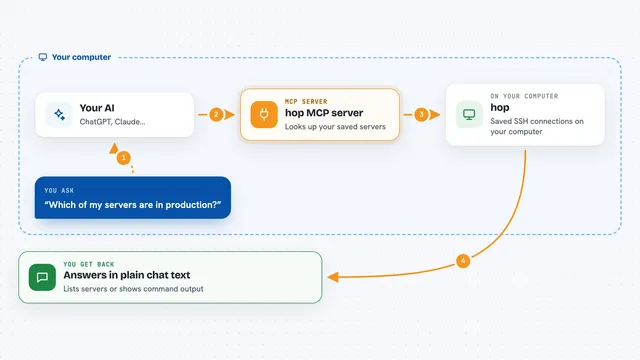
You ask your AI to do something, like list files or count lines in a document. Your AI writes a normal Linux-style command, the kind it is good at. fauxnix takes that command, translates it into the Windows equivalent, and runs it on your machine. Then it hands the result back to your AI in a familiar format, so you see a clean answer in the chat instead of a Windows error message. It also remembers your folder and settings between commands, so it feels like you are using one continuous session.
 Click to zoom
What you can do with it
- List files and folders with details like size and date
- Search inside files for words or patterns
- Count lines, words, or characters in a document
- Copy, move, rename, or delete files
- Look at the start or end of a large text file
- Check what programs are running on your computer
- Download a file from a web address
Try asking your AI
- “List all the files in my Documents folder with their sizes”
- “Find every log file in this folder that is older than 7 days”
- “Count how many lines are in report.txt”
- “Show me the last 20 lines of the error log”
What it gives back to you
You get back plain text that looks like it came from a Linux machine: tidy columns for file lists, simple error messages, and clear numbers for counts. If a command changes something, like moving a file, it tells you whether it worked. Everything shows up right in your chat, so you can read it and ask follow-up questions. No confusing Windows error dumps.
Before you start
What you need
- A Windows computer
- Node.js version 22.20.0 or newer installed
- PowerShell 5.1 or newer (already built into Windows)
- An AI tool that supports MCP servers, like Claude Code or Codex
Good to know
It can change or delete files on your computer when you ask it to, so be careful with commands that remove or overwrite things.
Install it with your AI
Add fauxnix MCP server to your AI, no technical skills needed
You don't install anything by hand. You copy one prompt, paste it into an AI that can work on your computer, and it checks, installs and connects the server for you, asking you when it needs something.
Sign in to get the install prompt
Members get a ready-made prompt that lets the Claude desktop app check fauxnix MCP server, install it and connect it for them, step by step. You don't need any technical skills: you copy, paste and answer a few questions. Your connected AI can also find and install any of the 4,361 MCP servers here for you.
Who it's for
Anyone on Windows who uses an AI assistant for file, text, or system tasks and wants Linux-style commands to just work.