MCP server · Developer tools
AimDB MCP server
by aimdb-dev
Lets your AI look inside running AimDB systems and help you debug them in plain words.
This is a helper that connects your AI assistant to AimDB, a system used to move data around inside devices and small computers. Once it is set up, you can just ask questions in normal language instead of digging through logs yourself. It is most useful if you work with embedded systems, sensors, or small connected devices and want a hand figuring out what is going on.
What is an MCP server? The 30-second version
On its own, your AI can only chat with you. An MCP server is a small helper program that gives your AI a new skill or a connection to something outside the chat. This one connects your AI to AimDB, so when you ask about a running AimDB system, the AI can actually go look at it and bring back real answers. You do not need to understand how the connection works. You just ask, and the helper does the looking.
What this MCP server does
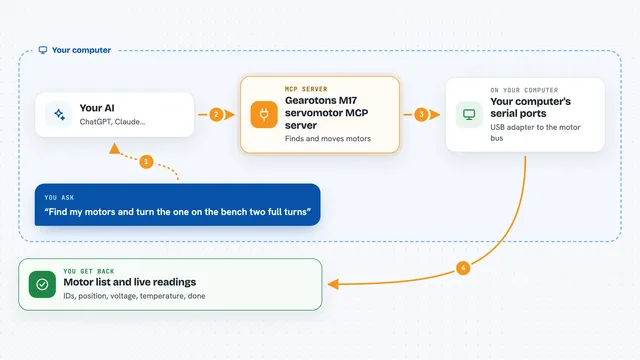
You ask your AI something like what records exist in my AimDB instance. The AI passes that question to this helper program. The helper then talks to your running AimDB system, either through a local socket on your machine or over a serial port to a device. It collects the answer, such as a list of records, a current value, or timing numbers, and hands it back to the AI. The AI then explains it to you in normal words.
What you can do with it
- Find all AimDB instances running on your machine
- List the records inside an instance and see their types
- Read the current value of a record, like a temperature
- Check how data flows between records in the dependency graph
- See how long each processing stage takes and spot the slowest one
- Look at buffer counters to see if data is being dropped
- Draft changes to your AimDB design and confirm them with the AI
Try asking your AI
- “What AimDB instances are running right now?”
- “Show me the records in the demo instance and what they contain”
- “What is the current temperature value?”
- “Which stage of my temperature pipeline is the slowest?”
What it gives back to you
You get answers in the chat, written in plain language. Depending on what you asked, that could be a list of instances, a table of records, a single value like a number, or timing numbers per stage. If you ask the AI to change something, it will show you the proposed change first and only apply it after you confirm.
Before you start
What you need
- A running AimDB instance to connect to
- The aimdb-mcp program built from source (it is a Rust program)
- The path to your instance, like /tmp/aimdb-demo.sock, or a serial port address
- A tool that can host MCP servers, such as VS Code with Copilot or the Claude desktop app
Good to know
If you turn on writes, the AI can change values on a live system, so only enable that where you are sure it is safe.
Install it with your AI
Add AimDB MCP server to your AI, no technical skills needed
You don't install anything by hand. You copy one prompt, paste it into an AI that can work on your computer, and it checks, installs and connects the server for you, asking you when it needs something.
Sign in to get the install prompt
Members get a ready-made prompt that lets the Claude desktop app check AimDB MCP server, install it and connect it for them, step by step. You don't need any technical skills: you copy, paste and answer a few questions. Your connected AI can also find and install any of the 4,609 MCP servers here for you.
Who it's for
Embedded systems developers and engineers who work with AimDB and want to debug or inspect running devices using plain language.