MCP server · Security · official
ARGUS-3 MCP server
by alexar76 · official
Ask your AI to run tasks and check the safety of other AI helper programs before they run.

ARGUS-3 is a helper program that gives your AI assistant a safe way to run small tasks and to check other AI add-ons before they are used. It is handy for people who want their AI to do a bit of work and to keep an eye on what other tools are allowed to do. You do not need any crypto or wallet to use it.
What is an MCP server? The 30-second version
On its own, your AI can only chat with you. An MCP server is a small helper program that gives your AI a new skill or a connection to another app. This one connects your AI to ARGUS-3, a small agent that can run tasks and check other MCP servers for safety. Once it is set up, your AI can ask ARGUS-3 to do things and report back to you in the chat.
What this MCP server does
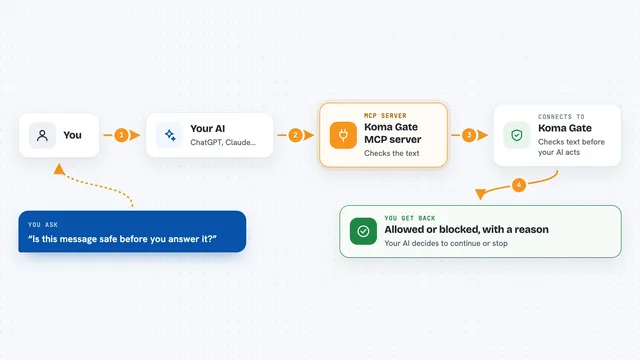
You type a request to your AI, like asking it to summarise a web page. Your AI passes that request to ARGUS-3 through this helper. ARGUS-3 runs the task with its own small agent, keeping an eye on how much it spends in tokens. Before it lets any other MCP server run, it checks that server with a built-in firewall called WARDEN. Then it sends the result back to your AI, which shows it to you.
 Click to zoom
What you can do with it
- Ask ARGUS-3 to do a small task, like summarising a link or answering a question
- Check whether ARGUS-3 is alive and ready before you send it a big job
- See which tools ARGUS-3 has and how its safety firewall is set up
- Vet other MCP servers for risky tool descriptions before they run
- Get a plain answer back in the chat, with a clear error if something fails
Try asking your AI
- “Ask ARGUS to summarise https://example.com in three bullets”
- “Check if ARGUS is running and tell me its basic status”
- “Show me what ARGUS can do and whether WARDEN is active”
- “Use ARGUS to answer this in bullet points: what are the main points of this article”
What it gives back to you
You get back plain text answers, like a short summary or a list of bullets. Status checks come back as a small block of information about whether ARGUS is up and how it is configured. The capabilities check returns a list of the tools ARGUS offers and its safety posture. If something goes wrong or the budget is reached, you see a clear error message instead of a silent failure.
Before you start
What you need
- Node.js installed on your computer
- The ARGUS-3 package installed (for example with npm install -g @alexar76/argus3)
- An MCP client like Claude Desktop or Cursor
Good to know
ARGUS-3 can run tasks and check other MCP servers, so make sure you trust the tasks you ask it to do and review any changes it reports.
Install it with your AI
Add ARGUS-3 MCP server to your AI, no technical skills needed
You don't install anything by hand. You copy one prompt, paste it into an AI that can work on your computer, and it checks, installs and connects the server for you, asking you when it needs something.
Sign in to get the install prompt
Members get a ready-made prompt that lets the Claude desktop app check ARGUS-3 MCP server, install it and connect it for them, step by step. You don't need any technical skills: you copy, paste and answer a few questions. Your connected AI can also find and install any of the 4,361 MCP servers here for you.
Who it's for
Office workers who want their AI to run small tasks safely and to keep an eye on other AI add-ons without dealing with crypto.