MCP server · Research · official
Apiguru Amazon Data MCP server
by apiguru-app · official
Lets your AI look up live Amazon product details, reviews, prices and best-sellers across 20 countries.
This is a helper that connects your AI assistant to live Amazon marketplace data. Once it is set up, you can ask your AI about a product, its price, its reviews or what is selling well, and it will go and fetch the real information for you. It is handy for anyone who researches products, compares prices or keeps an eye on what competitors are doing.
What is an MCP server? The 30-second version
On its own, your AI can only chat with you using what it already knows. An MCP server is a small helper program that gives your AI a new skill or a connection to an app or service. This one connects your AI to Apiguru, a service that reads live Amazon marketplace data. So when you ask about a product, your AI can call this helper, which talks to Apiguru and brings the answer back into your chat.
What this MCP server does
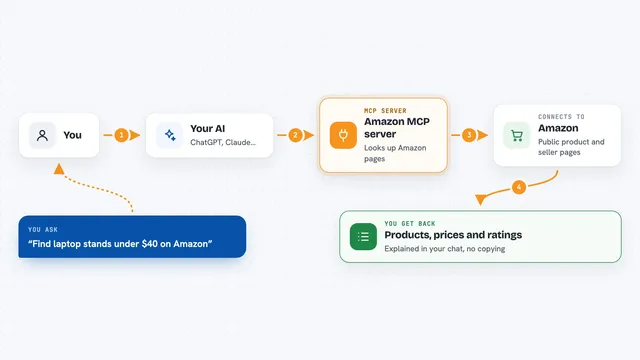
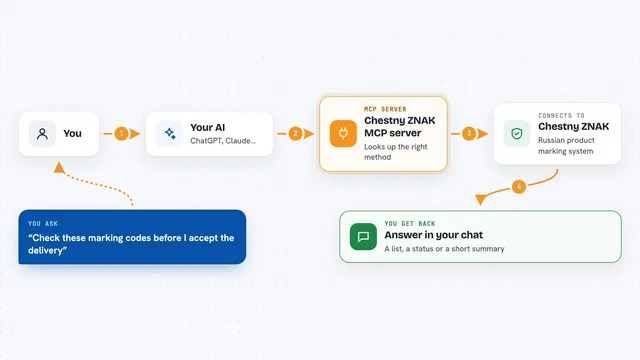
You ask your AI a question about Amazon, like the price of a product or how it is rated. Your AI sends that request to this helper. The helper talks to the Apiguru service, which pulls the live data from Amazon marketplaces in 20 countries. The answer comes back into your chat as a clear summary with the details you asked for. You do not need to visit any website or copy anything yourself.
What you can do with it
- Look up a product's title, price, rating and variants by its Amazon ID
- Read customer reviews for a product
- Search Amazon by keyword and see matching products
- See best-sellers and current deals in a category
- Check offers, buy box and stock for a product
- Look at a seller's profile and what they sell
- Send feedback to the Apiguru team if something looks wrong
Try asking your AI
- “What is the current price and rating for this Amazon product B09DJLW458 in the US?”
- “Show me the top best-sellers in the UK kitchen category right now.”
- “Find Amazon products matching wireless earbuds under 50 dollars and list their ratings.”
- “What do recent reviews say about this product's battery life?”
What it gives back to you
You get answers in your chat, usually as a short summary with the key numbers and names. For a product lookup, that means the title, price, rating and available variants. For a search, you get a list of matching products. For reviews, you get what customers said. It is all text you can read and copy, not a file to download.
Before you start
What you need
- An AI assistant that supports MCP connections, like Claude, ChatGPT, Cursor or VS Code
- Nothing else for the hosted version: it works without an account or API key for a few free calls a day
Good to know
Some calls may cost money after the free daily limit, so keep an eye on how many you make if you are not using an API key.
Install it with your AI
Add Apiguru Amazon Data MCP server to your AI, no technical skills needed
You don't install anything by hand. You copy one prompt, paste it into an AI that can work on your computer, and it checks, installs and connects the server for you, asking you when it needs something.
Sign in to get the install prompt
Members get a ready-made prompt that lets the Claude desktop app check Apiguru Amazon Data MCP server, install it and connect it for them, step by step. You don't need any technical skills: you copy, paste and answer a few questions. Your connected AI can also find and install any of the 4,210 MCP servers here for you.
Who it's for
Anyone who researches Amazon products, compares prices or tracks what is selling, such as e-commerce sellers, market researchers and shoppers who want quick answers.