MCP server · Design tools
Network Sketcher MCP server
by cisco-open
Let your AI design Cisco-style networks and build topology diagrams, device tables and context files for you.

Network Sketcher is a tool for drawing and designing computer networks the way Cisco people do. This MCP version lets your AI assistant do the designing for you, just by chatting. It is handy for network engineers, IT admins and anyone who needs a clear picture of how their network is laid out.
What is an MCP server? The 30-second version
On its own, your AI can only chat. An MCP server is a small helper program you connect to your AI, and it gives your AI a new skill. This helper connects your AI to Network Sketcher, a network design tool that runs on your own computer. So when you ask for a network design, your AI can actually build it and produce the diagrams and tables for you.
What this MCP server does
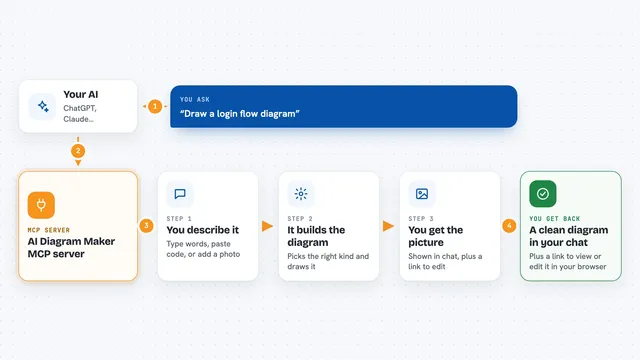
You describe the network you want in plain words, like how many sites and what kind of routers. Your AI sends that to this helper, which runs Network Sketcher on your machine. Network Sketcher keeps a master file of your design and turns it into diagrams and tables. When it is done, you get picture files and an HTML page you can open and look at. If you want changes, you just tell your AI and it updates the design.
 Click to zoom
What you can do with it
- Build a multi-site WAN or campus network design from a chat
- Generate L1 physical, L2 VLAN and L3 IP topology diagrams
- Export a combined HTML viewer of all your diagrams
- Create an interactive device table you can open in a browser
- Produce an AI context file so another AI can review your design
- Import data from Cisco tools or config files to start a design
- Save and keep your network master files on your own computer
Try asking your AI
- “Using Network Sketcher, create a small 5-site WAN with HQ, two data centers, two branches, edge routers and simple IP addressing. Then build the L1, L2 and L3 diagrams and the device table.”
- “Add a new branch office to my network design and rebuild the diagrams.”
- “Show me the device table for my current network design.”
- “Turn my Cisco config files into a Network Sketcher design and build the default outputs.”
What it gives back to you
You get files saved into your Network Sketcher workspace: SVG or PowerPoint diagrams, an HTML viewer page, and an HTML device table. In the chat, your AI tells you what it built and where the files are. You then open those files yourself to look at the pictures and tables. Your AI cannot show you the images directly, so you open them on your computer.
Before you start
What you need
- Python 3.10 or newer installed on your computer
- The full Network Sketcher repository downloaded (the online folder must be there too)
- An MCP client like Cursor or Claude Code
- A strong AI model, ideally Claude Opus 4.7 or later, since this uses many steps
Good to know
It runs on your own machine and changes the design files in your Network Sketcher workspace, so keep a backup of anything you care about.
Install it with your AI
Add Network Sketcher MCP server to your AI, no technical skills needed
You don't install anything by hand. You copy one prompt, paste it into an AI that can work on your computer, and it checks, installs and connects the server for you, asking you when it needs something.
Sign in to get the install prompt
Members get a ready-made prompt that lets the Claude desktop app check Network Sketcher MCP server, install it and connect it for them, step by step. You don't need any technical skills: you copy, paste and answer a few questions. Your connected AI can also find and install any of the 4,361 MCP servers here for you.
Who it's for
Network engineers, IT admins and anyone who plans or documents how computers and offices connect to each other.