MCP server · Security
CleiMesh MCP server
Give your AI a signed spending and access limit that a sandbox enforces on every tool call.
CleiMesh is a helper that puts a signed limit on what your AI is allowed to do with its tools. You hand your AI an allowance, like five dollars or one folder, and the limit is checked outside the AI, so a tricked or malicious AI cannot go over it. It is handy for anyone letting an AI touch money, files, or customer data.
What is an MCP server? The 30-second version
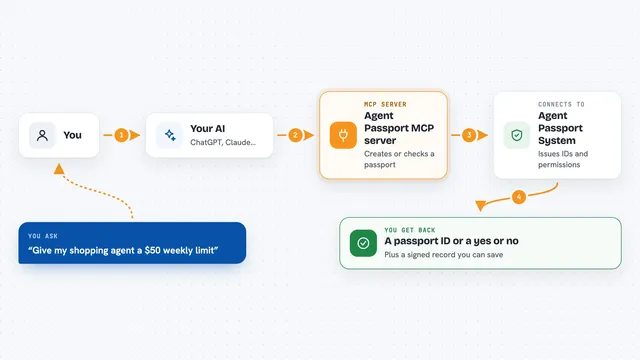
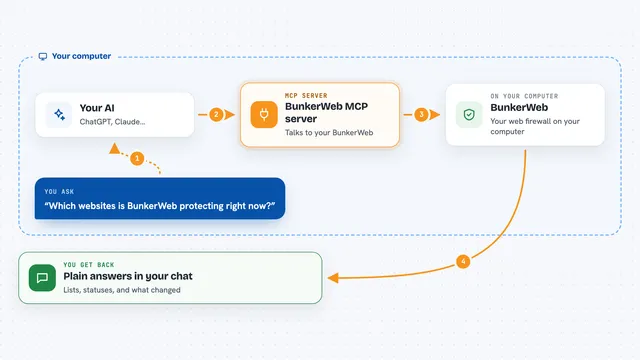
On its own, your AI can only chat. An MCP server is a small helper program that gives your AI a new skill or a connection to an app or service. This one connects your AI to CleiMesh, a permission and receipt system, so every tool call your AI makes is checked against a signed allowance before it runs. Think of it as a strict cashier standing between your AI and anything real.
What this MCP server does
You ask your AI to do something, like pay someone or read a folder. Your AI calls a tool, and CleiMesh steps in to check that call against a signed token you granted earlier. If the call fits the token, it runs inside a small sandbox and a signed receipt is written. If it does not fit, the call is refused and that refusal is also written down. You can later read the receipts and replay them to see exactly what happened.
What you can do with it
- Set a spending limit your AI cannot exceed
- Restrict your AI to one folder or one tool
- Pass a narrower permission to a subagent
- Block tools that act on the world after your AI reads untrusted content
- Get a signed receipt for every allowed or refused call
- Replay a call later and check the output byte for byte
- Wrap an existing MCP server behind a token
Try asking your AI
- “Pay demo two dollars from my allowance”
- “Read the files in my project folder”
- “Fetch this web page for me”
- “Show me what my agent did today”
What it gives back to you
You get answers in the chat, like ok, spent two dollars of five, or refused, over the allowance. Behind the scenes, CleiMesh writes a signed receipt for every call, allowed or refused. You can later ask for a summary of what happened, or verify that the log was not edited. The receipts hold fingerprints and nicknames, not the actual data your AI touched.
Before you start
What you need
- The CleiMesh program installed on your computer
- A signed allowance file, which you create with a command
- The Claude desktop app or another MCP client
- For full protection, a separate user account for the CleiMesh node
Good to know
This is alpha software, so do not rely on it to protect anything important yet. Also, it can only contain the tools that go through it; if your AI keeps its own file or shell tools, those are not covered.
Install it with your AI
Add CleiMesh MCP server to your AI, no technical skills needed
You don't install anything by hand. You copy one prompt, paste it into an AI that can work on your computer, and it checks, installs and connects the server for you, asking you when it needs something.
Sign in to get the install prompt
Members get a ready-made prompt that lets the Claude desktop app check CleiMesh MCP server, install it and connect it for them, step by step. You don't need any technical skills: you copy, paste and answer a few questions. Your connected AI can also find and install any of the 4,960 MCP servers here for you.
Who it's for
Anyone who lets an AI agent touch money, files, or private data and wants a clear limit plus a record of what happened.