MCP server · Finance and crypto
Backtrader MCP server
by cloudQuant
Let your AI build and run Backtrader trading strategy backtests on your own CSV files, safely and offline.

This is a helper that connects your AI assistant to Backtrader, a popular tool for testing trading ideas on old market data. It lets you turn a plain CSV file of prices into a proper backtest, without writing code yourself. It is handy for anyone who wants to try out a trading strategy on their own data before risking real money.
What is an MCP server? The 30-second version
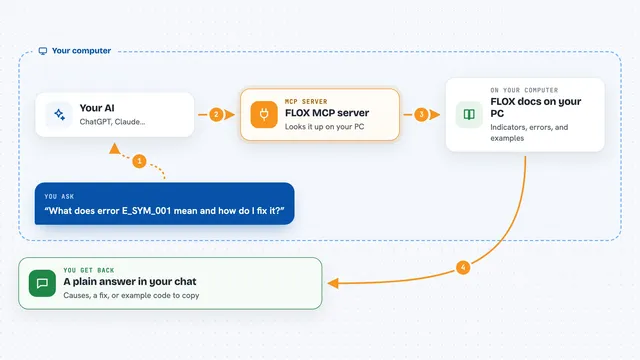
On its own, your AI can only chat. An MCP server is a small helper program that gives your AI a new skill or a connection to another tool. This one connects your AI to Backtrader, a backtesting engine, so it can build a strategy, run it on your CSV data, and hand you back the results. Everything happens on your own computer, offline, and it is only for testing, not for real trading.
What this MCP server does
You point the helper at a folder of CSV files and a folder where it can save things. You ask your AI to look at a dataset, and it reads the column names and a small sample so you can map your columns correctly. Then you ask it to build a strategy draft, and the AI writes it based on one of several ready-made patterns. You review the draft, approve it, and the helper runs the backtest in a separate, limited process. Finally you get back a status, logs, and a report you can read in the chat.
 Click to zoom
What you can do with it
- Inspect a CSV file to see its columns and a small sample
- Register a CSV as a clean, locked dataset for reuse
- Create a strategy draft from a template pattern
- Validate a draft before anything runs
- Review exactly what files will be created or changed
- Run a backtest and follow its progress
- Get a JSON or Markdown report of the results
- Search a catalog of example strategies to pick a starting point
Try asking your AI
- “Look at the CSV in my market_data folder and tell me what columns it has.”
- “Register that file as a dataset called daily_prices using date, open, high, low, close, volume.”
- “Create a moving average crossover strategy draft using that dataset.”
- “Run the backtest and give me a summary report when it finishes.”
What it gives back to you
You get clear answers in the chat: column lists, dataset IDs, draft previews, and a review of what will change before anything runs. After a run you get a status, a short log tail, and a JSON or Markdown report with the numbers. If something goes wrong, you get a short error code with a suggested next step.
Before you start
What you need
- Python 3.10 or newer
- A dedicated Python environment for this tool
- A folder of CSV price data
- A folder where the tool can save its state and generated strategies
Good to know
It writes new files to the folders you allow and can replace or delete strategy files there, so keep a backup and review the change list before approving a run.
Install it with your AI
Add Backtrader MCP server to your AI, no technical skills needed
You don't install anything by hand. You copy one prompt, paste it into an AI that can work on your computer, and it checks, installs and connects the server for you, asking you when it needs something.
Sign in to get the install prompt
Members get a ready-made prompt that lets the Claude desktop app check Backtrader MCP server, install it and connect it for them, step by step. You don't need any technical skills: you copy, paste and answer a few questions. Your connected AI can also find and install any of the 4,609 MCP servers here for you.
Who it's for
People who want to test trading ideas on their own data without writing code, such as analysts, students, and hobbyist traders.