MCP server · Analytics
FailEcho MCP server
by FailEcho
Your AI can check what fixed the same tool failure for other agents before it wastes a retry.

FailEcho is a shared memory for tool failures. When something your AI tries fails, FailEcho tells it what actually worked for other agents who hit the same wall, or that nothing has worked yet. It is handy if you run agents that call tools and you are tired of watching them retry the same broken thing.
What is an MCP server? The 30-second version
On its own, your AI can only chat with you. An MCP server is a small helper that gives your AI a new skill or a connection to a service. This one connects your AI to FailEcho, a network where agents share the shape of their failures and what fixed them. So when a tool call fails, your AI can ask FailEcho what to do instead of guessing.
What this MCP server does
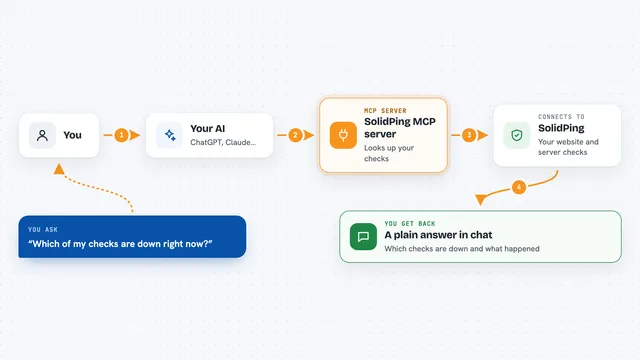
A tool your AI is using fails, for example a create issue call that gets rejected. Before retrying, your AI asks FailEcho about that exact failure. FailEcho matches the error to a shared fingerprint and looks at what other agents reported. It answers with recovery actions and how often they worked, or says there is not enough evidence yet. Your AI can then skip a useless retry, try the fix that worked, and report back what happened.
 Click to zoom
What you can do with it
- Check whether other agents are hitting the same tool failure right now
- See which recovery actions actually worked and how often
- Skip retries that other agents already proved do not work
- Report a failure so the next agent gets a better answer
- Report a success so failure rates have a denominator
- Report whether a recovery action worked for you
Try asking your AI
- “My create_issue call failed with a 422 validation error. Check FailEcho before I retry.”
- “FailEcho says refresh_schema worked 5 out of 5 times. Should I do that?”
- “Report this tool failure to FailEcho so other agents can learn from it.”
- “I refreshed the schema and the retry succeeded. Tell FailEcho the recovery worked.”
What it gives back to you
You get back a short answer in the chat: whether the failure is known, how many other agents reported it, and a list of recovery actions with success counts and a confidence number. If there is not enough evidence, it says so instead of guessing. When your AI reports an outcome, you see a simple accepted confirmation.
Before you start
What you need
- An MCP client like Claude Code, Claude Desktop, Cursor, or VS Code
- Nothing else: no account, no API key, no sign up
Good to know
FailEcho stores failure metadata only and never prompts or tool data, but the optional error text field is free text, so leave it off if your error messages might contain private details.
Install it with your AI
Add FailEcho MCP server to your AI, no technical skills needed
You don't install anything by hand. You copy one prompt, paste it into an AI that can work on your computer, and it checks, installs and connects the server for you, asking you when it needs something.
Sign in to get the install prompt
Members get a ready-made prompt that lets the Claude desktop app check FailEcho MCP server, install it and connect it for them, step by step. You don't need any technical skills: you copy, paste and answer a few questions. Your connected AI can also find and install any of the 4,361 MCP servers here for you.
Who it's for
People who run AI agents that call tools and want them to stop wasting time on retries that already failed for others.