MCP server · Research
AniList MCP server
by gavxm
Your AI can look up anime and manga, recommend what to watch next, and manage your AniList.
This is a small helper that connects your AI assistant to AniList, the website where people track the anime and manga they watch and read. Once it is set up, you can just chat with your AI about shows and it will look things up for you. It is handy if you keep an AniList list and want smarter suggestions than scrolling forever.
What is an MCP server? The 30-second version
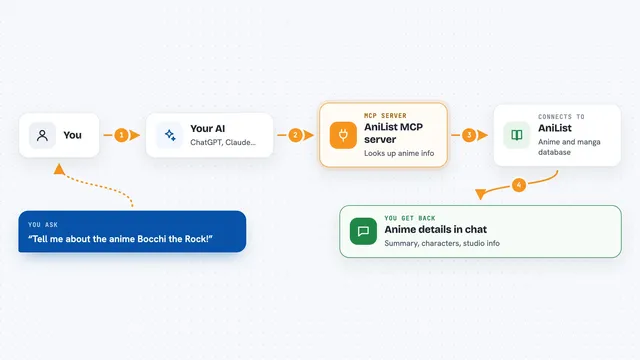
On its own, your AI can only chat with you. It cannot see your AniList account or search the site. An MCP server is a small helper program that gives your AI a new skill, and this one connects it to AniList. So when you ask about a show, the AI uses this helper to talk to AniList and bring the answer back to you.
What this MCP server does
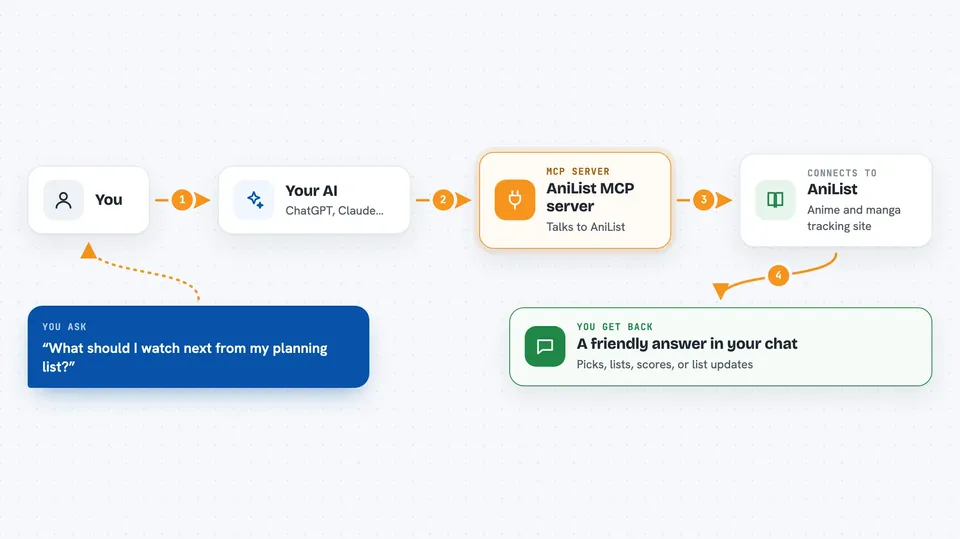
You ask your AI something in normal words, like what to watch next. The AI passes that request to this helper. The helper talks to AniList and pulls the information it needs. Then the AI turns that into a friendly answer in your chat. If you have given it your username, it can also read your own list and stats.
 Click to zoom
What you can do with it
- Search for any anime or manga by title
- Get a personalized pick for what to watch next
- See what is trending or airing this season
- Check your own list, stats, and progress
- Compare your taste with another AniList user
- Find the right watch order for a long series
- Update your progress, score, or list entries
Try asking your AI
- “What should I watch next from my planning list?”
- “I want something dark and psychological tonight”
- “What is good this season?”
- “Compare my taste with username123”
- “What order do I watch Fate in?”
What it gives back to you
You get answers written in plain language in your chat. That can be a list of shows, a short explanation of why you might like something, a compatibility score, or a summary of your year. If you ask it to change your list, it will confirm what it changed.
Before you start
What you need
- The Claude desktop app or another app that supports MCP servers
- Node.js installed on your computer (the setup uses a tool called npx)
- Your AniList username (only needed for personal recommendations and list tools)
- An AniList token (only needed if you want it to change your list)
Good to know
If you give it your AniList token, it can change or remove things on your list, so double check before you say yes.
Install it with your AI
Add AniList MCP server to your AI, no technical skills needed
You don't install anything by hand. You copy one prompt, paste it into an AI that can work on your computer, and it checks, installs and connects the server for you, asking you when it needs something.
Sign in to get the install prompt
Members get a ready-made prompt that lets the Claude desktop app check AniList MCP server, install it and connect it for them, step by step. You don't need any technical skills: you copy, paste and answer a few questions. Your connected AI can also find and install any of the 4,609 MCP servers here for you.
Who it's for
Anime and manga fans who keep an AniList account and want quick, personal recommendations without digging through the site.