MCP server · Music
Spotify MCP server
by gupta-kush
Lets your AI control Spotify: play music, search songs, build and clean up playlists, and explore your taste.

This is a helper that connects your AI assistant to your Spotify account. Once it is set up, you can ask your AI in plain words to play something, tidy up a playlist, or find a song you half remember. It is handy for anyone who spends a lot of time in Spotify and wants their AI to do the clicking.
What is an MCP server? The 30-second version
On its own, your AI can only chat. An MCP server is a small helper program that gives your AI a new skill or a connection to an app, and here that app is Spotify. You install this helper once, connect it to your Spotify account, and from then on your AI can look things up in Spotify or make changes there when you ask. You still talk to your AI the same way. The helper just does the Spotify part behind the scenes.
What this MCP server does
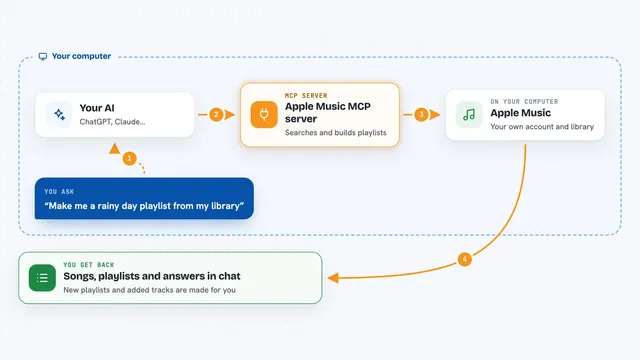
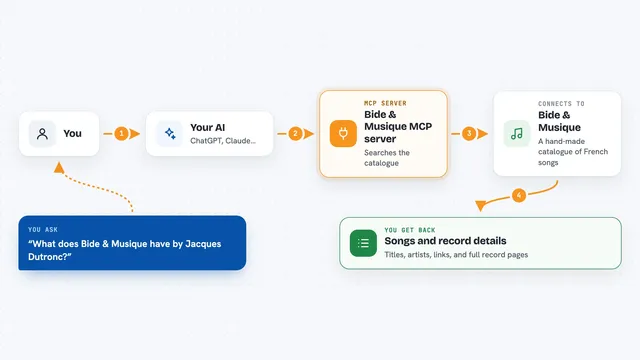
You ask your AI something like play a song or clean up a playlist. The AI passes your request to this helper program. The helper talks to Spotify using your account, either reading information or making the change you asked for. Then it sends the result back, and your AI tells you what happened in the chat. For example, it can report what is playing now, list your playlists, or confirm that it removed duplicates.
 Click to zoom
What you can do with it
- Play, pause, skip, and change the volume on whatever device Spotify is open on
- Search Spotify for songs, artists, albums, and playlists
- Create new playlists and add or reorder tracks in them
- Clean up an old playlist by removing duplicates and unavailable tracks
- Show your top tracks and artists and how your taste changed over time
- Find a song from a fuzzy description like a sad song with strings by Pink Floyd
- Map an artist's related artists and build a radio playlist from one
Try asking your AI
- “Play Bohemian Rhapsody”
- “Make my playlist start chill and build to high energy”
- “Find that sad song with strings by Pink Floyd from the 90s”
- “Clean up my old playlist and remove duplicates”
What it gives back to you
You get answers in the chat, not files to download. It can show lists like your playlists or top tracks, short summaries like the vibe of a playlist, or stats like when you listen most. When it changes something, such as creating a playlist or removing duplicates, it tells you what it did. Some tools can also export playlist data if you ask.
Before you start
What you need
- A Spotify account (free or paid)
- A Spotify Client ID from the Spotify Developer Dashboard (a free code the site gives you after you create an app there)
- An MCP client like Claude Desktop, Claude Code, or Cursor
- Python with uv or pip installed to run the helper
Good to know
It can change your playlists and library, so check what it plans to do before letting it run, especially if you turn on the destructive tools.
Install it with your AI
Add Spotify MCP server to your AI, no technical skills needed
You don't install anything by hand. You copy one prompt, paste it into an AI that can work on your computer, and it checks, installs and connects the server for you, asking you when it needs something.
Sign in to get the install prompt
Members get a ready-made prompt that lets the Claude desktop app check Spotify MCP server, install it and connect it for them, step by step. You don't need any technical skills: you copy, paste and answer a few questions. Your connected AI can also find and install any of the 4,361 MCP servers here for you.
Who it's for
Spotify fans who use an AI assistant and want help managing playlists, finding music, or understanding their listening habits without clicking around.