MCP server · Research
Google Flights MCP server
by HasData
Lets your AI search Google Flights for fares, times, stops and carbon emissions when you ask.
This is a hosted helper that connects your AI assistant to Google Flights. You ask in plain words about a route and a date, and it comes back with real flight options and prices. It is handy for anyone who plans trips and wants quick answers without opening a dozen browser tabs.
What is an MCP server? The 30-second version
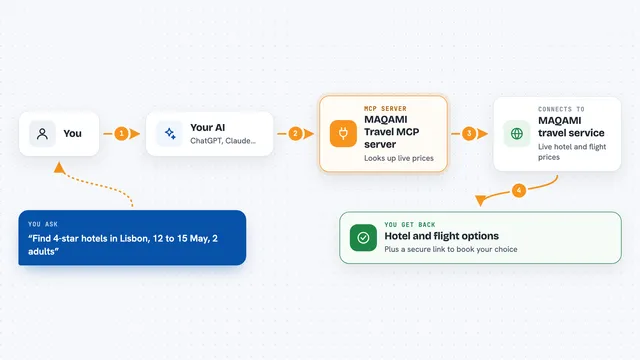
On its own, your AI can only chat with you. An MCP server is a small helper program that gives your AI a new skill or a connection to an app. This one connects your AI to Google Flights, so it can look up real fares and flight details for you. You just ask, and the helper does the looking up.
What this MCP server does
You type a request like flights from New York to London on a certain date. Your AI sends that to this helper, which asks Google Flights for matching itineraries. The helper gets back prices, airlines, flight numbers, times, stops and carbon estimates. Your AI then reads that and answers you in the chat. For a round trip, it makes two lookups: one for the outbound options, then one for the return that matches the option you pick.
What you can do with it
- Find one-way flights between two airports on a date
- Compare round-trip fares for an outbound and return date
- Filter results by cabin class, number of stops or airline
- Sort options by price, duration or carbon emissions
- Check whether a fare is high or low compared to recent price history
- Plan a multi-city trip with several legs
- Estimate the carbon footprint of a flight
Try asking your AI
- “Find one-way flights from JFK to London Heathrow on September 15, sorted by price, and show me the three cheapest with airline and carbon estimate”
- “Same route but non-stop only, in business class, and tell me which option has the lowest emissions”
- “Is 295 dollars a good price for JFK to LHR right now, given the price history”
- “Round trip JFK to LHR, out September 15 back September 22, cheapest fare”
What it gives back to you
You get a list of flight options in the chat, each with the price, total travel time, number of stops and the airlines involved. Each leg shows the departure and arrival airports and times, the flight number and the plane. Carbon emissions come back in grams, plus a note on whether the flight is greener than average for that route. For price questions, it also gives a typical price range and a level like typical or high.
Before you start
What you need
- An MCP client such as Claude, Cursor, Windsurf or VS Code
- A HasData API key from their dashboard (a kind of password for apps; the free sign-up gives you one without a card)
- That is all. It is a hosted server, so there is nothing to install and no Google account needed
Good to know
Each successful search costs 15 credits from your HasData plan, and a round trip counts as two searches, so keep an eye on your monthly free allowance.
Install it with your AI
Add Google Flights MCP server to your AI, no technical skills needed
You don't install anything by hand. You copy one prompt, paste it into an AI that can work on your computer, and it checks, installs and connects the server for you, asking you when it needs something.
Sign in to get the install prompt
Members get a ready-made prompt that lets the Claude desktop app check Google Flights MCP server, install it and connect it for them, step by step. You don't need any technical skills: you copy, paste and answer a few questions. Your connected AI can also find and install any of the 4,361 MCP servers here for you.
Who it's for
Anyone who books or compares flights, like travel planners, executive assistants, frequent flyers and small business owners arranging trips.