MCP server · Research
Google Trends MCP server
by HasData
Lets your AI look up Google Trends interest over time, by region, and related searches for any keyword.

This is a helper that connects your AI to Google Trends data. You ask a question in plain words, and the AI fetches the trend numbers for you. It is handy for anyone who needs to know what people are searching for, without opening a spreadsheet or learning a new tool.
What is an MCP server? The 30-second version
On its own, your AI can only chat with you. It cannot go and check live data on a website. An MCP server is a small helper program that gives your AI a new skill, and here that skill is looking things up in Google Trends. Once it is connected, you just ask your question, and the AI quietly uses this helper to get the numbers for you.
What this MCP server does
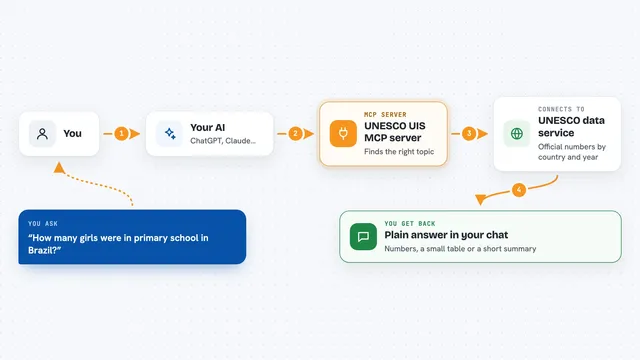
You type a question about a keyword, like how interest in something changed over the past year. Your AI sends that request to this helper. The helper talks to Google Trends and pulls back the data as clean structured text. Then your AI reads it and answers you in the chat. You never touch the raw data yourself.
 Click to zoom
What you can do with it
- See how interest in a keyword changed over time
- Compare up to five keywords against each other
- Check interest by country, state, metro area, or city
- Find rising related searches people are starting to type
- Find the top related searches around a keyword
- Look at related topics instead of related searches
- Narrow results to a category, or to Shopping, News, Images, or YouTube
Try asking your AI
- “Chart interest in cold brew coffee in the US over the past 12 months and tell me which weeks it peaked”
- “For cold brew coffee in the US, give me the rising related queries and flag the ones marked Breakout”
- “Compare interest in cold brew against iced coffee worldwide over five years and say which one is growing”
- “Show me interest in sunscreen by US state over the past 90 days so I can see where demand is highest”
What it gives back to you
You get answers in the chat, usually as a short summary plus the numbers behind it. Depending on what you asked, that can be a list of dates with interest scores, a breakdown by region, or lists of related searches split into rising and top. Your AI can turn those into a table or a simple chart if you ask. It only reads data, so nothing in your account or on Google gets changed.
Before you start
What you need
- An MCP client, such as Claude Desktop, Claude Code, Cursor, Windsurf, or VS Code
- A HasData API key from their dashboard (a kind of password for apps; the free signup needs no card)
- The server URL, which is the same for every client
Good to know
Each successful lookup costs 5 credits from your HasData account, and the free tier gives you 1,000 credits a month.
Install it with your AI
Add Google Trends MCP server to your AI, no technical skills needed
You don't install anything by hand. You copy one prompt, paste it into an AI that can work on your computer, and it checks, installs and connects the server for you, asking you when it needs something.
Sign in to get the install prompt
Members get a ready-made prompt that lets the Claude desktop app check Google Trends MCP server, install it and connect it for them, step by step. You don't need any technical skills: you copy, paste and answer a few questions. Your connected AI can also find and install any of the 4,361 MCP servers here for you.
Who it's for
Marketers, researchers, writers, and analysts who want quick trend answers without building a data pipeline.