MCP server · Developer tools
ThumbGate MCP server
Lets your AI coding helper check risky actions before it runs them, and remember your past feedback.

ThumbGate is a small helper that sits between your AI coding assistant and the things it wants to do on your computer. Before the AI runs a command, ThumbGate checks it against rules and lessons you have saved. It is handy for anyone who lets an AI agent edit files or run commands and wants a safety net.
What is an MCP server? The 30-second version
On its own, your AI can only chat with you. An MCP server is a small helper program that gives your AI a new skill or a connection to something else. This one connects your AI to ThumbGate, a local safety checker that watches the actions your AI wants to take. So when you ask your AI to do something, it can first ask ThumbGate whether that action is safe.
What this MCP server does
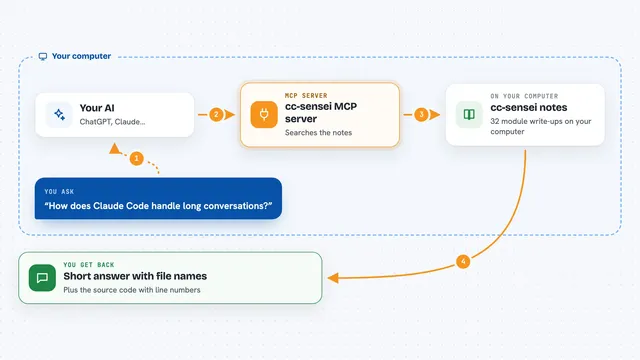
You ask your AI to do something, like clean up a folder. Before the AI actually runs the command, it asks ThumbGate to check it. ThumbGate compares the action against rules and lessons you have saved from past mistakes. It then tells the AI whether to allow it, warn you, or block it. If you gave feedback before, that lesson can turn into a rule that stops the same mistake next time.
 Click to zoom
What you can do with it
- Check a risky command before your AI runs it
- Save feedback about a mistake so it becomes a rule
- List the active rules and lessons ThumbGate is using
- See gate statistics and which actions were blocked or warned
- Open a local dashboard of your saved lessons
- Run a health check on your hooks and setup
Try asking your AI
- “Before you run that command, check it with ThumbGate first”
- “Save a lesson: never run DROP on production tables”
- “Show me the active rules ThumbGate is enforcing”
- “What has ThumbGate blocked or warned about recently”
What it gives back to you
You get back a short verdict: allow, warn, or block, along with the reason and the rule that matched. You can also get lists of your saved rules, lessons, and gate statistics. In the chat it looks like a small notice explaining what fired and why. The AI then decides what to do based on that answer.
Before you start
What you need
- Node.js installed on your computer
- An AI coding agent that supports MCP, like Claude Code, Cursor, or Codex
- A free ThumbGate account for the free tier limits (2 feedback captures per day, up to 3 active rules)
Good to know
It can block or warn about actions your AI wants to take, and by default it only hard-blocks secret leaks and self-disable commands, so turn on strict mode if you want more blocking.
Install it with your AI
Add ThumbGate MCP server to your AI, no technical skills needed
You don't install anything by hand. You copy one prompt, paste it into an AI that can work on your computer, and it checks, installs and connects the server for you, asking you when it needs something.
Sign in to get the install prompt
Members get a ready-made prompt that lets the Claude desktop app check ThumbGate MCP server, install it and connect it for them, step by step. You don't need any technical skills: you copy, paste and answer a few questions. Your connected AI can also find and install any of the 4,361 MCP servers here for you.
Who it's for
Developers and operators who let AI coding agents run commands and want a safety check before anything risky happens.