
MCP server · Finance and crypto
Token Minter MCP server
by kukapay
Create and check crypto tokens on 21 blockchains just by asking your AI in plain words.
This is a helper that lets your AI create and manage crypto tokens for you. You describe what you want in normal words, and it does the technical steps on one of 21 blockchains. It is for people who already deal with crypto and want to skip the fiddly parts.
What is an MCP server? The 30-second version
On its own, your AI can only chat with you. It cannot touch anything outside the conversation. An MCP server is a small helper program you connect to your AI to give it one new skill. This one gives your AI a link to blockchains, so it can create tokens and look up balances for you when you ask.
What this MCP server does
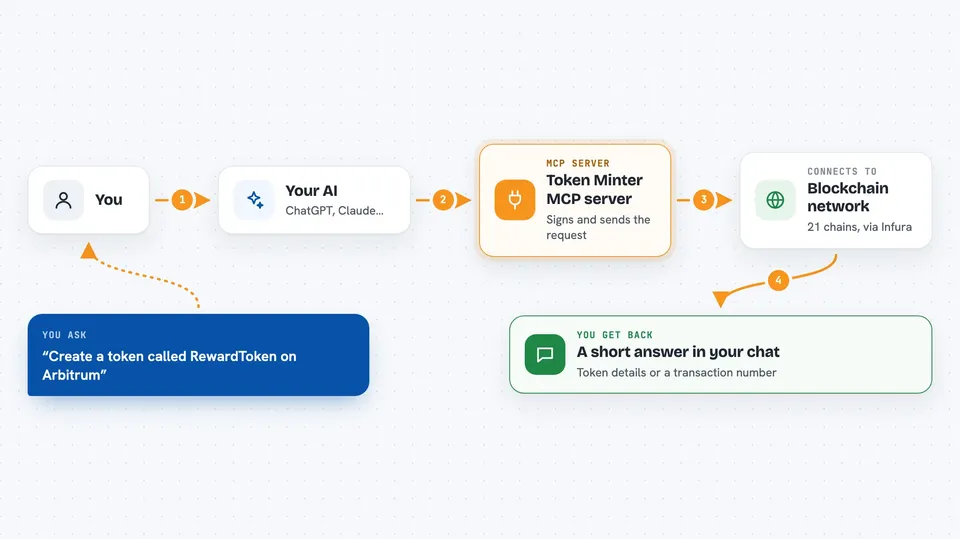
You tell your AI what you want, for example a new token called RewardToken on Arbitrum. Your AI hands that request to this helper. The helper talks to the blockchain network through a service called Infura, using your own wallet key to sign the transaction. Then it comes back with what it did, like a transaction reference number and the token details. Later you can ask it to check whether that transaction finished.
 Click to zoom
What you can do with it
- Create a brand new token with a name, symbol, supply and decimal places
- Send tokens from your wallet to another address
- Check how much of a coin or token your wallet holds
- Look up the name, symbol and total supply of a token
- Look up what happened in a transaction using its reference number
- Ask for step by step guidance before you deploy a token
Try asking your AI
- “I want to create a new token called RewardToken with the symbol RWD on Arbitrum. 5 million initial supply, 6 decimals.”
- “How much POL do I have in my wallet on Polygon?”
- “Please transfer 150.75 USDC from my account to 0xRecipientAddressHere on Polygon.”
- “What is the status of my token deployment transaction on Arbitrum?”
What it gives back to you
You get a short block of text in the chat, not a file. It shows things like the token name, the balance, or a transaction reference number. For transfers and deployments it tells you the transaction was started, and you have to ask again to see if it went through. That second answer shows the status and, for a new token, the address where it now lives.
Before you start
What you need
- Node.js version 18 or newer, plus npm (they come together from nodejs.org)
- A free Infura account and its API key (a kind of password for apps that read blockchain data)
- The private key of the crypto wallet you want to use, which signs and pays for transactions
Good to know
This helper can create tokens and move real crypto with your wallet key, which costs real money and cannot be undone, so test on the local network first and never share your private key.
Install it with your AI
Add Token Minter MCP server to your AI, no technical skills needed
You don't install anything by hand. You copy one prompt, paste it into an AI that can work on your computer, and it checks, installs and connects the server for you, asking you when it needs something.
Sign in to get the install prompt
Members get a ready-made prompt that lets the Claude desktop app check Token Minter MCP server, install it and connect it for them, step by step. You don't need any technical skills: you copy, paste and answer a few questions. Your connected AI can also find and install any of the 4,609 MCP servers here for you.
Who it's for
Crypto users, small token projects and finance teams who want to create or check tokens without learning blockchain tooling.



