MCP server · Security
M2M Sentinel MCP server
by M2M-Sentinel
Lets your AI check what a Base blockchain contract can actually do before you trust it.

M2M Sentinel is a service that looks at smart contracts on Base (a blockchain network) and tells you what they are able to do, and whether they are hiding behind a proxy. This page is about the MCP server part, which plugs that service straight into your AI assistant. It is handy for anyone who works with crypto contracts and wants a second opinion before touching one.
What is an MCP server? The 30-second version
On its own, your AI can only chat with you. An MCP server is a small helper program that gives your AI one new skill, in this case the ability to ask M2M Sentinel about a Base contract. Once it is connected, you can paste a contract address into the chat and your AI will go and look it up for you. You do not need to understand how it works under the hood.
What this MCP server does
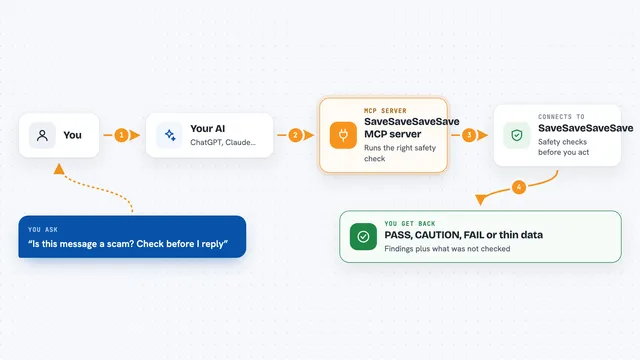
You give your AI a contract address on Base. The AI passes that address to this helper, which sends it to the M2M Sentinel service. The service reads the contract's code and works out what actions it can perform, and whether it is a proxy that points to another contract. The answer comes back into your chat as a short report you can read.
 Click to zoom
What you can do with it
- Check what a Base contract is able to do
- See whether a contract is a proxy and what it points to
- Get a plain list of the contract's capabilities
- Look at the evidence behind each capability
- Run a safety check before sending a transaction
- Ask for gas recommendations for a Base transaction
Try asking your AI
- “What can this Base contract do: 0x833589fCD6eDb6E08f4c7C32D4f71b54bdA02913”
- “Is this contract a proxy, and if so what does it point to?”
- “Give me a safety check on this Base transaction before I send it”
- “What gas should I use for this Base transaction?”
What it gives back to you
You get back a short report in the chat. It usually says whether the contract is a proxy, what the proxy target is, and a list of the things the contract can do, with the evidence behind each one. For preflight checks you get a yes or no style answer about whether the check passed.
Before you start
What you need
- An M2M Sentinel API key (a kind of password for the service; you get one when you sign up)
- The Claude desktop app or another AI app that supports MCP servers
- Node.js installed if you want to run it on your own computer
Good to know
It only looks at contracts and gives you information, but the final decision to send a transaction is always yours, so double check anything important before you act on it.
Install it with your AI
Add M2M Sentinel MCP server to your AI, no technical skills needed
You don't install anything by hand. You copy one prompt, paste it into an AI that can work on your computer, and it checks, installs and connects the server for you, asking you when it needs something.
Sign in to get the install prompt
Members get a ready-made prompt that lets the Claude desktop app check M2M Sentinel MCP server, install it and connect it for them, step by step. You don't need any technical skills: you copy, paste and answer a few questions. Your connected AI can also find and install any of the 4,361 MCP servers here for you.
Who it's for
People who work with Base blockchain contracts, like crypto analysts, developers, and anyone who wants a quick safety check before interacting with a contract.